Search results in search bar are not showing the translated content
Home › Forums › Product Support Forums › Ajax Search Pro for WordPress Support › Search results in search bar are not showing the translated content
- This topic has 7 replies, 2 voices, and was last updated 8 months, 2 weeks ago by
Ernest Marcinko.
-
AuthorPosts
-
November 4, 2025 at 3:32 pm #55945
andreivoicu_jajX
ParticipantHi,
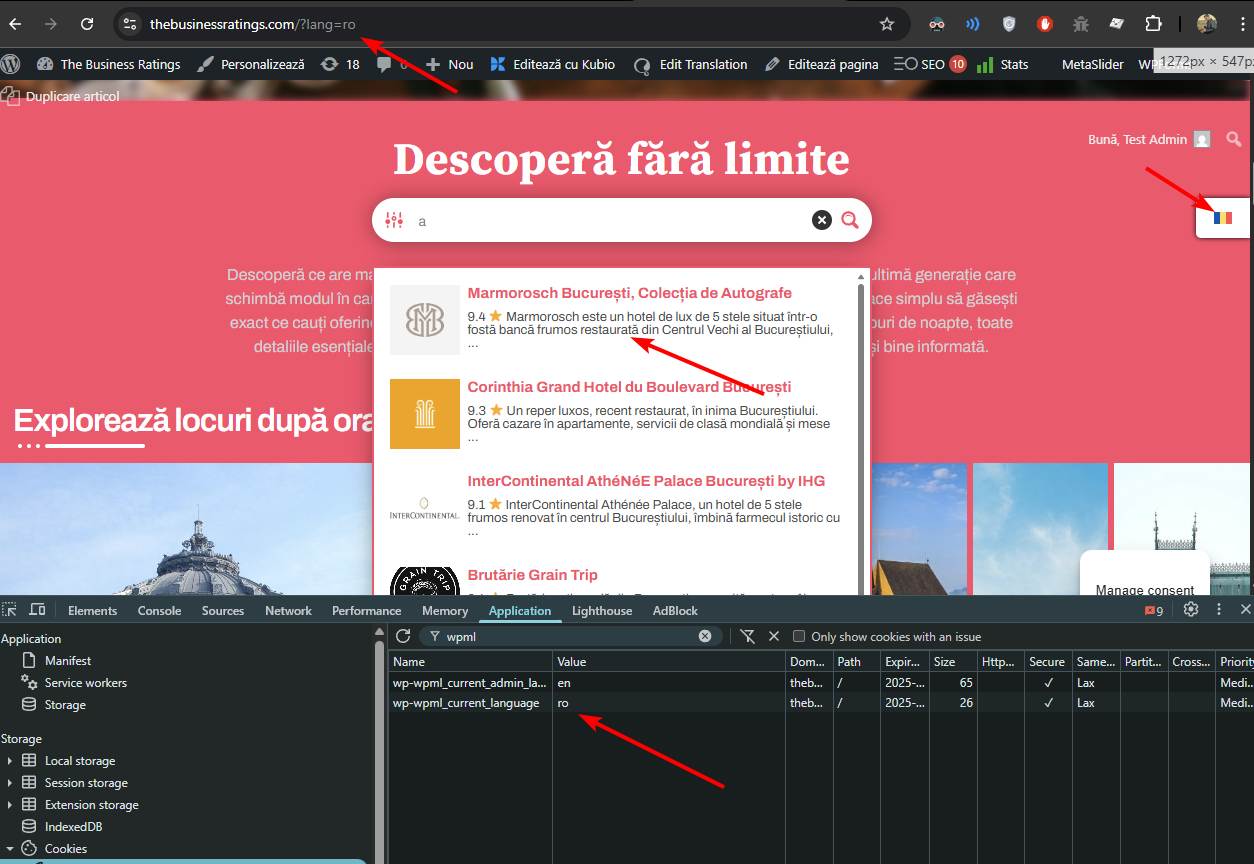
I am using WPML to translate my site. My main language is english and I translated the posts I needed in romanian, the problem is that the search results in the search bar on the main page (thebusinessratings.com) are not showing the translated posts excerpts, even though the rest of the page is translated in romanian, the search results are still showing in english.
Please, I need your assistance.
Thank you.
Regards, Andrei
November 4, 2025 at 8:39 pm #55950KeymasterHi,
Thank you very much for the details, it helps a lot!
From the request body it seems like the search sees as if the language is still english, as for some reason the “en” language code is printed to the search bar.
I suspect this might be something to do with the block cache – as if the cached “english” version of the plugin block is printed to the page with the original “en” langauage code.
Can you please try to replace the search block with a shortcode block and use this shortcode with it:
[wd_asp id=1]
Also, please make sure to clear the page cache as well. If all goes well, that should re-render the output correctly for each language with the correct language code string in the search bar.November 5, 2025 at 3:11 pm #55954ParticipantHi Ernest, thanks a lot for answering and helping out. I replaced the search block with the shortcode and used it in incognito for romanian but still the search results of the bar appear in english. Thanks.
November 6, 2025 at 8:34 am #55957KeymasterOkay. Can you please check the back-end detail permissions and also add temporary SFTP details if possible?
I tried to log-in but it does not let me view the administrator dashboard. I would like to do a full code debug to see why exactly is the wrong language code reported.November 6, 2025 at 8:41 am #55959ParticipantYou cannot access this content.
November 7, 2025 at 8:06 am #55968KeymasterThank you!
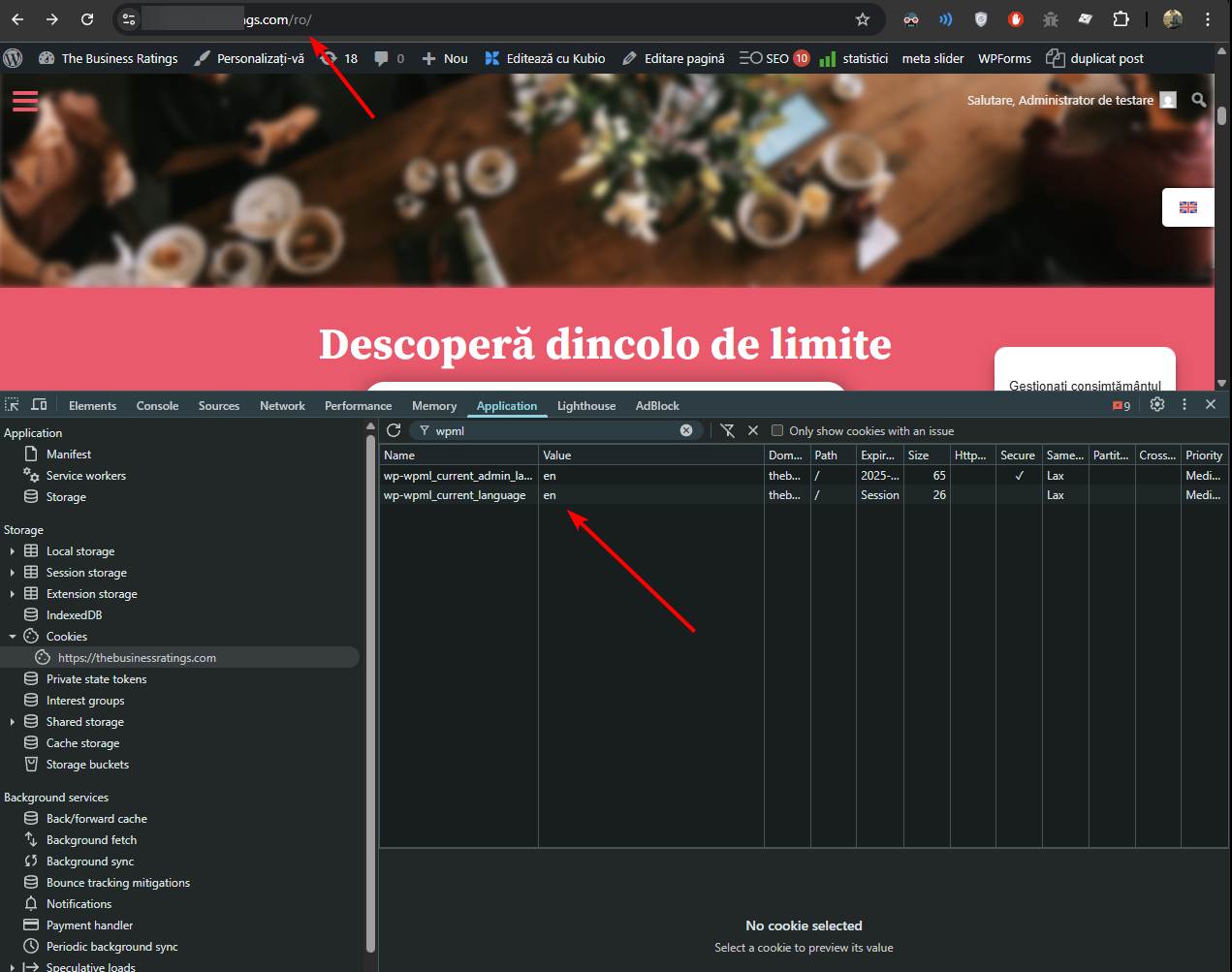
There seems to be some sort of an issue with WPML and your permalink setup here. The front-end language is always reported as english on the /ro/ page. I can confirm that by looking at the cookies, as well as ICL_LANGUAGE_CODE constant and the
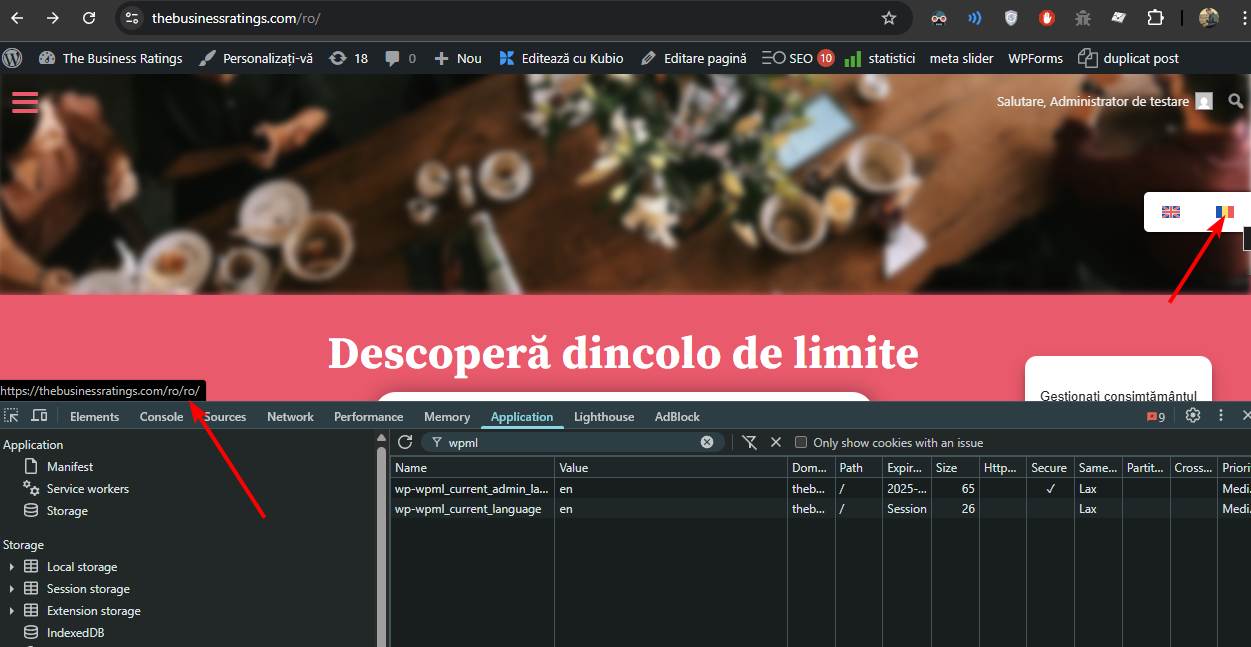
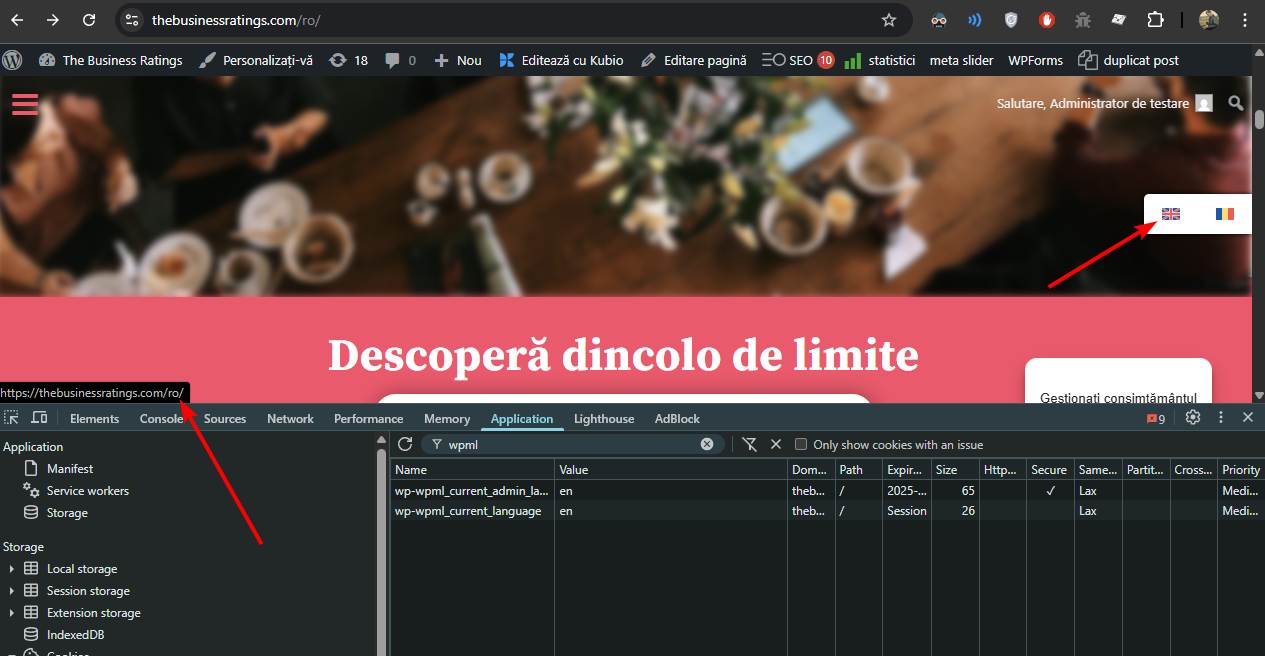
apply_filters( 'wpml_current_language', NULL )functions are both returning “en”.Moreover even the language switcher indicates english, and when you hover over the romanian, it tries to redirect to /ro/ro/, as it thinks it’s on an english version. If you hover the english flag, it will redirect to
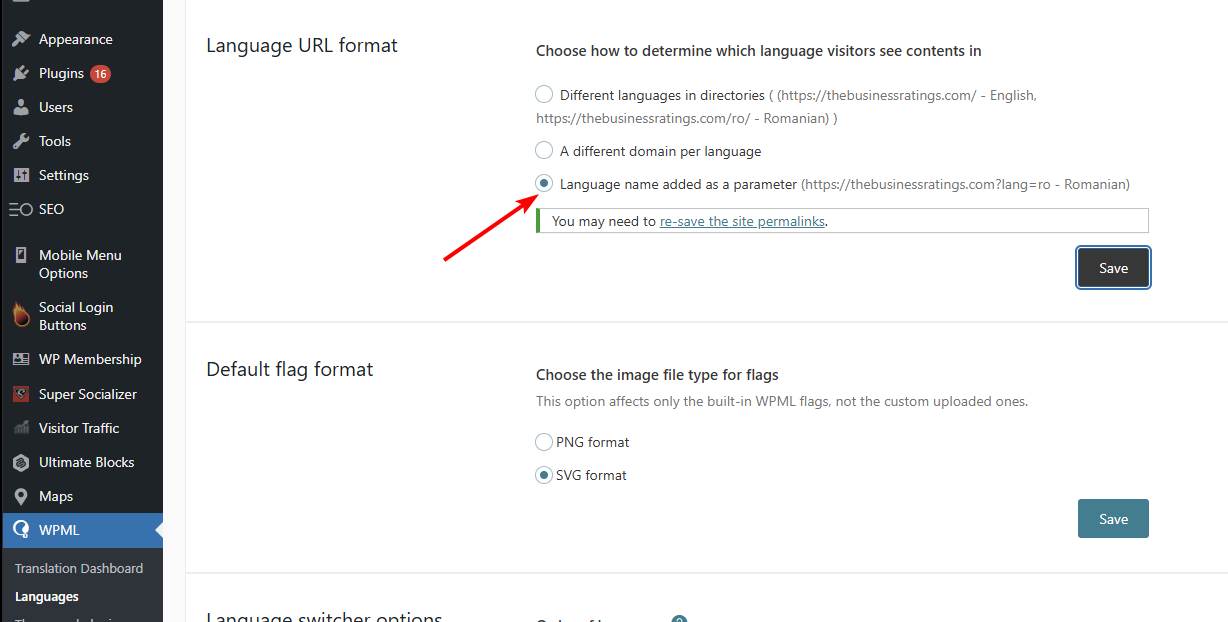
/ro/as it thinks it is the english version.I have tested by changing the URL format to parameter in WPML, then everything works just fine, including the language switcher, translations and everything. This indicates some sort of an issue with your permalink setup.
November 7, 2025 at 4:48 pm #55975ParticipantThanks a lot for looking into it. Much appreciated.
November 8, 2025 at 12:07 pm #55977KeymasterYou cannot access this content.
-
AuthorPosts
- You must be logged in to reply to this topic.