Post order not returning to default
Home › Forums › Product Support Forums › Ajax Search Pro for WordPress Support › Post order not returning to default
- This topic has 5 replies, 2 voices, and was last updated 1 month, 2 weeks ago by
Ernest Marcinko.
-
AuthorPosts
-
November 9, 2025 at 12:07 pm #55983
Mads Fischer
ParticipantHi Ernest,
I hope you can help. ASP does not return to the default post order which I have setup in the plugin “Advanced Post Types Order”.
The order is only correct when I first enter the page with the search module. The order e.g disappear when I type something in the search field and the press the RESET button or delete the characters. The correct order is shown on the screenshot.
It seems like ASP is somehow overriding the order created from APTO. I have tried to change the SORTING settings inside ASP settings, but with no luck.
Thanks in advance.
Kind regards
Mads
November 10, 2025 at 8:06 am #55992KeymasterHi Mads,
The order from 3rd party plugins is not guaranteed unfortunately, as they might not detect the search query to apply the custom ordering.
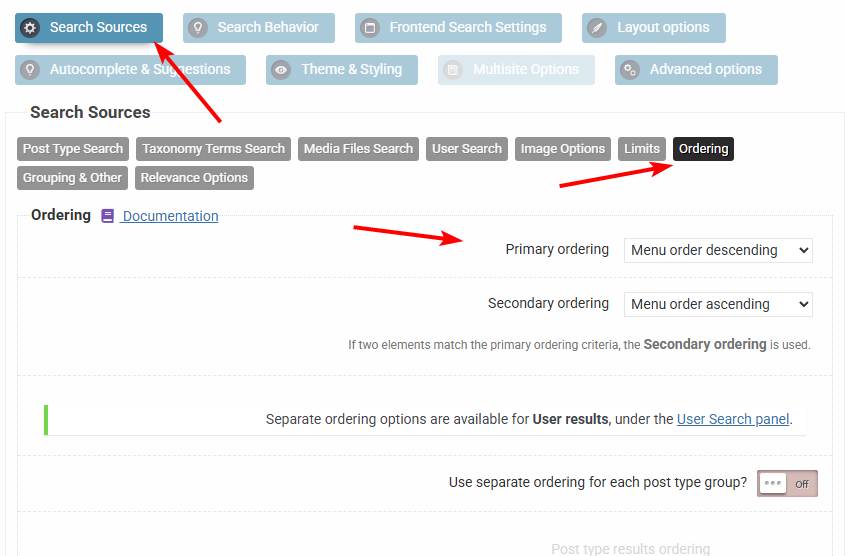
However you can adjust the ordering on the plugin back-end, and if you need more complex ordering/prioritization of certain results, then I recommend checking the individual and group priorities features, which override the main results ordering.
June 1, 2026 at 12:51 pm #57539ParticipantYou cannot access this content.
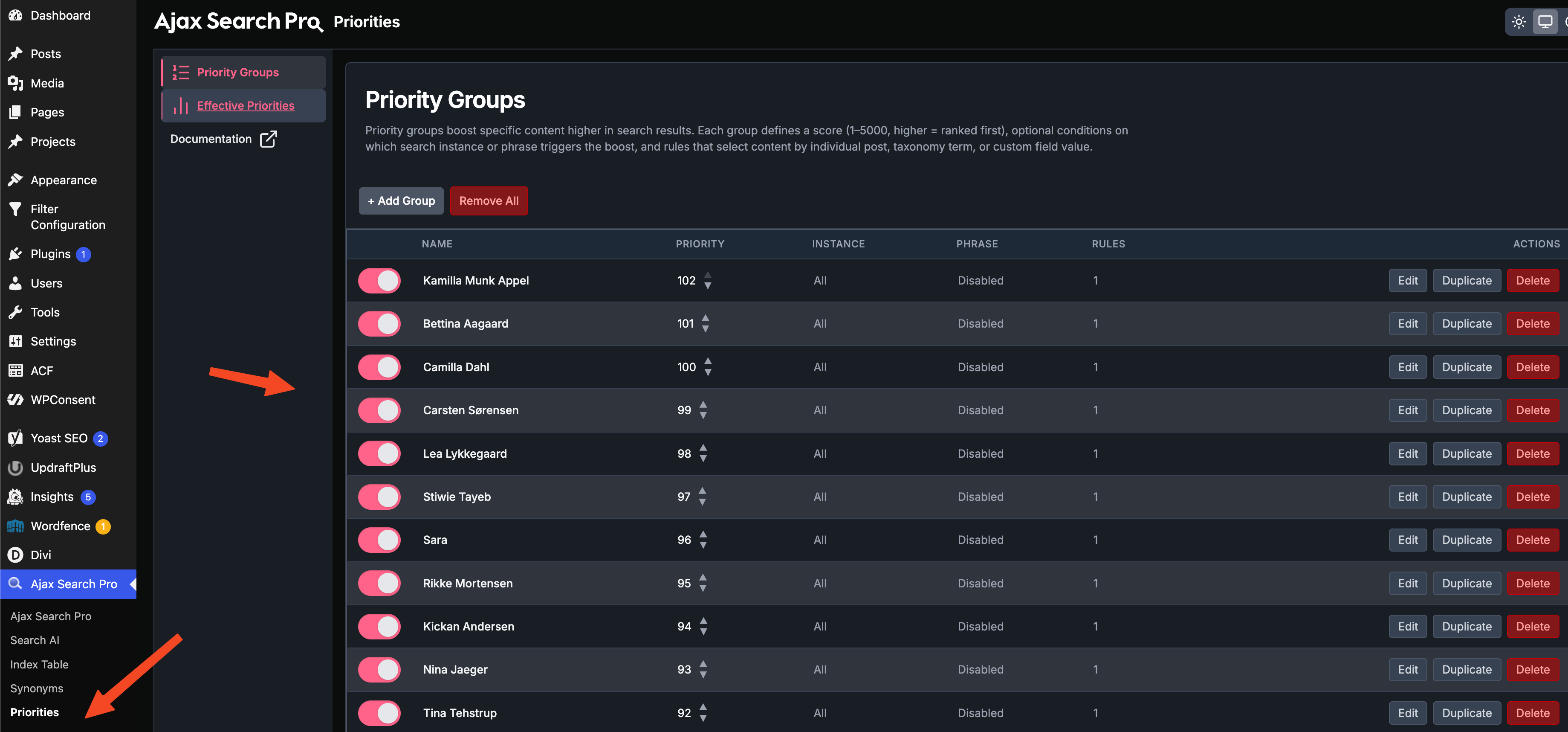
June 2, 2026 at 8:02 pm #57563KeymasterSure, something similar is definitel possible. I have installed the newest release (beta, it will be released tomorrow), where the priority groups are more advanced.
I have crated the required priority groups for you and ordered as on the second picture. You can move/edit them freely as you like or add/remove new items.
June 3, 2026 at 7:35 am #57568ParticipantOkay thanks for the setup.
I’m wondering if your system is able to create post priorities inside created groups? In fact I need to order my clients differently in each taxonomy/instance filter.For instance:
Familiebehandler > Peter – Priority 20
Familiebehandler > James – Priority 21
Familiebehandler > Lionel – Priority 22
Familiebehandler > Chris – Priority 23
Familiebehandler > Jenny – Priority 23Kontaktperson/ungestøtte > Peter – Priority 20
Kontaktperson/ungestøtte > James – Priority 21
Kontaktperson/ungestøtte > Lionel – Priority 22
Kontaktperson/ungestøtte > Chris – Priority 23
Kontaktperson/ungestøtte > Jenny – Priority 23Is this a possible option?
Thanks for your time Ernest
June 4, 2026 at 11:11 am #57586KeymasterHi,
I’m afraid no, the filter values can’t affect the priority rule – only the search phrase can. I will take it as a feature request though, I think it could be very useful in the future.
-
AuthorPosts
- You must be logged in to reply to this topic.