I can’t adjust the styling options. It always reset.
Home › Forums › Product Support Forums › Ajax Search Pro for WordPress Support › I can’t adjust the styling options. It always reset.
- This topic has 22 replies, 2 voices, and was last updated 1 month, 2 weeks ago by
Ernest Marcinko.
-
AuthorPosts
-
May 24, 2026 at 1:20 am #57472
cpunter_e8TM
ParticipantHi,
Thanks for the great plugin.
I have used the it on several sites. But this is the first time I need to adjust the styling a lot. So I tried the styling options in Theme & Styling Options.
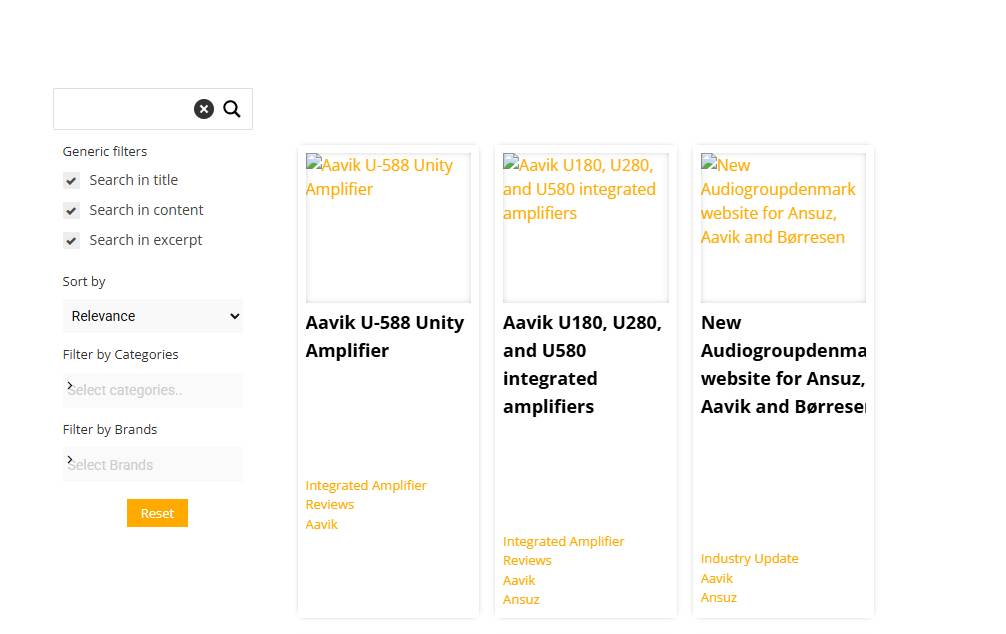
Firstly, I choose a theme that closer my needs (Plain Square Horizontal). Then I adjust the colors, borders… I can see my changes in Preview box, but after saving all, many options or all options suddenly are reset. All the colors are white, so my search looks like this.May 25, 2026 at 2:33 pm #57475KeymasterHi!
Thank you for your kind words and the details, it helps a lot!
If the preview is all right, then it is always a cache issue – if there is no cache plugin active, then most likely Cloudflare or a CDN that you might be using.
I switched the theme to test, but then I realized I don’t know which page has the search (as on the screenshot) and I didn’t want to change or break anyting on your site. Can you let me know the page URL where the plugin is active? Thank you!
May 26, 2026 at 2:55 am #57477ParticipantHi,
I don’t think this is cache issue. I choose a theme, then adjust the options like colors… After saving, all the colors are reset to white. You can check the search in this page.
https://www.hifi-advice.com/blog/prometheus/?page_id=42842
Best,
May 26, 2026 at 9:21 am #57478KeymasterHi,
Thank you!
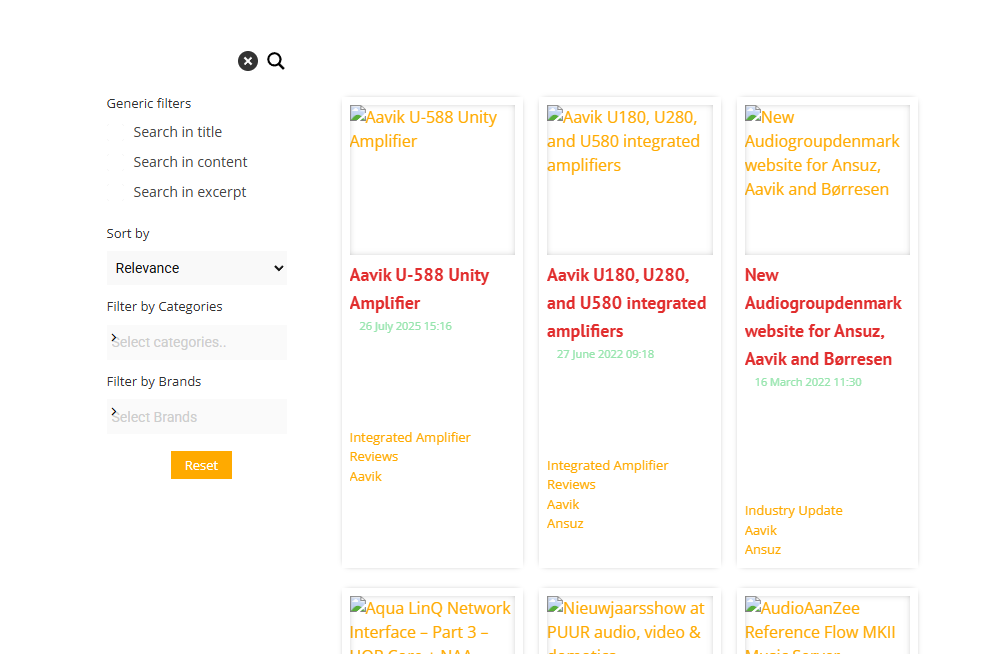
I have changed a couple of things (border, settings tick color) but the changes are apparent on my end: https://wp-dreams.com/assets/support/2026-05-26_OAgCpQL9L6.jpg
Do the colors reset back on the preview window as well? Do you have any auto-fill related browser extensions by any chance? I recall someome having a very similar issue, where a browser extension was just pre-filling some input fields and caused a very similar problem.
May 26, 2026 at 3:56 pm #57481ParticipantHi,
Thanks for your reply.
I just adjusted the font family and resave to test. The colors are white again.
I use Safari browser without any extension.
Best,
May 28, 2026 at 9:17 am #57491KeymasterHi,
Thank you for the feedback! I took some time to test this on every single major browser on both Mac and Windows platforms on 3 different computers just to be sure (Chrome, Firefox, Safari, Edge and Opera), but in every single case it works all right on my end. The changes reflect on both the settings and the front-end.
This is definitely not a cache problem at this point, but I still suspect something with the browser or something above that, the values can’t just reset randomly on their own, the plugin saves and serves back whatever was entered to the inputs.Can you please try with a different browser, preferably google Chrome?
May 28, 2026 at 9:59 am #57494ParticipantHi,
Thanks for your information.
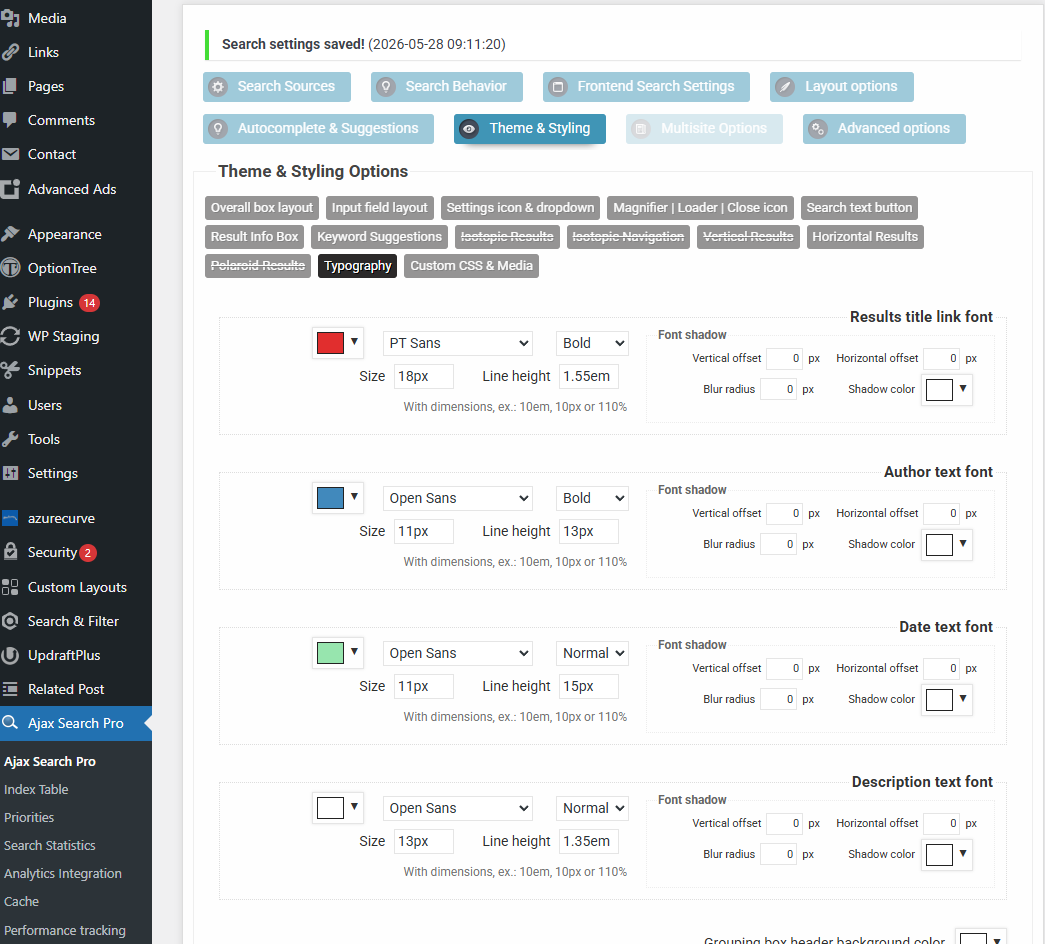
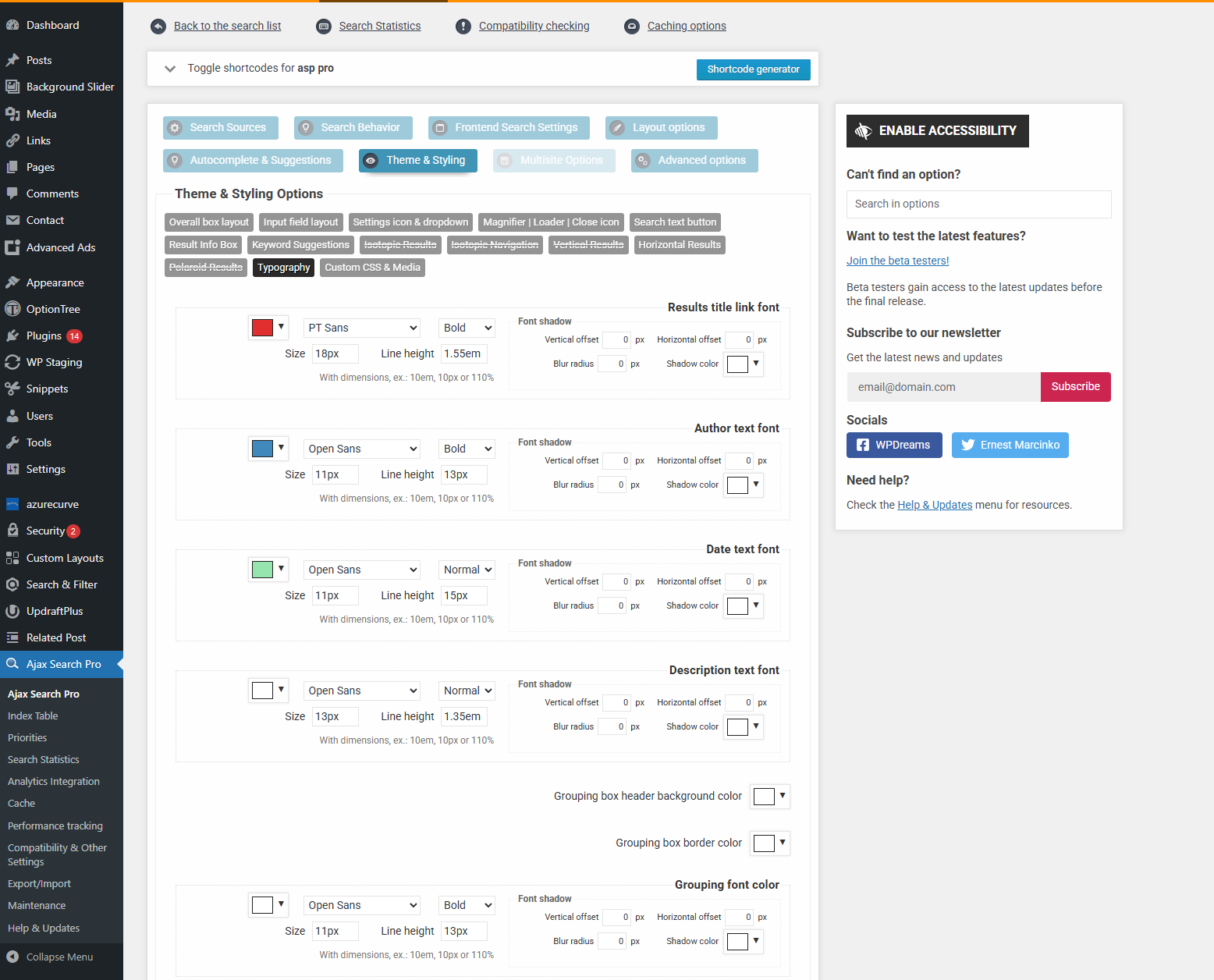
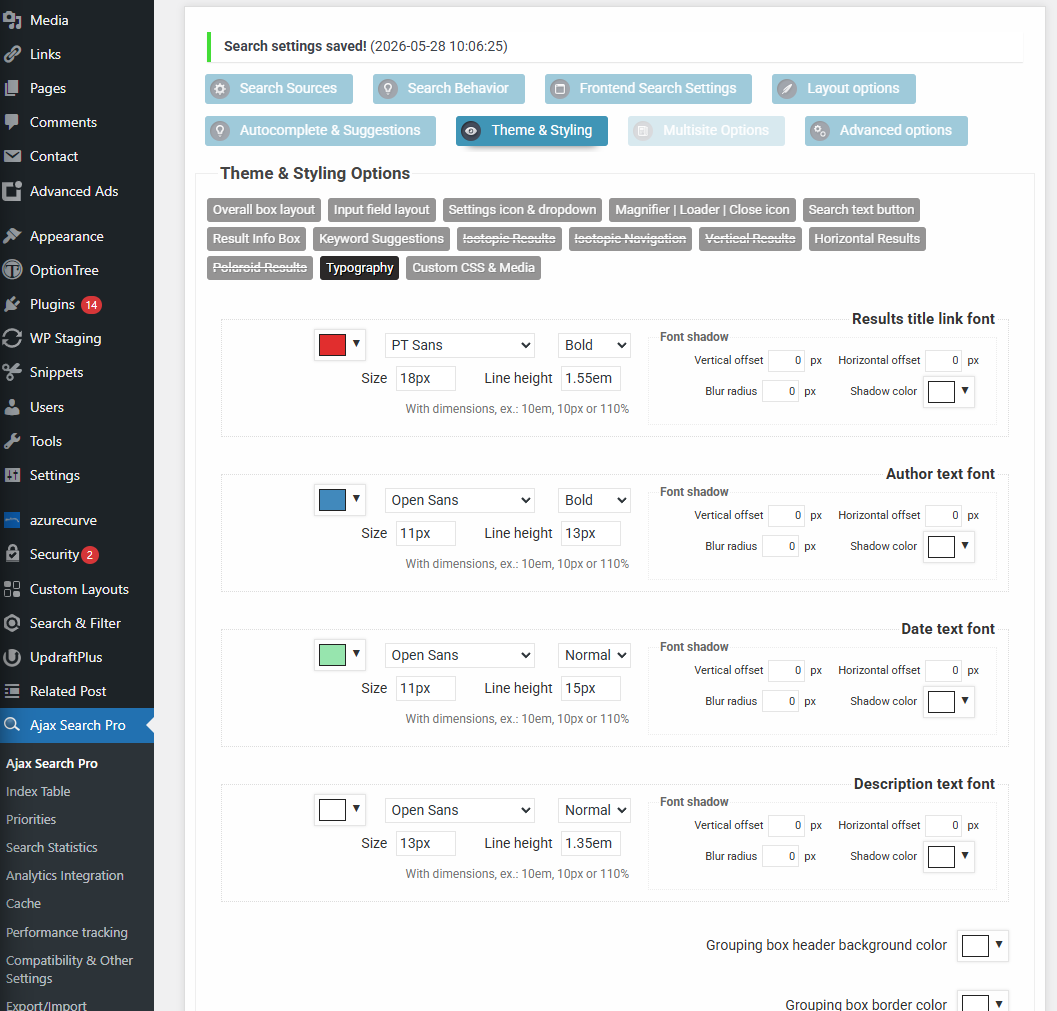
I just checked on Chrome, Incognito tab. I can see your changes in front end (red title…). But when I access to setting page, I do nothing and I see the colors like this. So I think at this moment if I just save the settings, all your changed colors will be reset to white. You do not have an issue with first time saving the settings. You will get issue when second time. (it does not keep the previous color changes).
Could you check it again quickly?
Best,
May 28, 2026 at 10:09 am #57497KeymasterSure!
This is a screenshot I just did a few seconds ago in a incognito Chrome window, and the changes are still there which I did earlier. Just to be sure I saved another time, closed, and the colors still correct. Then closed the whole browser, opened again, still correct.
May I ask what operating system are you using?
This must be something to do with a platform or system, as if this issue was present for everyone it would have been reported a hundred times for sure.
May 29, 2026 at 7:58 am #57517ParticipantHi,
I still get issue as this video.
https://drive.google.com/file/d/16uvG4sWA2yhf8mtqzexEKEY_t2tOZbwn/view?usp=sharing
I am using macOS 26.4. I also notice an error in console tab. Do you see it at your end?
Best,
-
This reply was modified 1 month, 3 weeks ago by
May 29, 2026 at 9:14 am #57520KeymasterThank, you! Updating my Safari I was finally able to replicate the issue. Turns out it is a 3rd party script conflict, partially caused by the outdated version of the color picker. Chrome was still fine, but at least Safari displayed the problem.
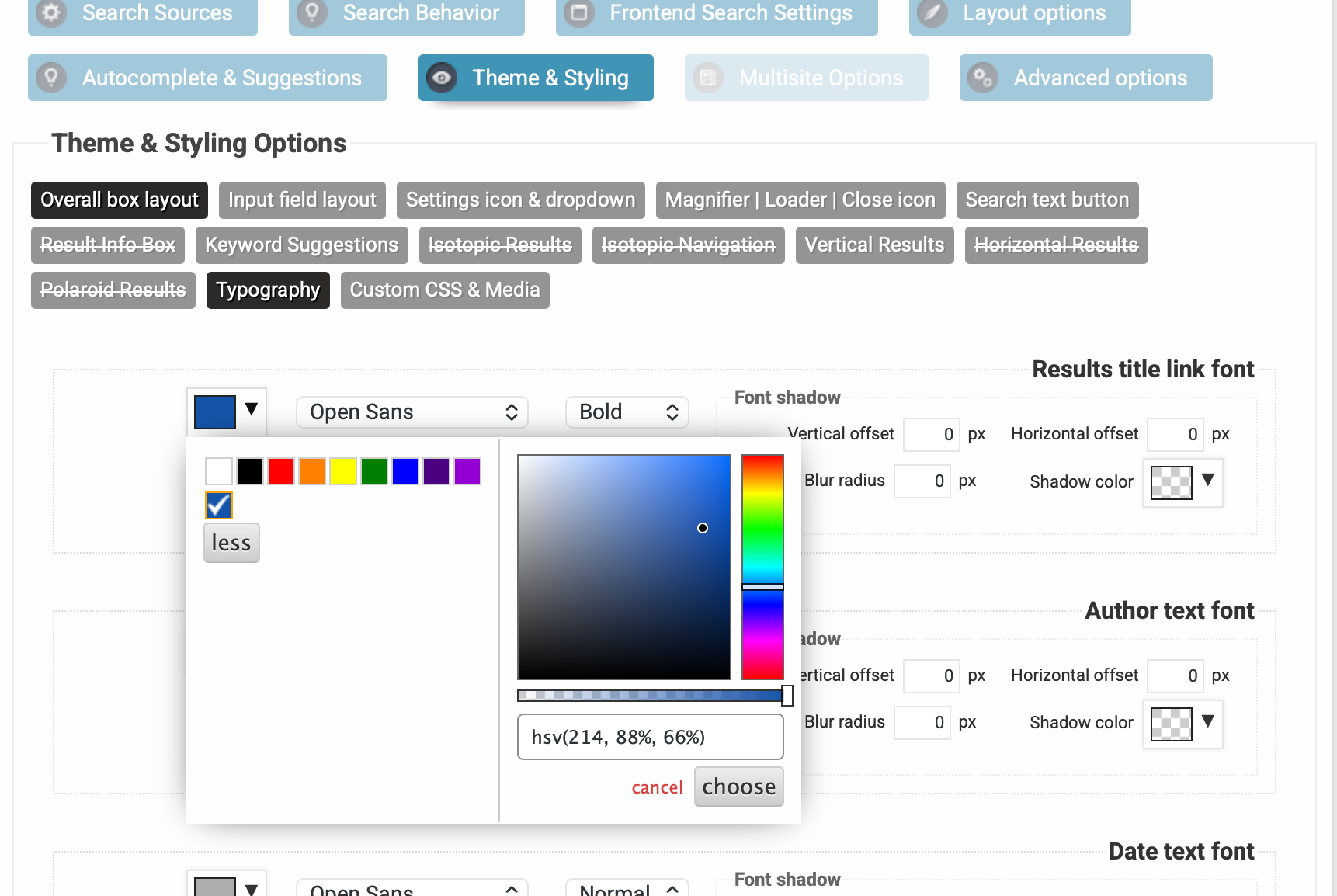
I have updated the color picker script and made an issue on the tracker to update it for the upcoming release as well. Clearing up your safary cache, you should start seeing an updated version of the colorpicker, which is a bit different from the old one, it will look like this: https://wp-dreams.com/assets/support/2026-05-29_zg3pK.png
This will no longer revert the colors after saving and everything should load fine.May 29, 2026 at 9:22 am #57521ParticipantHi,
Thanks so much for the quick fix.
Do I need update the plugin?
Best,
May 29, 2026 at 9:29 am #57522KeymasterNo – this was directly fixed on the staging website by replacing the files. Updating or reinstalling will remove the fix.
I will make an upadted installer in a hour or so and attach it here with the fix included until the next version is released, so you can use that.
May 29, 2026 at 9:45 am #57523ParticipantHi,
Thanks so much.
Best,
May 29, 2026 at 12:16 pm #57524KeymasterYou cannot access this content.
May 30, 2026 at 2:15 am #57529ParticipantHi,
I could see the new color picker appearance, but the issue still have not fixed. After saving, the color option still marked as white.
Best,
-
This reply was modified 1 month, 3 weeks ago by
-
AuthorPosts
- You must be logged in to reply to this topic.