Home › Forums › Product Support Forums › Ajax Search Pro for WordPress Support › Help me set this up, I’m confused › Reply To: Help me set this up, I’m confused
 Ernest Marcinko
Hi David,
Sure! I have made the best possible setup for your requirements, just follow the steps below. If you need help with setting these up directly, then just add temporary access details and I will do it for you.
Search instance setup
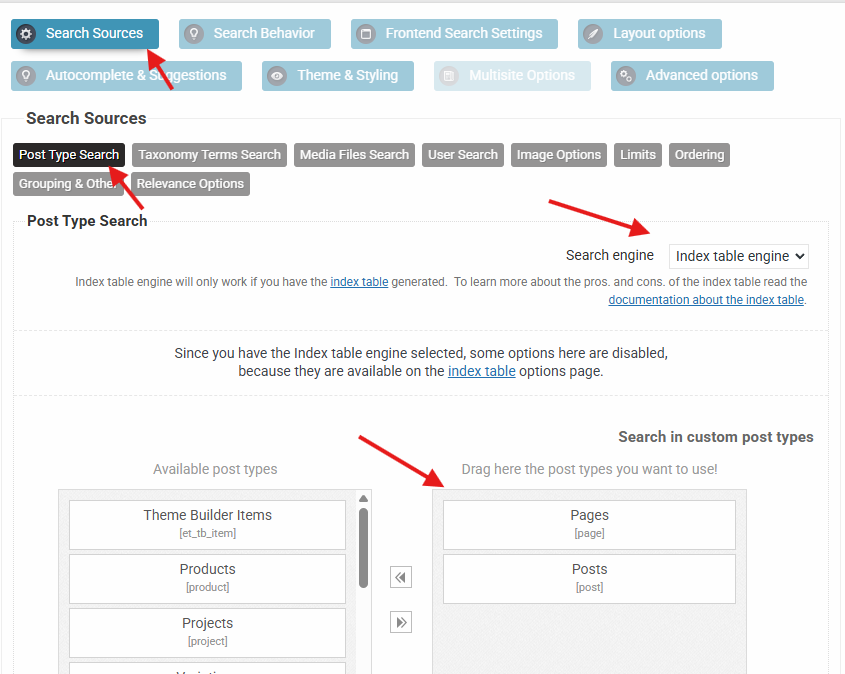
First off, you need the set the ordering as follows (screenshot here):
– Pirmary: Custom Field Ascending -> Your Field Name -> Numeric
– Secondary: Relevance
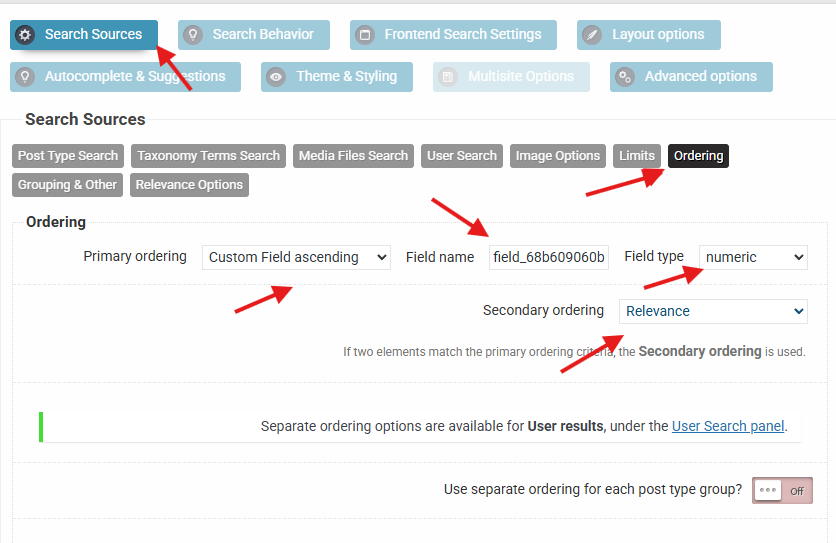
Then I think the best approach will be to use the index table engine, because it extracts all the keywords from the selected fields, and that includes the removal of all special characters including all types of quotes and many many more.
Index Table Setup
To set up the index table engine, follow these steps:
– Open the Index Table submenu in the sidebar under Ajax Search Pro menu
– Select the desired post types on the General tab
– Select the Title, Excerpt and Content fields (seleced by default)
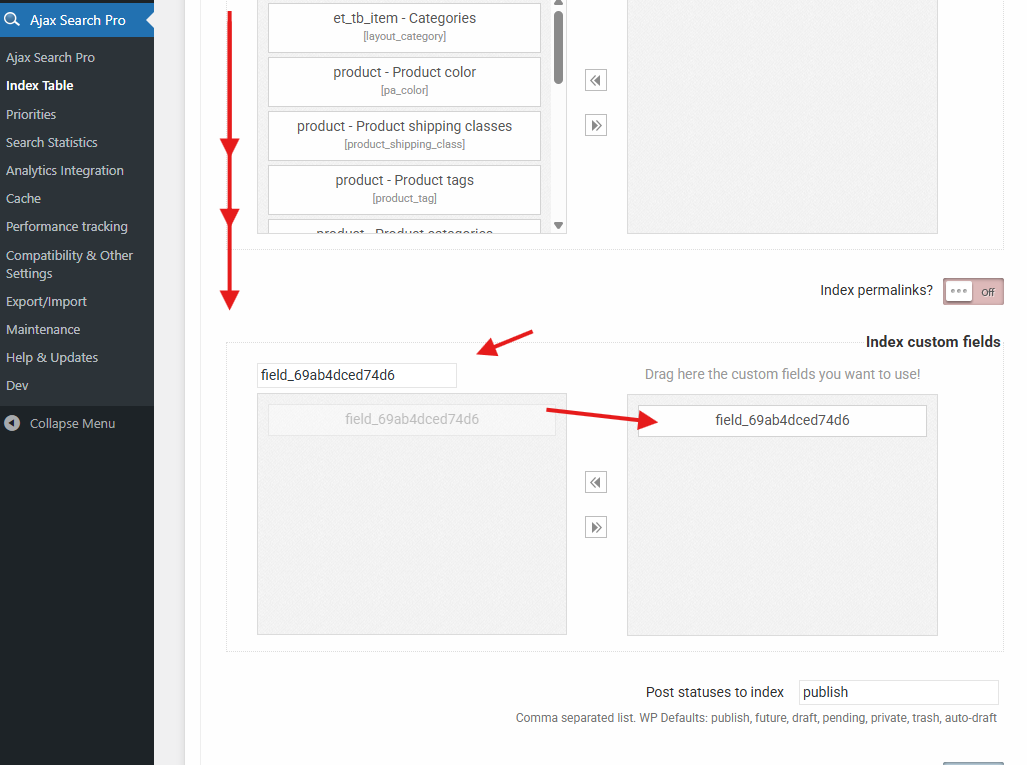
– Select the field_69ab4dced74d6 on the Index Custom Fields option
– Select anything else that you think is relevant for searches
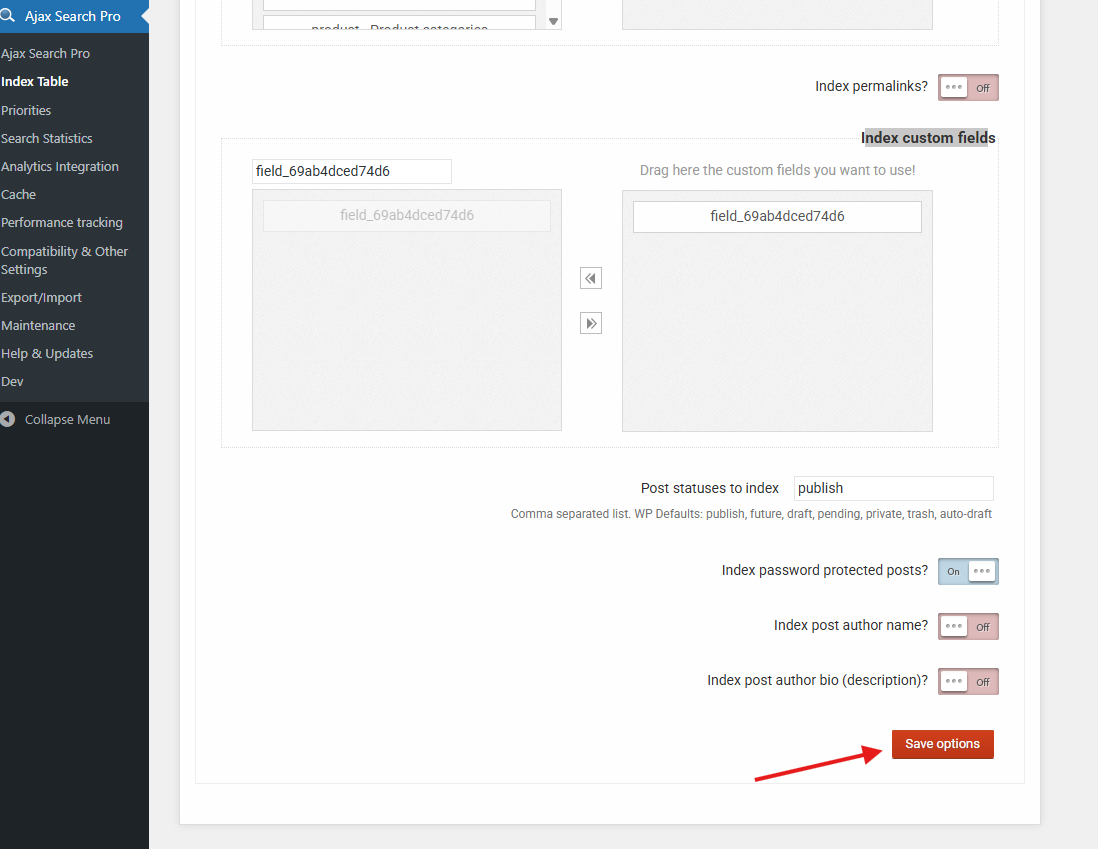
– Scroll down and Save the settings
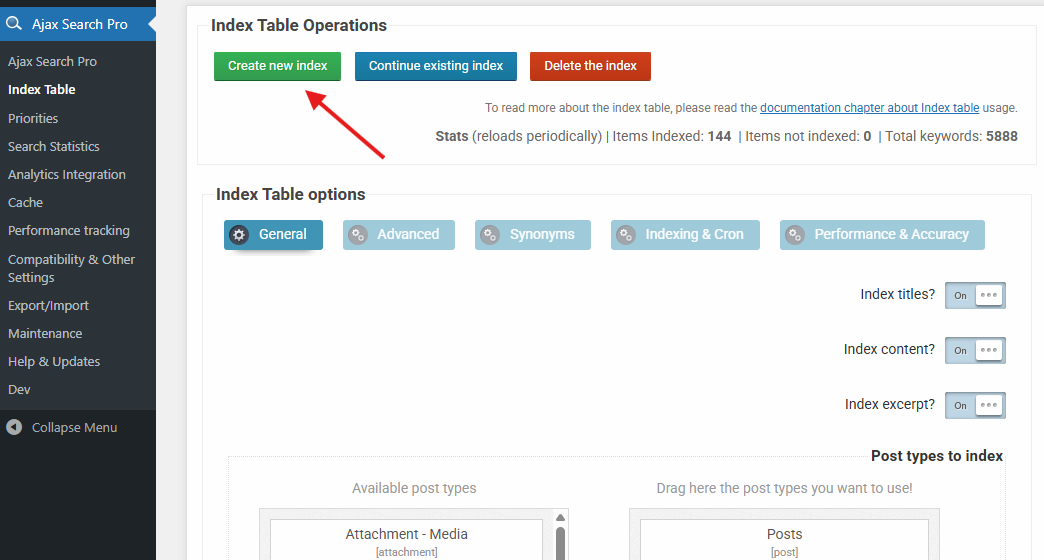
– After saving Hit the Create New Index button and keep the window open until it finishes (this only needs to be done once, new items are indexed automatically)
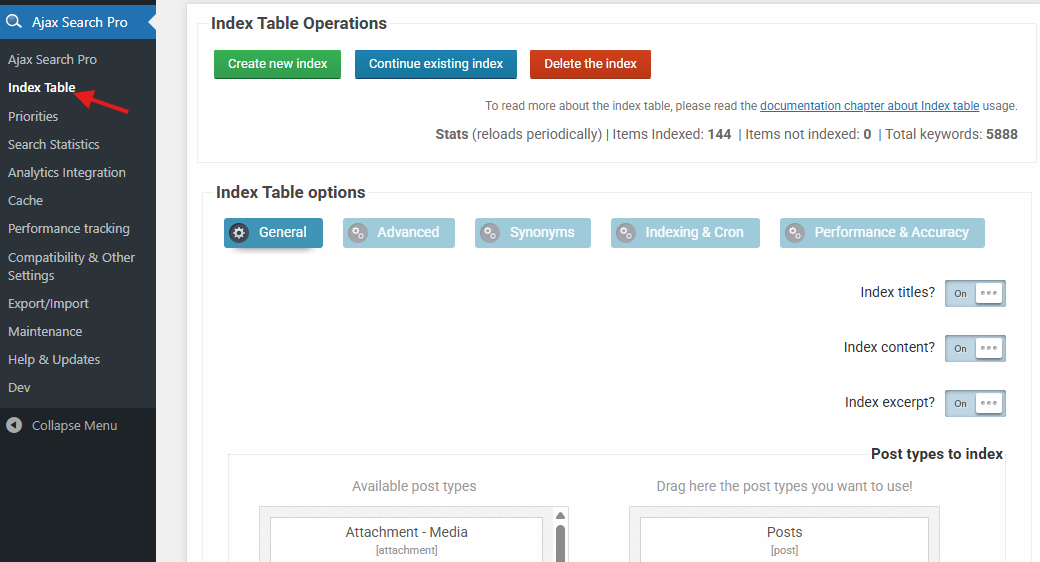
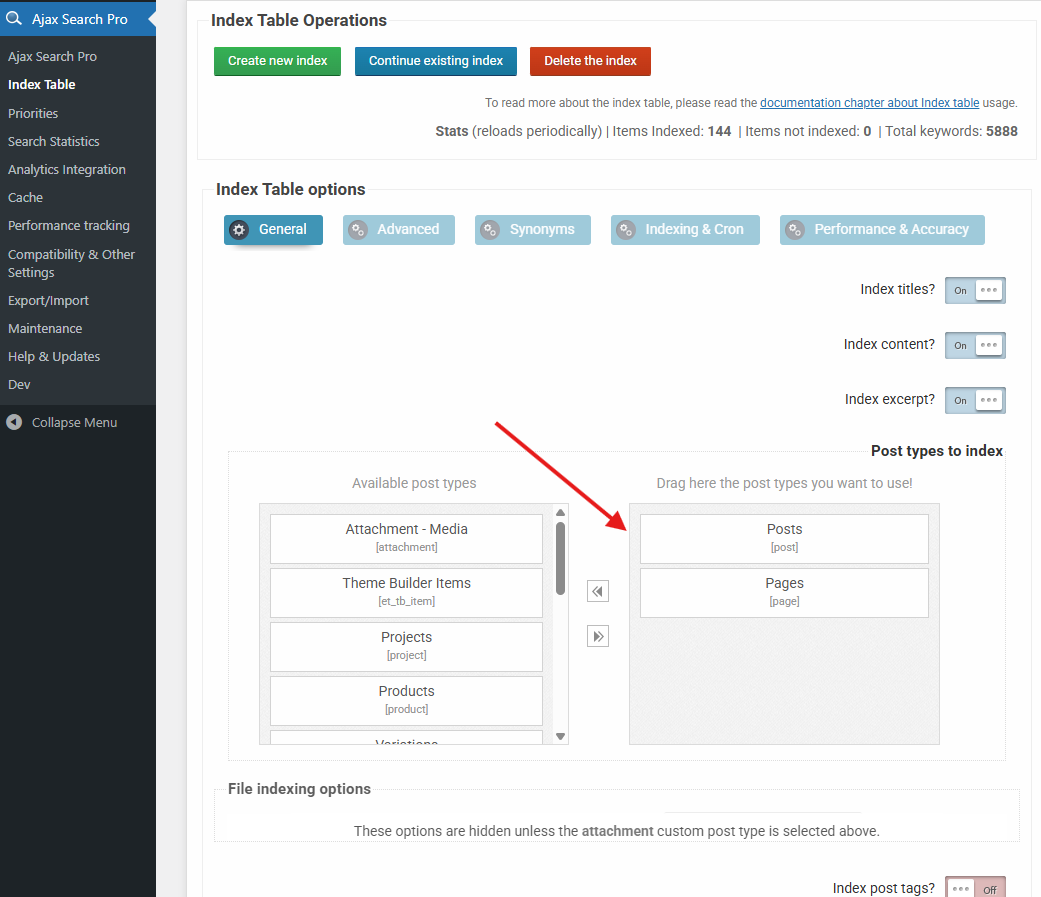
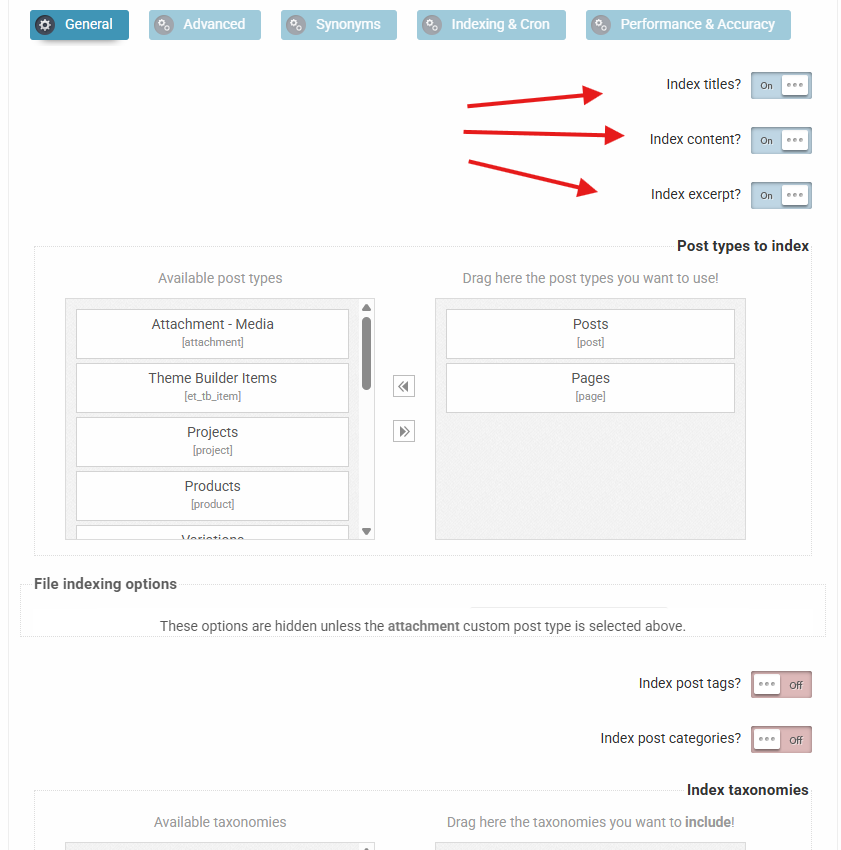
Rest of Search instance setup
Now that you have a all the fields indexed lets go back to the search instance settings and enable the index table engine and select the same post types as on the index table settings.
After that set up the keyword matching as AND with exact keyword matches under Search Behavior -> Keyword Logic & Matching – so all keywords must match in phrase.
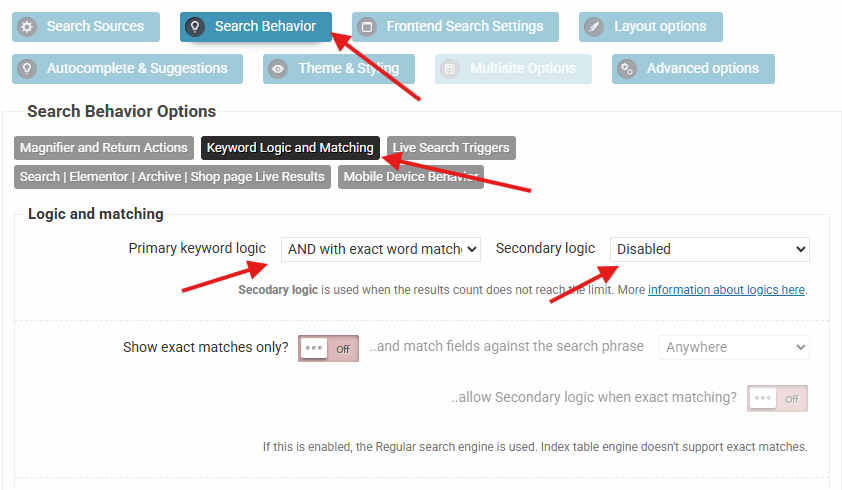
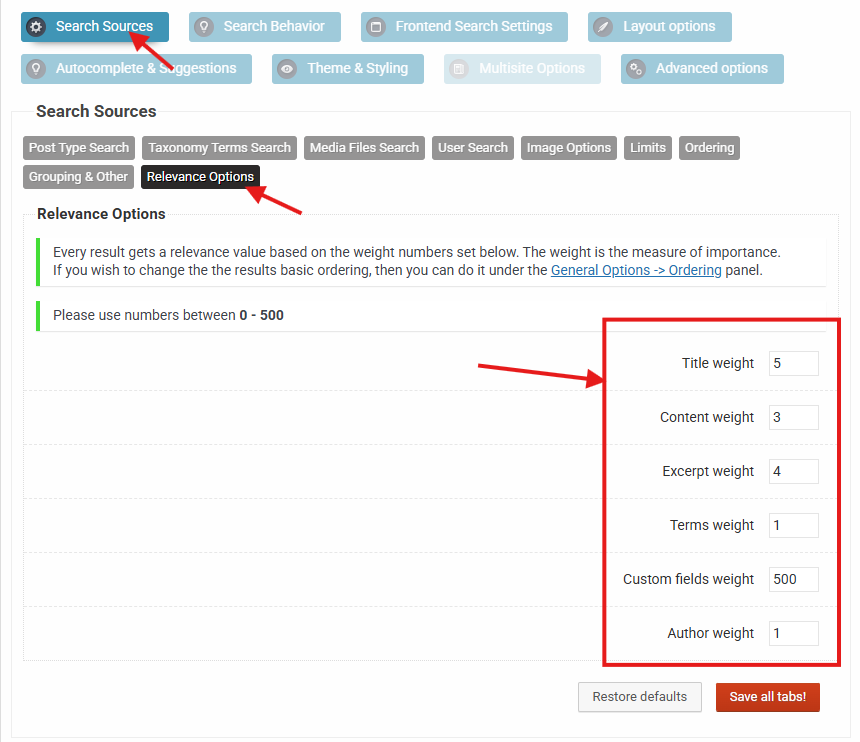
Then go to the Relevance settings panel and try this setup.
The numbers here may need tweaking to get it right, as the relevance calculation is complex. You can absolutely use values above 500 (even though not recommended) if you want a specific area to be highly prioritized.
Quick Explanation
This setup will ensure that above all the primary ordering is used from field_68b609060bdc9 as numeric ascending, then it is passed to the relevance calculator which then uses the title -> except -> content match order. The date and ID order is applied automatically if matches are still having the same relevance, but that is very unlikely.
I hope this helps!
All the best,
Ernest