This website uses cookies to personalize your experience. By using this website you agree to our cookie policy.

Image size in Isotopic results

Viewing 3 posts - 1 through 3 (of 3 total)
  • Author
    Posts
  • #39742
    Alain MeijerAlain Meijer
    Participant

    Hi Ernest,

    I’m trying to find the ideal size/setting to display (sharp) images in the results.
    It’s using the “Featured image” which are all quite high quality.
    However when I enter a search in ASP, these images show up really blurry/pixelated.
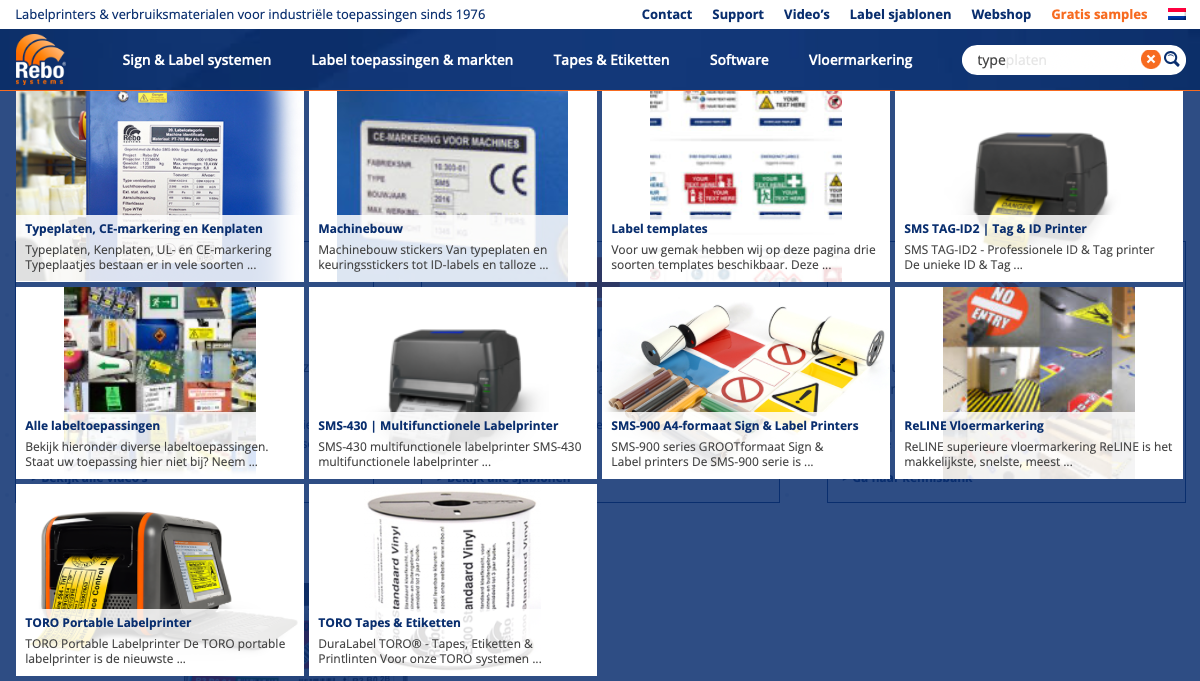
    Example screenshot
    And upon inspecting I notice that this isotopic view uses 150px images, not the actual size: resized to 150px

    I tried to play around with the Image Display Mode setting but that didn’t really help.

    Is there a setting I’m missing or is there another way to change this to a proper resolution perhaps?

    Kind regards,

    Alain

    #39743
    Alain MeijerAlain Meijer
    Participant

    Nevermind Ernest, it seems I did miss a certain setting: Featured image size source -> which was set to “thumbnail”.

    What a great plugin mate!

    Regards,

    Alain

    #39744
    Ernest MarcinkoErnest Marcinko
    Keymaster

    Great Alain, this is resolved then. Thank you for your kind words too!
    Have a nice weekend!

Viewing 3 posts - 1 through 3 (of 3 total)
  • The forum ‘Ajax Search Pro for WordPress’ is closed to new topics and replies.