Home › Forums › Product Support Forums › Ajax Search Pro for WordPress Support › Filters Checkboxes display option › Reply To: Filters Checkboxes display option
 Ernest Marcinko
Hi Steve!
Can you please try this exact setup: https://wp-dreams.com/assets/support/2026-02-04_mPiYj8I7ag.jpg
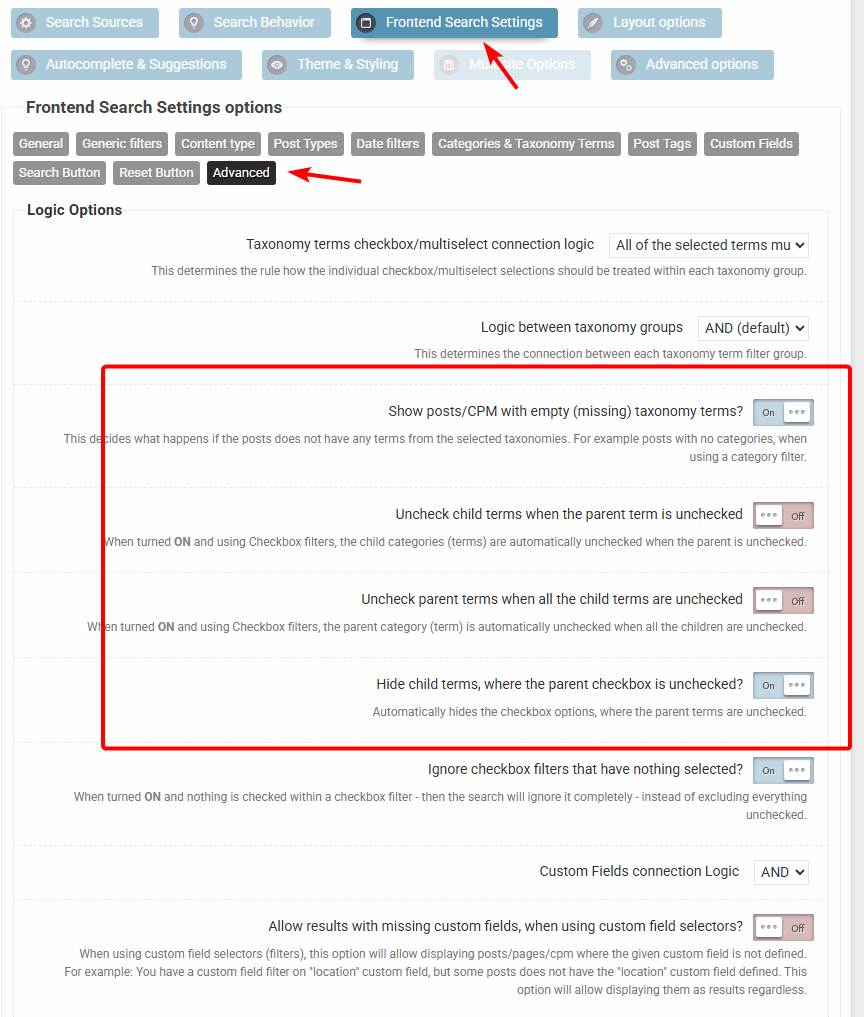
If I understand correctly, then the checkbox initial states are “unchecked”, but checking any of them will check all the sub-categories, which is something you don’t want.
The configuration above should do exactly that (if all checkboxes are unchecked by default). Checking a parent category will open all the descendants, including sub-sub.. etc. descendant to display the whole tree – without checking them, like so: https://wp-dreams.com/assets/support/2026-02-04_qMxBwiBrGa.jpg
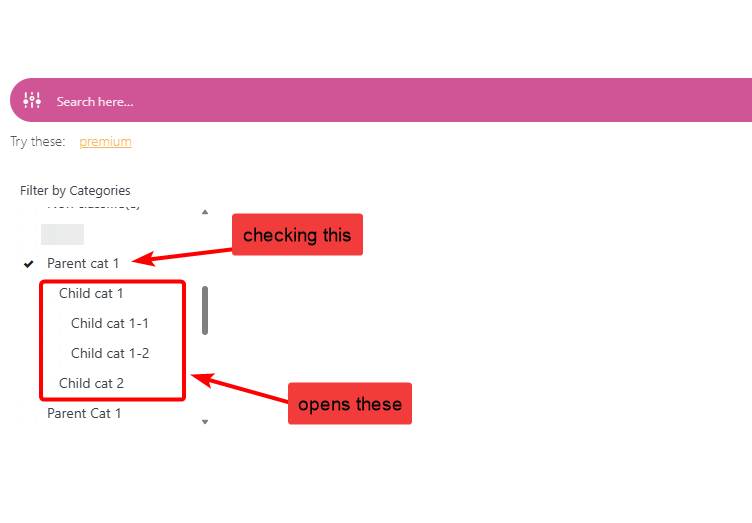
However this is still not the best UI for sure. I’m hoping to rework this whole section to a much better general output, with more possibilities of customization. I’m already working on implementing a new options interface based on the new search statistics UI. It is likely that the current search instances stay as “legacy” and a completely new UI for new search instances will be used instead. That means no possibility to migrate the old ones (but still use them) for a clear separation of the re-design.
-
This reply was modified 4 months ago by