Home › Forums › Product Support Forums › Ajax Search Pro for WordPress Support › Populating the Dropdown Select List configuration › Reply To: Populating the Dropdown Select List configuration
 Ernest Marcinko
No worries, I am more than happy to help!
ah, I think the key may be in this section? (this screenshot from our live site, where I’m exploring the plugin options so as not to disturb anything you may be working on in the dev site)
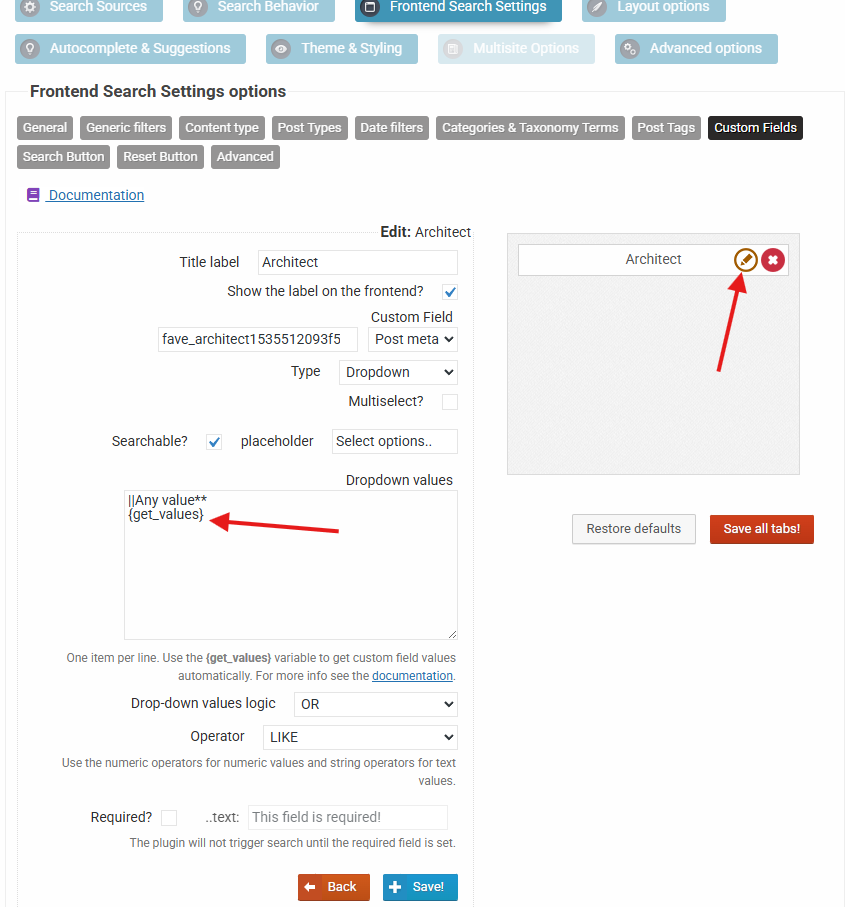
Yes, that is the section for the custom field filter I made for the architects.
In the dropdown, we’d like to see only the CalDaily labeled/type listings’ associated architects, and many Sold/afs listings are appearing. I’ve tried Advanced->Include/Exclude, but this doesn’t seem to have any effect. At the end of the current dropdown, even after the above step, “XY Architects” (as example) is still showing, even thought it is Sold and not a CalDaily listing. However when that architect is clicked, No Results appears, which is correct, I just need to figure out how to exclude XY Architects (and any other Sold or afs listings) from the dropdown entirely. A couple iterations I’ve tried on the dev site are screenshotted here.
The way that it works at the moment is, if you open the filter settings, then you will see the value is set to {get_fields}, which means it will grab the values automatically from the database. It accepts an “exclude” argument, where you can specify a comma separated list of values to exclude from the automatically fetched list, like so:
{get_values exclude="value1, value2"}
The index is updated automatically whenever a post is added, updated, deleted etc.. The dropdown value is however not affected by the index, as it is pulled directly from the database. Any existing value that exists in the database should be there. In case you have any type of cache active, it may delay that a bit, but it is always directly fetched from the database itself.