Cannot override Search Results page
Home › Forums › Product Support Forums › Ajax Search Pro for WordPress Support › Cannot override Search Results page
- This topic has 6 replies, 2 voices, and was last updated 1 month, 2 weeks ago by
cpunter_e8TM.
-
AuthorPosts
-
June 4, 2026 at 7:09 am #57580Participant
Hi,
I have followed the doc here, but I cannot get it worked.
https://documentation.ajaxsearchpro.com/behavior/results-page-overrideI’d like the flow like this: when users click or enter search on the default search forms (anywhere on site), instead of going to default search result page, they will be redirect to the custom search results page where I already put the ASP shortcode.
https://www.hifi-advice.com/blog/prometheus/?page_id=42842Thanks in advance!
Best,
GeorgeJune 4, 2026 at 9:25 am #57581Ernest Marcinko
KeymasterHi George,
It is possible, but you will have to programmatically edit the default search forms to redirect to that URL. That is outside of the scope of Ajax Search Pro though, the default search forms are not controlled by the plugin.
Because that I can’t guarantee anything as this is way beyond my support duties, but I’m still happy to help.
The best way to do that is to edit the default search forms source code and add a hidden input with the page id and change the “s” input to “asp_s” to auto-trigger the search on your custom page.
So this is the original header form:
<form method="get" action="https://www.hifi-advice.com/blog/prometheus">
	<input type="text" name="s" class="input-search font-1 active-true" placeholder="Search">
	<input type="hidden" name="post_type" value="post">
</form>
And changing it to:
<form method="get" action="https://www.hifi-advice.com/blog/prometheus">
	<input type="text" name="asp_s" class="input-search font-1 active-true" placeholder="Search">
	<input type="hidden" name="page_id" value="42842">
</form>
will do the trick.
If it is not possible to change the source code for some reason, then using a javacscript code snippet could also work:
document.querySelector('.cactus-form-header form')?.addEventListener('submit', function(e) {
  e.preventDefault();
  var s = encodeURIComponent(this.querySelector('input[name="s"]').value);
  window.location.href = '/blog/prometheus/?page_id=42842&asp_s=' + s;
});
However these heavily depends on implementation. You may also have to consult with the theme developer on how to change those parameters properly.
June 4, 2026 at 10:37 am #57584ParticipantHi,
Thanks for your quick support.
Yes, if it requires additional code, I’ll find a way to implement it. However, in which scenario would the plugin’s feature called “results page override” as mentioned in the provided documentation be utilized?
Best,
GeorgeJune 5, 2026 at 8:27 am #57593KeymasterHi George,
So the results page override is a feature to replace the results on the WordPress search results page (aka site.com/?s=phrase), with the ones originating from Ajax Search Pro. When the override is enabled, the plugin will take over the search query, and replace the results with it’s own. It can’t change the layout/design (because that is a results page feature), it sends it’s own results to the results page for display.
June 5, 2026 at 8:37 am #57594ParticipantAh,
So just override the logic to return the results instead of appearance, right? The plugin is powerful but it’s still not easy to understand and configure. 🙁
Best,
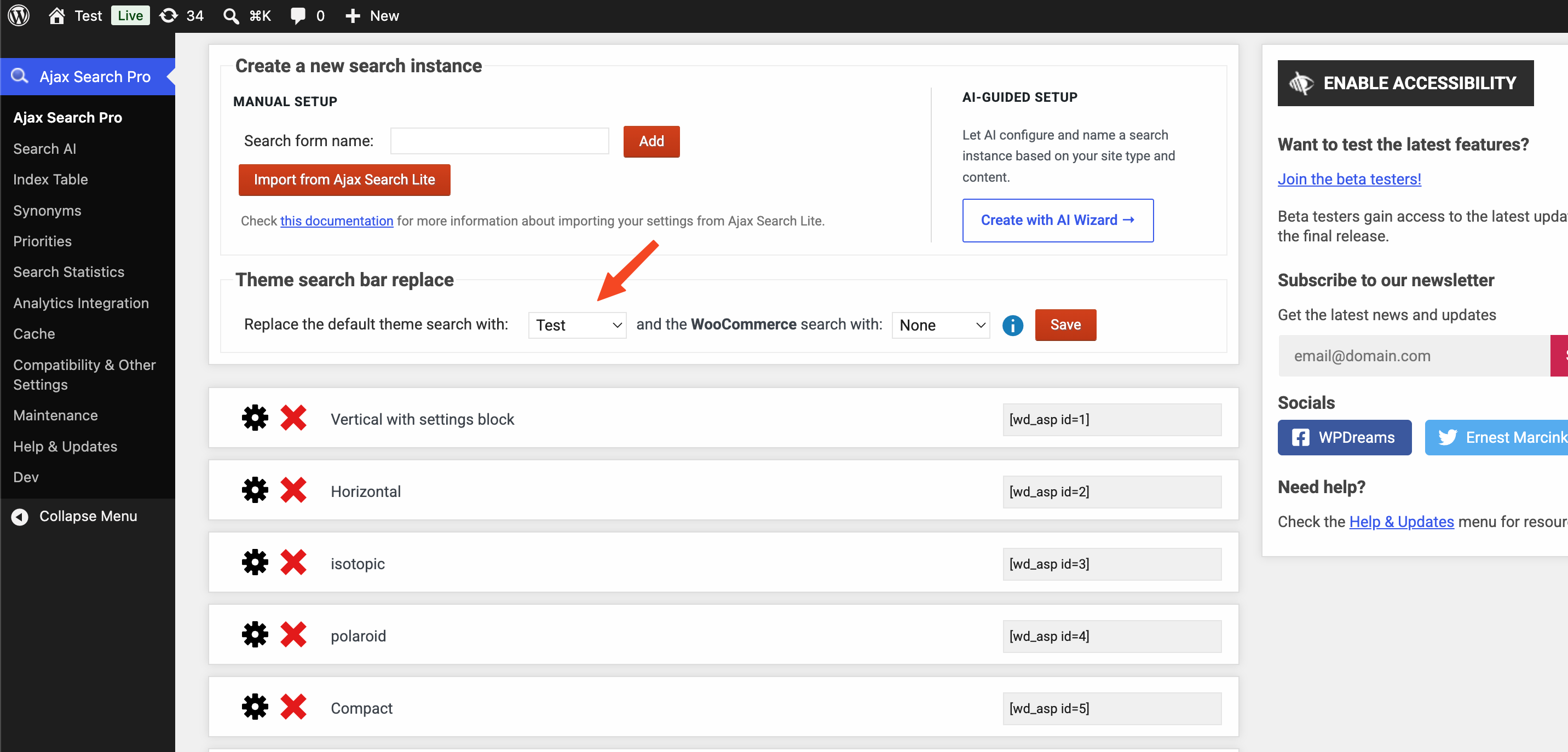
June 5, 2026 at 8:57 am #57595KeymasterExactly – however there is an automatic replacemet feature as well, if the theme supports it. You can choose on the instances list which search bar you want Ajax Search Pro to replace the original theme search.
This feature highly depends on the theme, if their search form is hard-coded and doesn’t use the get_search_form hook, then the only way to replace it is manually through the source files.
That is also possible, after locating the source within a child theme. I think in your theme it is hard-coded into the header-navigation.php, it should be possible to add the PHP shortcode there.June 5, 2026 at 9:13 am #57596ParticipantThanks for your information. I will check how I should to implement the ASP for the site. You can close this ticket. Thanks again.
Best,
George -
AuthorPosts
- You must be logged in to reply to this topic.