Indexed photos are downloadable
Home › Forums › Product Support Forums › Ajax Search Pro for WordPress Support › Indexed photos are downloadable
- This topic has 14 replies, 2 voices, and was last updated 8 months, 3 weeks ago by
Michel Van Royen.
-
AuthorPosts
-
October 29, 2025 at 8:34 am #55886Participant
Hello,
I have NextGen Gallery Pro and purchased your Ajax Search Pro plugin, but when I installed it and indexed the photos, they appear, which is fine, but they are also downloadable, which I don’t agree with. I installed another plugin to protect them from being downloaded, but this is not a solution because it cannot protect them either. Do you have a solution? If not, I would like a refund.
Please provide a solution.
Kind regards,
MichelOctober 29, 2025 at 8:41 am #55887Ernest Marcinko
KeymasterHi Michel,
Surely!
I assume you mean a feature where the user is not redirected to the image, so they can’t download it right?
The easiest possible way to get around that is to completely disable that via a custom CSS:
.results .item {
    pointer-events: none !important;
}
Apply this code to your theme custom CSS field (if it supports it) or use the custom CSS field on the search plugin back-end. After clearing the cache the user will no longer be able to click on the result to download it.
If you need help adding this, let me know.
October 29, 2025 at 8:59 am #55888ParticipantHello,
I entered the code and added photos, but now they appear in a drop-down menu and can be clicked on to view them. Have I overlooked something? I’m not a web developer, so I’m not fully familiar with all of this.
Kind regards,
MichelOctober 29, 2025 at 9:03 am #55889KeymasterYes, it appears not the full code is added, the closing parentheses from the 3rd line “}” is missing on the website source so it doesn’t work. Please try it again, make sure to copy all 3 lines, then clear the cache and it should be apparent:
.results .item {
    pointer-events: none !important;
}
October 29, 2025 at 9:15 am #55891ParticipantImplemented (already done) but no progress. I can see the photos but cannot click on them to open them.
October 29, 2025 at 9:26 am #55893KeymasterThat is exactly what this CSS does, it prevents them from opening so the user can’t download them. Isn’t that what you needed? I might be missunderstanding something here.
October 29, 2025 at 9:29 am #55894ParticipantYes, but I thought you could then open this one to enlarge it. But that option doesn’t exist?
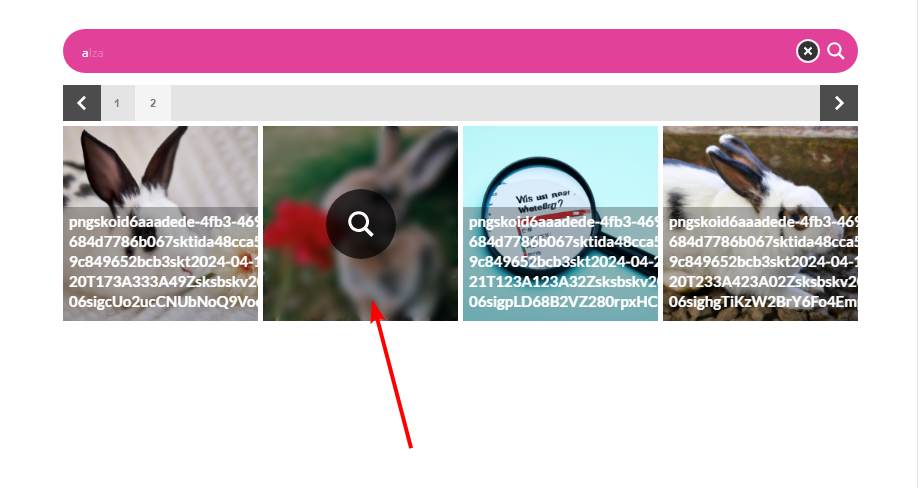
October 29, 2025 at 9:31 am #55895ParticipantOr is there a possibility to display them in a gallery instead of a list?
October 29, 2025 at 9:56 am #55897ParticipantI also don’t have the option to display the search results horizontally instead of vertically. I would be very happy if this were possible, or if it could be done in a gallery.
Kind regards
MichelOctober 29, 2025 at 11:31 am #55902KeymasterYou cannot access this content.
October 30, 2025 at 8:42 am #55911ParticipantHello Ernest,
Thank you for your excellent support, but it is not what I expected from the search engine. I have tried everything you suggested, but I am not getting the right results. I have now removed the plugin. Would it be possible for you to refund my money, please? I would really appreciate it. Thank you in advance.
Kind regards,
Michel.October 30, 2025 at 9:45 am #55912KeymasterSure, no problem, I have initiated the refund request! It usually takes around 14 days for the refunds to process, thank you in advance for you patience.
May I ask what was the issue exactly? Your feedback would be increadibly helpful for making the plugin better in the future. NextGen image search was a very challenging feature to implement and I would love to know if there is anything specific you wanted.
October 30, 2025 at 10:46 am #55914ParticipantHello Ernest,
Thanks again for the excellent service. The problem is that when you index the photos, they are separate from Nextgen and can no longer be checked for download. If you use the Lightbox, the photos appear at the bottom of the site and as a user you don’t see that immediately. It’s not very user-friendly. I hope this information helps you further.
Kind regards
Michel.October 30, 2025 at 11:43 am #55915KeymasterIf you use the Lightbox, the photos appear at the bottom of the site and as a user you don’t see that immediately.
Oh? That sounds strange, it shouldn’t happen if I understand correctly. After searching then clicking on a result it should open a full-screen lightbox like so. Basically the same exact way as that you have on your website, I think it is the same lightbox script actually. Did the lighbox open differently or was the styling broken in some way? It could indicate an uncleared cache only.
Sorry for the questions, I just want to make sure the feature works all right before it goes to production 🙂
October 30, 2025 at 5:02 pm #55934ParticipantI definitely cleared the cache, but it’s not the same as when I did it the first way you showed me. There’s definitely a difference between desktop and mobile.
-
AuthorPosts

- You must be logged in to reply to this topic.