Price filters – Range Slider – Not working as expected
Home › Forums › Product Support Forums › Ajax Search Pro for WordPress Support › Price filters – Range Slider – Not working as expected
- This topic has 4 replies, 2 voices, and was last updated 2 months, 3 weeks ago by
milena_u6jm.
-
AuthorPosts
-
April 24, 2026 at 1:21 am #57349Participant
Private details are listed here, thanks:
https://wp-dreams.com/forums/topic/setting-up-pre-filters-for-an-index/Hey Ernest!!
Got issues with the 2 range sliders we have on this page:
The Price slider:
This is currently only returning a tiny amount of results. I have create this debug tool to try to assist making sure the data is all good, which is seems to be mainly.
https://jmgprod.wpenginepowered.com/wp-admin/?asp_debug_index=1&asp_tab=audit&asp_limit=500&asp_status=This is what should be retuning vs whats actually returning
$0 – $4,999
102 actual results – currently gettting 3 results$5,000 – $9,999
79 actual results – currently gettting 0 results$10,000 – $20,000
57 actual results – currently gettting 0 resultsThe Size slider:
Similiar thing, some results returning but not as many as there should be.Can you please have a look and let us know ASAP, as we are trying to go live and this is our hold up.
April 24, 2026 at 9:51 am #57350Ernest Marcinko
KeymasterHi,
Thanks for the details, very helpful!
Okay, this one turned out to be a very interesting issue, completely unrelated to the plugin. Long story short the query was correctly executing, the filters were also set right, so it took me about an hour to figure it out.
Turns out there is an extremely rare MySQL termination/optimization bug with subqueries when using a query limit 1 (that is used in the custom field queries). I had to make a change in the code to overcome this.
It is a tiny change only, and will be included in the upcoming release in case someone else runs into this super rare issue.April 24, 2026 at 2:19 pm #57352ParticipantResults are pouring in as expected, thank you.
Got one (hopefully) last bug….
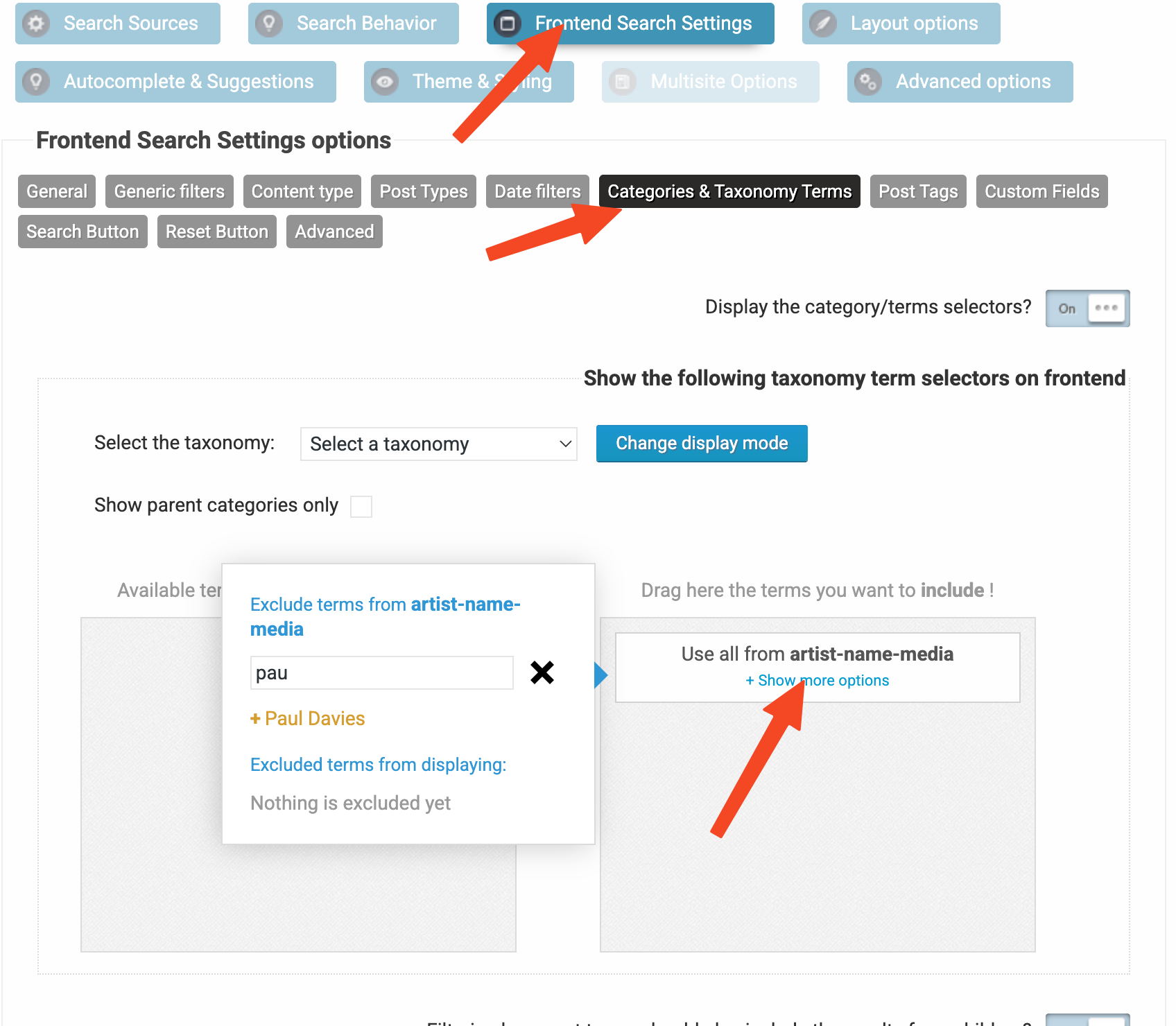
There are some artists that are showing up in the artist filter list even though they now have no artworks. The ASP setting seems fine to hide artists with no posts, but its still not working as expected…. If you load the page and select Paul Davies, he’s got no works, but still show up in the filter list.Any ideas to make him disappear?
Thanks Ernest!!!
-
This reply was modified 2 months, 4 weeks ago by
April 24, 2026 at 4:11 pm #57354KeymasterI see. He has 62 items assigned to him though if you check the editor, that’s why it shows up. I assume you mean he has no items from the potential result set, but that can’t be determined automatically.
You can however simply exclude it (and more) here. That is the quickest way around it I’m afraid.
April 29, 2026 at 12:40 am #57370ParticipantThanks Ernest!
-
This reply was modified 2 months, 4 weeks ago by
-
AuthorPosts
- You must be logged in to reply to this topic.