Forum Replies Created
-
AuthorPosts
-
MarioLadani03
ParticipantJust to get a better understanding and maybe find the issue myself, am I right in assuming, that ASP sends the following query to the DB when I search for “erwerbs”:
SELECT * FROMwp_postswhere post_content LIKE '%erwerbs%';Is that correct?
I realise it is probably a bit more complicated but is this the right direction?Is there any way to debug your plugin in the front end to find out where the search found its results?
—-
So yes, turns out some content that was inserted into the system and hidden afterswards was still being found by ASP.
Removing it resolved the issue.Thank you very much for your help!
-
This reply was modified 5 years ago by
ParticipantHi Ernest,
Thank you very much for your help, the exclusion of certain shortcodes using the index table engine works great!
Also, thank you for showing me how to exclude whole pages such as the home page and the contact page, but as far as I understand, this is not really something I’m trying to achieve.
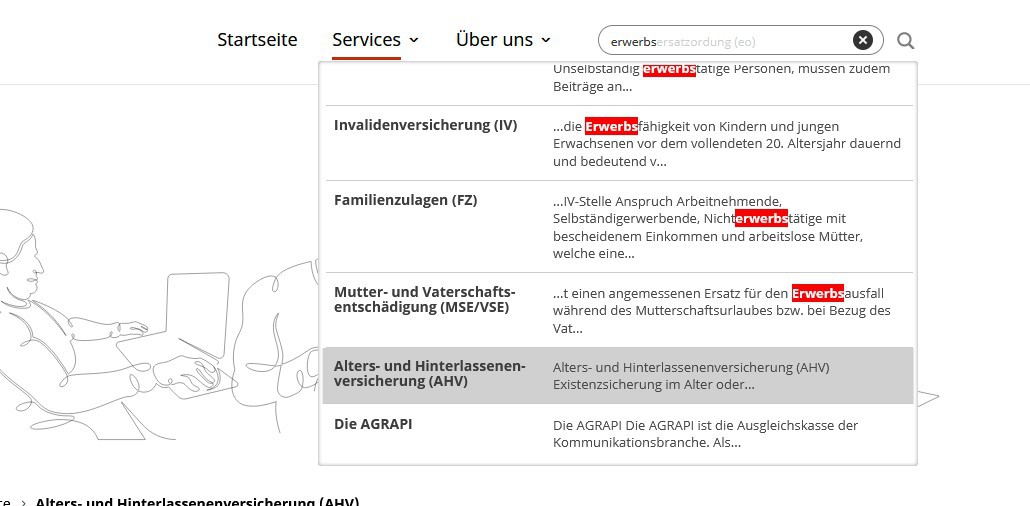
What I want to do is exclude my main menu and my footer from the search results. I will try to give you a more detailed description of an example.1) Using the search term “erwerbs”, I get the following results, including the page “Alters- und Hinterlassenenverischerung”: https://abload.de/img/ahv_searchd0jdr.jpg
2) I click on the search result and get redirected to that page. Using the dev tools, I search for the term “erwerbs” inside the source code of the rendered page, but the only hits I get are from the header (main menu) and the footer of the page: https://abload.de/img/erwerbs_on_ahvq9kvz.jpg
Is there any way of excluding the entire header and footer area of all pages from the search?
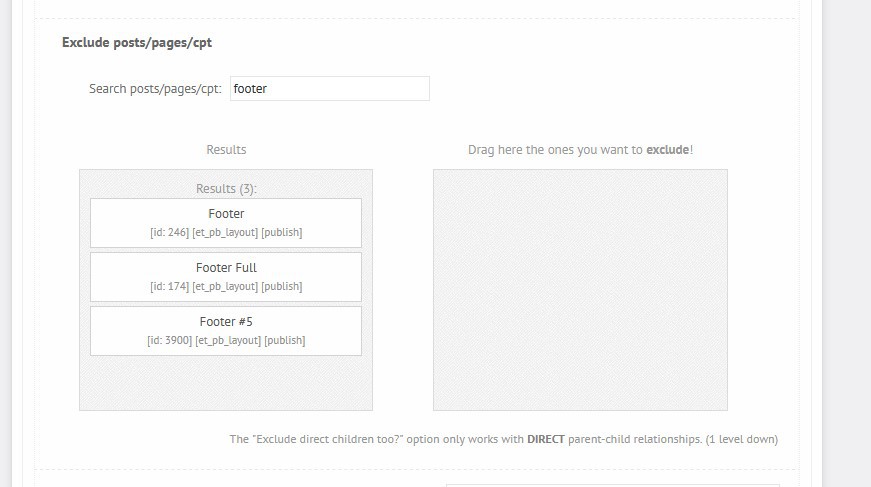
I am assuming exluding the footer (like this: https://abload.de/img/footer_post_type8dkbp.jpg) here does not work, because et_pb_layout is just a storage post type, correct?Hope this description is a bit clearer, my last one was wishy-washy.
Thanks in advance!
-
This reply was modified 5 years, 1 month ago by
Participantnevermind i found it!! many thanks for your feedback.
cheers,
marioParticipantokay i got it – many thanks, so I will proceed and issue a ticket with divi theme then.
Any idea, why results show up even though the word is not mentioned in the page and is not highlighted?Many thanks,
MarioParticipantNad the nest thing is, you have search for “test”, but the resultspages do not feature the word test.
I am confused ;(
CHeers,
MarioParticipantHi Ernest,
Thanks for your swift response.Well as you can see on your picture, it does not load the results as seen in the dropdown. It loads the page and some content, bu tnot the content displayed in the dropdown.
Many thanks for your help.
Cheers,
Mario -
This reply was modified 5 years ago by
-
AuthorPosts