strange issue
Home › Forums › Product Support Forums › Ajax Search Pro for WordPress Support › strange issue
- This topic has 70 replies, 2 voices, and was last updated 11 years, 4 months ago by
Ernest Marcinko.
-
AuthorPosts
-
February 15, 2015 at 6:19 pm #3923
eliaskhs
Participanthello Ernest, i want t odo backup to my website, one issue accured, what i can do inorder not to loose the correction on your plugin?
February 16, 2015 at 2:08 am #3924ParticipantErnest really i have issue, and i am sorry one issue accured, and i loose what you did, it was my mistake Ernest, and i will be happy if you can give me little time just to check it again, it worked fine, but i loose every thing becouse this issue, and now i reset backup that i had 4 feb.
will be happy if you help me again, you know the issue now, and know how to solve it.
thank you Ernest.best regards.
Elias.February 16, 2015 at 5:21 pm #3932Participantwill help me Ernest 🙁
February 16, 2015 at 5:41 pm #3933KeymasterSure thing. I will check what changes do you need and I will back them up as well. Sorry I could not answer sooner, I had a busy day. Tomorrow I will check and fix the issues again.
February 16, 2015 at 5:49 pm #3934ParticipantGod , thank you Ernest, i really appreciate your support :)))
if you remember we solved the issues, but i loose this.
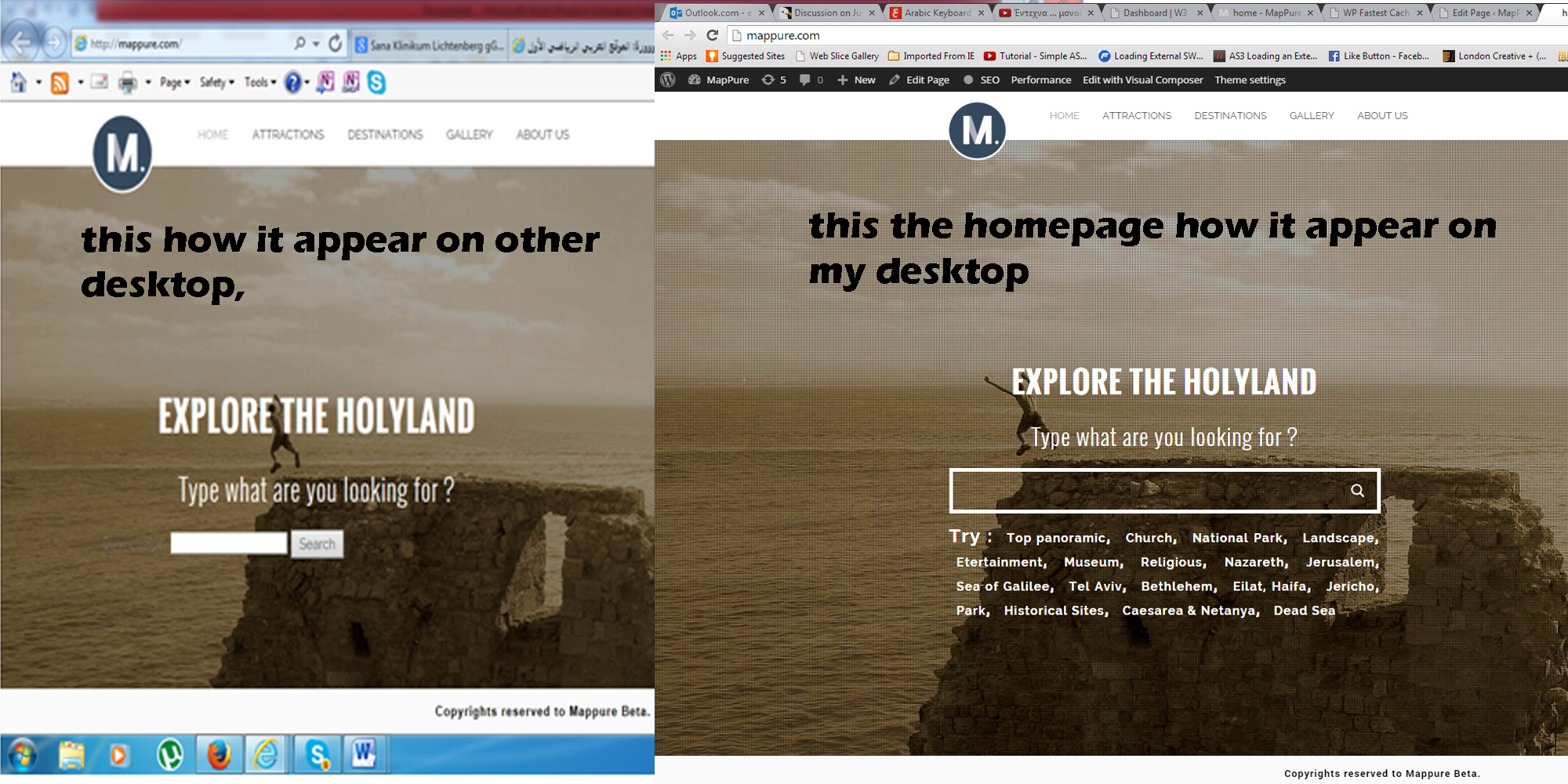
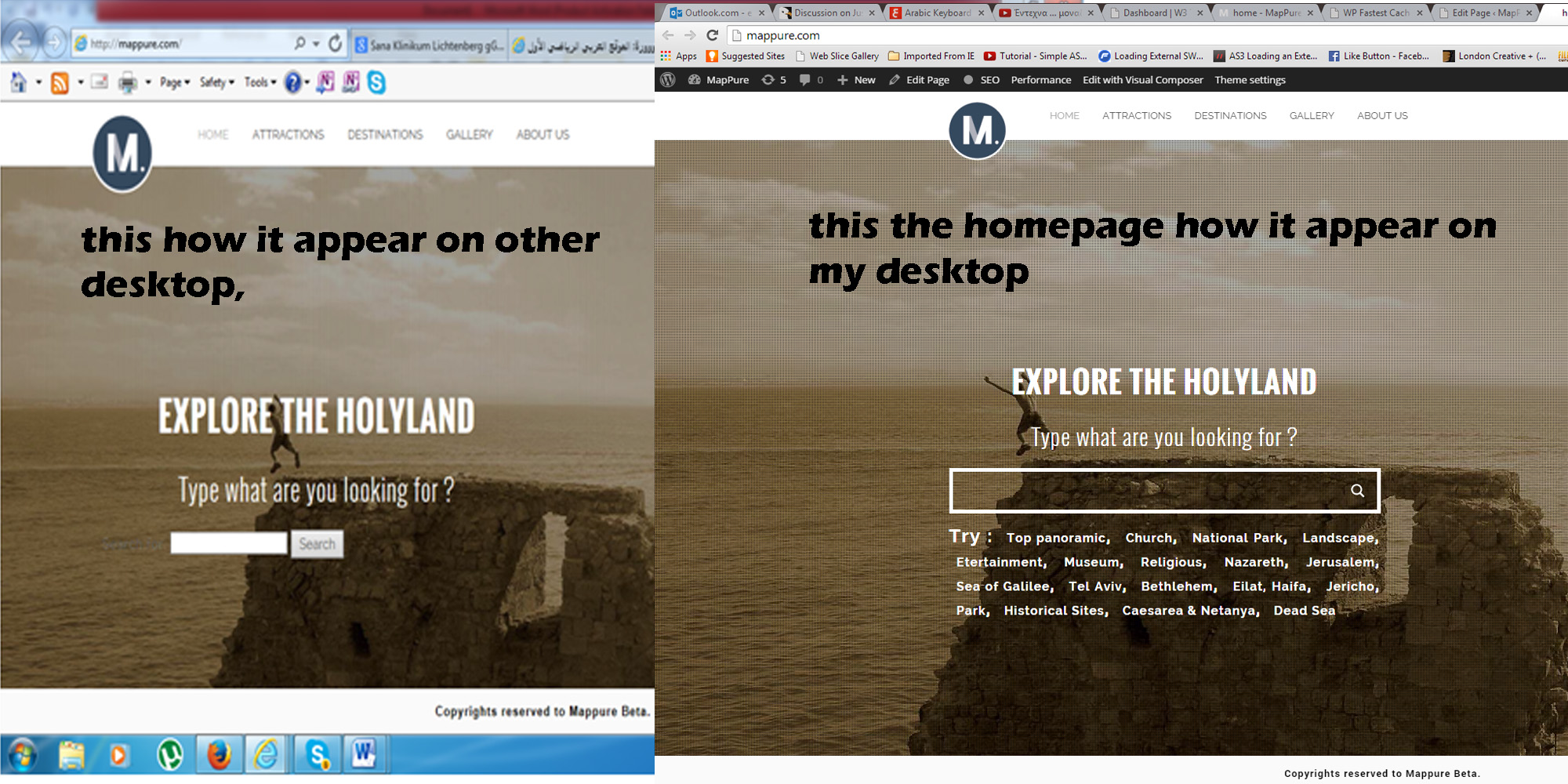
we had 2 issues , 1)that appear strange on browsers
https://wp-dreams.com/wp-content/uploads/2014/02/23/admin/1082/eliaskhs/11.jpg?248e372) the filter not working good, you solved them .
where to send you my details ?
best regards.
EliasFebruary 16, 2015 at 5:59 pm #3935KeymasterYou can upload as a .txt file into this thread safely. It will be visible only for you and me.
February 16, 2015 at 7:41 pm #3936Participanthere my details Ernest,
thank you again :)))))))
February 17, 2015 at 3:56 pm #3948ParticipantHello Erenset , i am using one plugin that do not give you to acess my wordpress panel, here is the new link of the wordpress panel
February 17, 2015 at 4:05 pm #3950KeymasterHi!
I was just finishing the modification. Please check if everything is all right. To preserve the changes, I’ve made a backup copy of the plugin for you, in case you need to reinstall it – I attached it to this post.
Let me know if everything is all right.
February 23, 2015 at 9:18 am #3991Participanthello Ernest.
appear the same issue:((((((.. this onehttps://wp-dreams.com/wp-content/uploads/2014/02/23/admin/1082/eliaskhs/11.jpg
why you thing this happen?
can it be cache issue ?
what i suppose to do ?
now it work good, but it happen randomly.best regards.
Elias.February 23, 2015 at 4:07 pm #3993Participantthere was plugin with name WP FATEST CACHE , when i disable it it load fine the plugin.
but i am not sure if this the issue, i really worry about this, what you offer me to do ?February 23, 2015 at 4:25 pm #3995KeymasterThen it is possible that the WP Fastest Cache plugin cache was not cleared properly. You should rather try W3 Total cache instead. I’m using it on all of my websites, and it’s working extremely well, and it’s compatible with almost every plugin.
February 23, 2015 at 5:58 pm #3997Participantmy developer enabled 2 plugin ( the wp fatest cache and WT total cache together ).
now i disable the wp fatest.
Ernest if the issue not solved, what you offer me to do?
i like your plugin, it is on the homepage, and the basic plugin on my website. without this my website will be nothing:(…February 23, 2015 at 6:03 pm #3998KeymasterOh, that is the problem then, never use 2 cache plugins at once, it is a very bad idea.
I don’t think that issue should appear again, if you use only 1 caching plugin properly.
February 23, 2015 at 6:25 pm #3999Participantso you do not find any other issue , jsut this issue should be ( that i used 2 caches plugins ) ?
best regards.
Elias . -
AuthorPosts
- You must be logged in to reply to this topic.