Forum Replies Created
-
AuthorPosts
-
J94
ParticipantWell, I added the purchase code in the settings and behold, the updated happened automatically.
ParticipantDidn’t know there was a auto-update function. This happens during the manual update.
ParticipantGreat thanks. This makes a lot more sense from a touch screen UI perspective. You should make it an option in settings/filter panel (perhaps something like: Touch Screen Optimized: Yes/No).
ParticipantYou cannot access this content.
Participant> index table engine
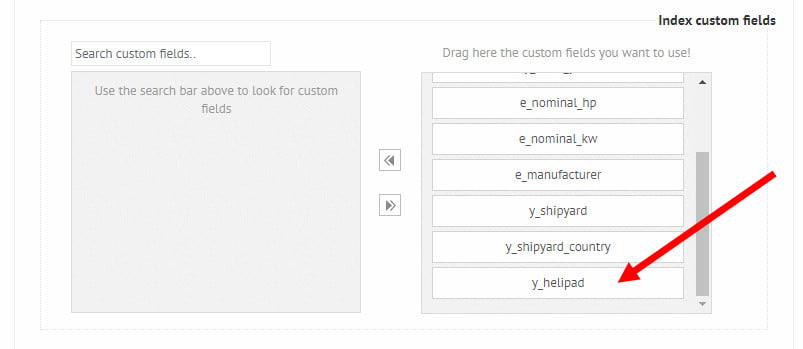
I’m already using the index table engine and have indexed the helipad field (a checkbox filter option).The plugins own cache is set to database (as you suggest) but it didn’t help (same for database or file). Once the server cache is purged, the frontend load time is back to about 30 sec. for the first user.
I don’t understand why the load times are so high for the filter options, when the options is indexed (see https://worldofsuperyachts.com/wp-content/uploads/2021/05/helipad-slow.jpg )
ParticipantYou cannot access this content.
ParticipantI have an update on this. I found that using the Ele Custom Skin plugin (https://wordpress.org/plugins/ele-custom-skin/) and enabling the option “Live load the results on the results page?” in Ajax Search Pro, works well. The Ele Custom Skin plugin is an enhancement of the standard Elementor Pro Posts-widget, allowing it to use a custom template for showing the results.
You can try it here: https://worldofsuperyachts.com/engines/ (try typing “cat”).
However, the Dynamic Content for Elementor plugin, is a far better plugin, and I would still prefer the integration with them. But the above is a nice workaround for now.
ParticipantSeems to work. Excellent feedback! Thank you.
ParticipantI’ve tried that already. Didn’t work. Perhaps you could talk to the guys at Dynamic? They already did it for the Search&Filter plugin, which I have and changed for yours (as S&F gets really slow with 1000+ posts).
-
AuthorPosts