Forum Replies Created
-
AuthorPosts
-
Ernest Marcinko
KeymasterYou cannot access this content.
KeymasterYou cannot access this content.
KeymasterOkay, that’s probably the case then.
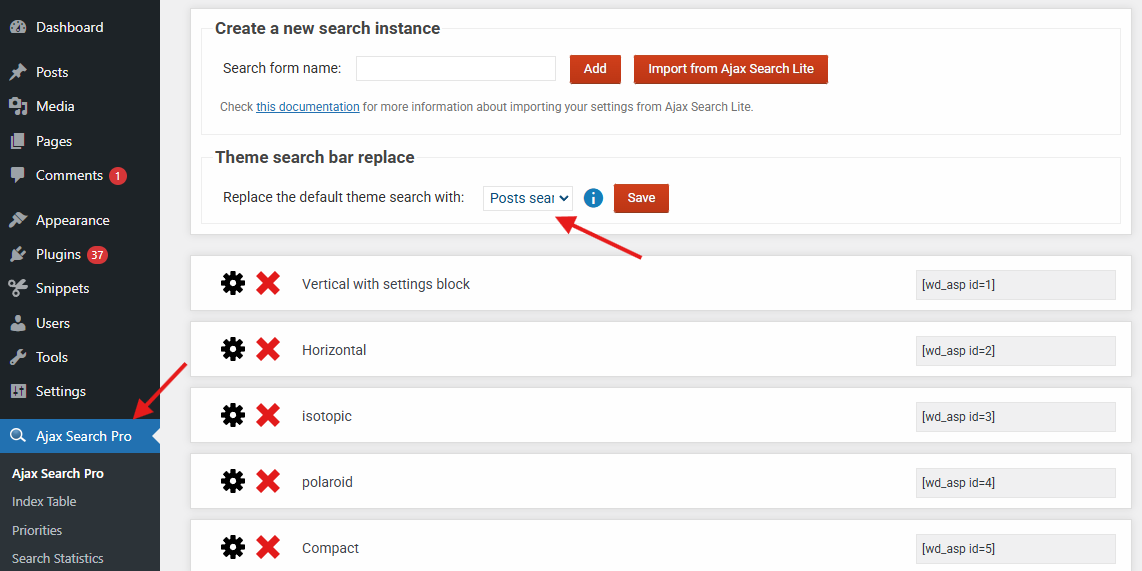
Looks like that native search is within a modal of some sort. You can try enabling the automatic override, if it uses a hook, then it should be possible to replace with the Ajax Search Pro search automatically.
If that does nothing, then look for the theme customizer. Modern themes usually have an editor where you can change the search box – or at least adjust the location to the WooCommerce results page.
KeymasterAll right, thank you for updating me. I have very little experience with importing CSV files, so I’m learning with you.
December 8, 2025 at 2:33 pm in reply to: Index Table yields empty results after Import of posts #56467KeymasterYou cannot access this content.
KeymasterYou cannot access this content.
KeymasterYou cannot access this content.
December 8, 2025 at 12:48 pm in reply to: hook to complete remove design/ css from the frontend #56463KeymasterJust wanted to let you know that the soon to be released 4.28 will include different hooks with the correctly “reversed” arguments. The old ones will trigger a deprecation warning so they are replaced with the new ones.
KeymasterYou cannot access this content.
KeymasterYou cannot access this content.
KeymasterYou cannot access this content.
KeymasterThat’s great!
Have a nice weekend too!
If you don’t mind, I will close this topic soon and mark it as resolved, feel free to open another one if you have other questions or issues.
If you like the plugin and have not rated already, feel free to leave a rating on your codecanyon downloads page and on the wordpress plugin repository, it’s greatly appreciated.
KeymasterYou cannot access this content.
KeymasterHi Camille,
Sure!
Can you please check the back-end details, I think you have copied the email instead of the password. I will log in and check your configuration 🙂
KeymasterYou cannot access this content.
-
AuthorPosts