Forum Replies Created
-
AuthorPosts
-
Ernest Marcinko
KeymasterHi,
Thank you for the details!
I have checked the website, but I can only find a search in the header, but that doesn’t have any search facets, only an input field, but that seems to work on my end.
Can you send me a link to a page where the search settings doesn’t work? Thank you!
All the best,
ErnestKeymasterHi,
I’m afraid no, the filter values can’t affect the priority rule – only the search phrase can. I will take it as a feature request though, I think it could be very useful in the future.
KeymasterYou cannot access this content.
KeymasterHi George,
It is possible, but you will have to programmatically edit the default search forms to redirect to that URL. That is outside of the scope of Ajax Search Pro though, the default search forms are not controlled by the plugin.
Because that I can’t guarantee anything as this is way beyond my support duties, but I’m still happy to help.
The best way to do that is to edit the default search forms source code and add a hidden input with the page id and change the “s” input to “asp_s” to auto-trigger the search on your custom page.
So this is the original header form:
<form method="get" action="https://www.hifi-advice.com/blog/prometheus">
	<input type="text" name="s" class="input-search font-1 active-true" placeholder="Search">
	<input type="hidden" name="post_type" value="post">
</form>
And changing it to:
<form method="get" action="https://www.hifi-advice.com/blog/prometheus">
	<input type="text" name="asp_s" class="input-search font-1 active-true" placeholder="Search">
	<input type="hidden" name="page_id" value="42842">
</form>
will do the trick.
If it is not possible to change the source code for some reason, then using a javacscript code snippet could also work:
document.querySelector('.cactus-form-header form')?.addEventListener('submit', function(e) {
  e.preventDefault();
  var s = encodeURIComponent(this.querySelector('input[name="s"]').value);
  window.location.href = '/blog/prometheus/?page_id=42842&asp_s=' + s;
});
However these heavily depends on implementation. You may also have to consult with the theme developer on how to change those parameters properly.
KeymasterYou cannot access this content.
KeymasterYou cannot access this content.
KeymasterYou cannot access this content.
KeymasterYou cannot access this content.
KeymasterYou cannot access this content.
KeymasterThanks!
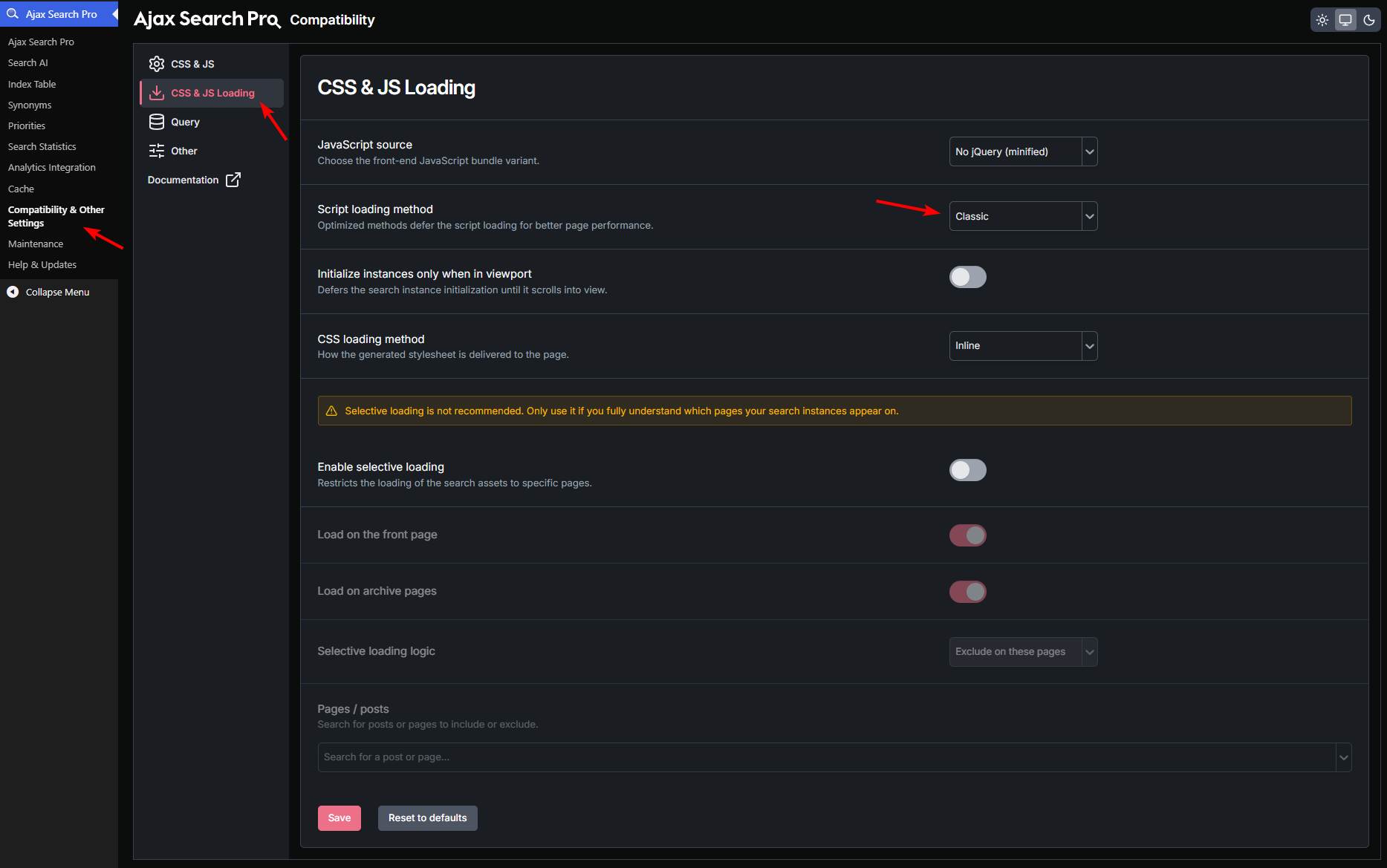
It was only a script loading issue because of the minification of the cache plugin. I changed the script loading method to classic, and it resolved the issue.
After clearing all layers of cache should be fine on your end too.
KeymasterYou are welcome!
Did you download all source code and use AI to inspect?
Not at all, don’t worry – I didn’t download the actual server side source code (like the plugin files). I only grabbed what was emmited to the browser for rendering as HTML – so a “page view”. No sensitive data, source files or anything, I would never do that 🙂
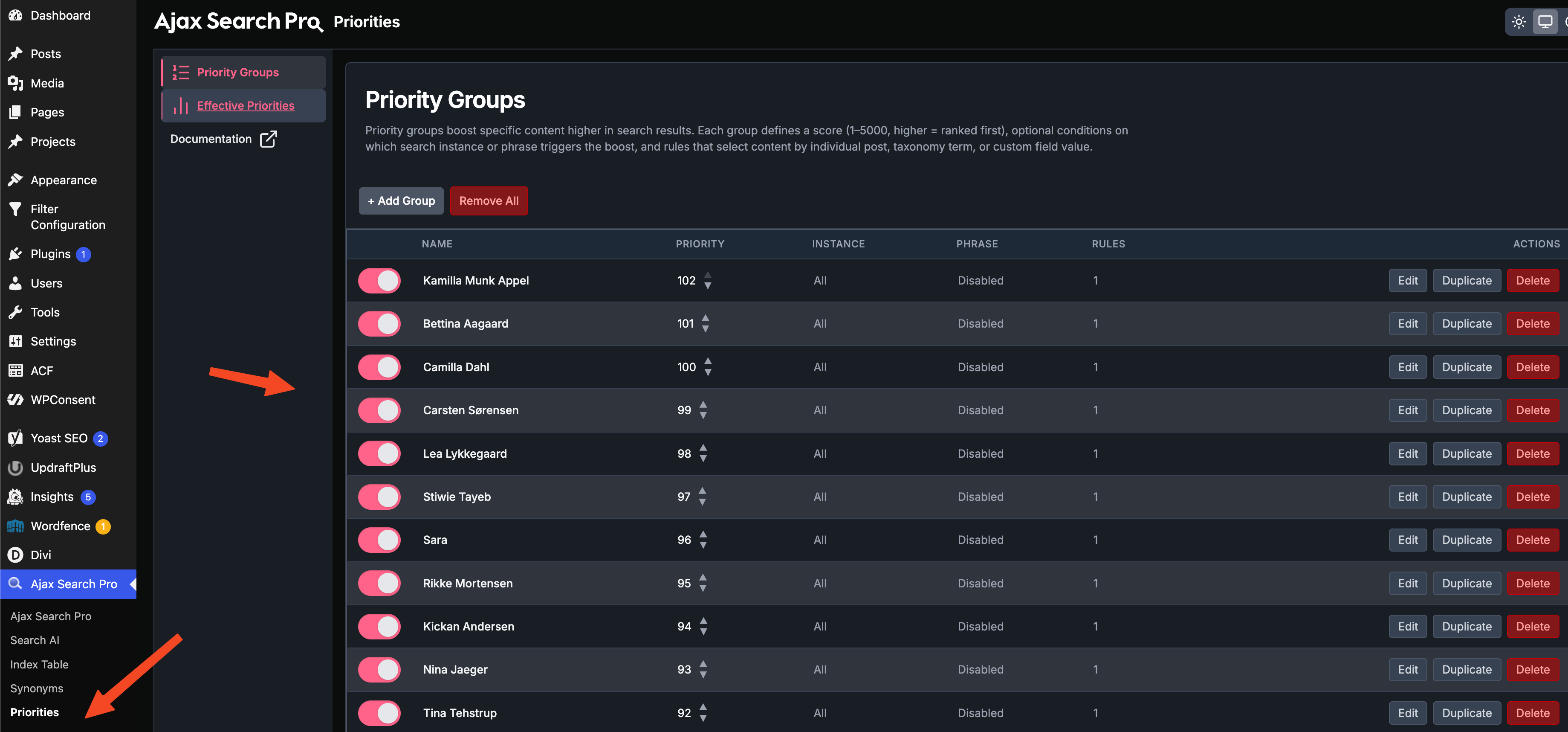
KeymasterSure, something similar is definitel possible. I have installed the newest release (beta, it will be released tomorrow), where the priority groups are more advanced.
I have crated the required priority groups for you and ordered as on the second picture. You can move/edit them freely as you like or add/remove new items.
KeymasterSure! I tried to check but the admin is so heavily cached on CDN, that I can’t make any changes.
Please make sure to disable CDN and cloudflare for logged in users, it should never be cached, as it will prevent loading the assets properly.
KeymasterYou cannot access this content.
KeymasterHi,
Thank you for the details, it helps a lot.
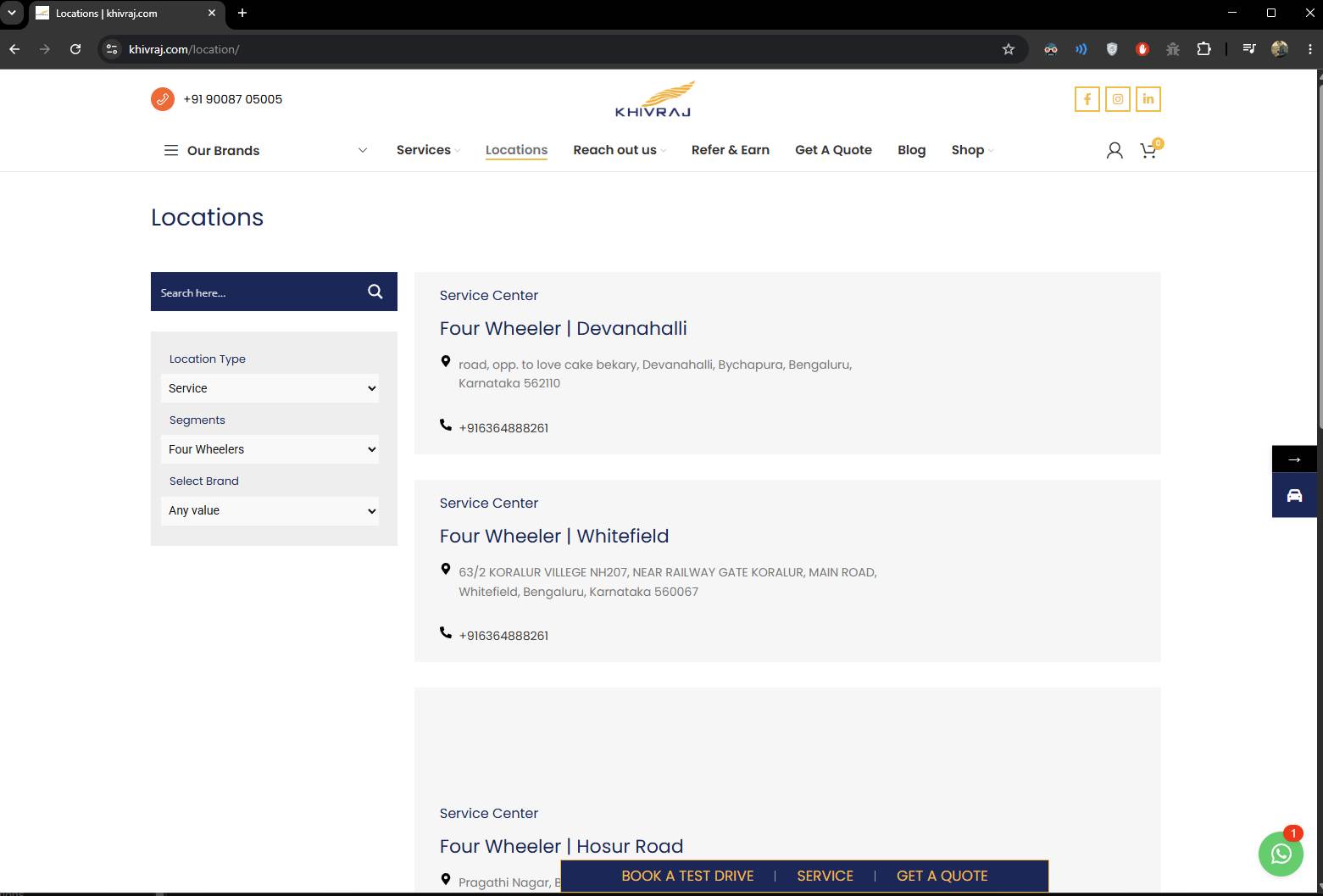
I just checked (without logging in) but the filters are visible on the given URL on my end: https://wp-dreams.com/assets/support/2026-06-02_XjfHMMBoh5.jpg
You may have to clear your browser/site/cloudflare cache, it is likely only due to that. -
AuthorPosts