Forum Replies Created
-
AuthorPosts
-
Ernest Marcinko
KeymasterYou cannot access this content.
KeymasterYou cannot access this content.
KeymasterYou cannot access this content.
June 1, 2026 at 6:35 pm in reply to: The plugin could not be activated because it triggered a fatal error. #57549KeymasterYou cannot access this content.
June 1, 2026 at 5:45 pm in reply to: The plugin could not be activated because it triggered a fatal error. #57547KeymasterYou cannot access this content.
KeymasterHi,
You can safely ignore this warning, it will not re-appear. It is triggered by WordPress because a file location changed and the old loader tried to find it while it was already replace.
All the bes,
ErnestKeymasterAll right, the AI actually found the issue based on the source! It was a 3rd party script conflict as I suspect, but I couldn’t find the source of it.
It’s a conflict between Ajax Search Pro and your active theme (theblog). The theme’s mega-menu component loads an old color-picker library called jscolor across the entire WordPress admin. That library automatically latches onto any color input on the page — including the ones in Ajax Search Pro’s settings — and because it doesn’t understand our color format, it silently resets the value back to a default. This should be also addressed by the theme developer, it is highly problematic to load global assets across the whole admin interface.
The reason it only showed up after saving twice: the first save reloads the page and our picker displays correctly, but jscolor then quietly overwrites the stored value in the background. The second save commits that overwritten value, so the reset only becomes visible on the next reload. That timing is also why it was so hard to reproduce on a clean setup — it only triggers when a theme/plugin like this is present, which is why your Mac/Safari/Chrome reports were spot on about it being a timing issue.
The fix
I’ve updated Ajax Search Pro so its color pickers can no longer be hijacked by jscolor (or any similar library), with an extra safeguard on top. This will be included in the next public release, but I’ve prepared a hotfix build for you right now: hotfix downloadI have already installed it on your staging site. Please clear the browser cache and the issue should disappear.
KeymasterSure George! Thank you for the video!
Interestingly I still can’t replicate it like that, I’m not sure why, both Mac and PC platforms work on my end. Nevertheless, I will do a profiling on the page source, there must be still a 3rd party conflict somewhere which I can’t see and is likely causing this problem.
I will run an AI based analysis on the scripts profile running on the page, maybe it can find the reason why – there is probably something resetting the color picker script, as everything else seems to be all right. I will also share the video of replication to speed it up.
I will let you know as soon as possible, as I am very curious what is going on here and why there is no other reports or why I can’t replicate this issue at all.
KeymasterThat is super strange. I did a bit of research and Safari seems to have a very problematic cache, it will load outdated files even if the cache is cleared.
Can you please try by opening the Web Inspector then going to the Network panel and clicking “disable cache” checkbox? If you keep the inspector open the issue should go away – which would verify the Safari cache issue.
I couldn’t replicate it on my end anymore, both Chrome and Safari works all right, so the only thing left is the aggressive browser cache.
KeymasterYou cannot access this content.
KeymasterYou cannot access this content.
KeymasterNo – this was directly fixed on the staging website by replacing the files. Updating or reinstalling will remove the fix.
I will make an upadted installer in a hour or so and attach it here with the fix included until the next version is released, so you can use that.
KeymasterThank, you! Updating my Safari I was finally able to replicate the issue. Turns out it is a 3rd party script conflict, partially caused by the outdated version of the color picker. Chrome was still fine, but at least Safari displayed the problem.
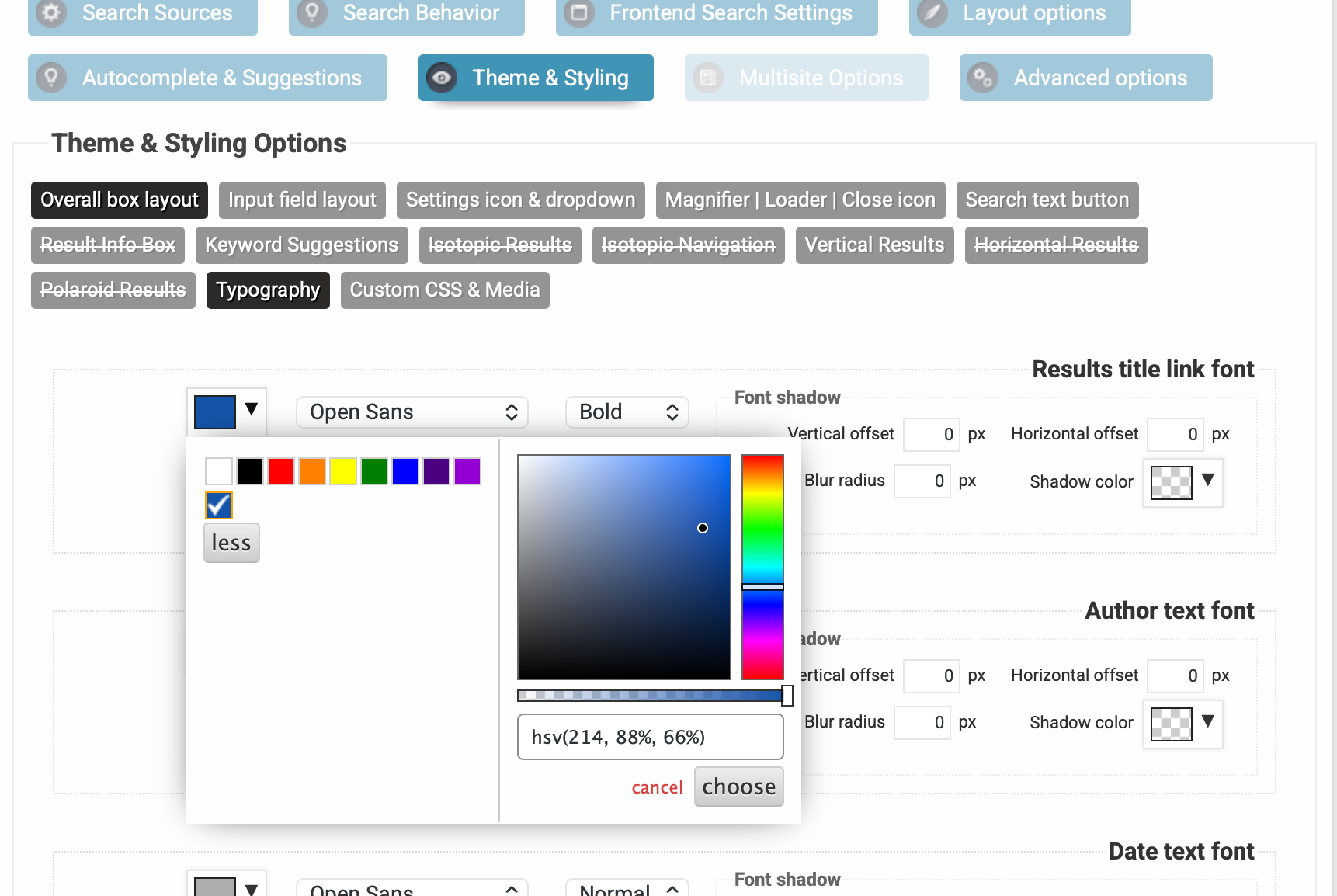
I have updated the color picker script and made an issue on the tracker to update it for the upcoming release as well. Clearing up your safary cache, you should start seeing an updated version of the colorpicker, which is a bit different from the old one, it will look like this: https://wp-dreams.com/assets/support/2026-05-29_zg3pK.png
This will no longer revert the colors after saving and everything should load fine.KeymasterSorry, my mistake – I forgot to mention that the Lite version should be disabled, as both plugins share some codebase and in some rare cases it may cause conflicts.
I deactivated the Lite verson for you and Activated the Pro – now the error should be gone.
All the best,
ErnestKeymasterYou cannot access this content.
-
AuthorPosts