Forum Replies Created
-
AuthorPosts
-
Ernest Marcinko
KeymasterYou cannot access this content.
KeymasterYou cannot access this content.
KeymasterYou cannot access this content.
KeymasterYou cannot access this content.
KeymasterYou cannot access this content.
KeymasterYou cannot access this content.
KeymasterYou cannot access this content.
KeymasterYou cannot access this content.
KeymasterYou cannot access this content.
KeymasterYou cannot access this content.
KeymasterYou cannot access this content.
KeymasterHi Mads,
The order from 3rd party plugins is not guaranteed unfortunately, as they might not detect the search query to apply the custom ordering.
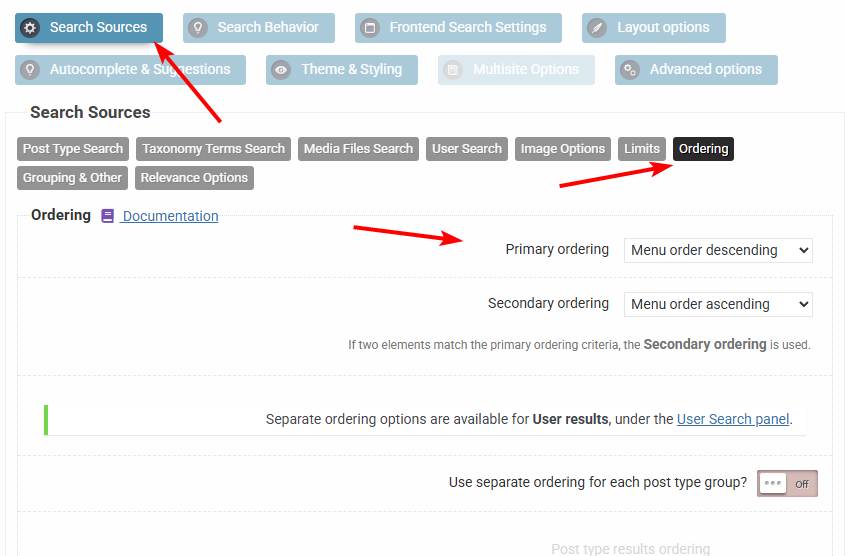
However you can adjust the ordering on the plugin back-end, and if you need more complex ordering/prioritization of certain results, then I recommend checking the individual and group priorities features, which override the main results ordering.
November 8, 2025 at 6:22 pm in reply to: Results bar not showing the translated results with Gtranslate #55982KeymasterIf you want I can take a closer look to see if there are any possibilities, but please add both temporary back-end and FTP details so I can make code edits.
I can’t promise anything though, GTranslate is fully automated and we can’t affect much what it translates automatically.
November 8, 2025 at 6:15 pm in reply to: Results bar not showing the translated results with Gtranslate #55981KeymasterYour page cache is still uncleared, if you visit the page with a query string it will disappear. Make sure to clear the cache.
It is still very possible that GTranslate will not work if it’s unable to detect and translate the content within the JSON data. As I have said they have no API and no support to access translations in any way unfortunately.
November 8, 2025 at 1:10 pm in reply to: Results bar not showing the translated results with Gtranslate #55978KeymasterYou cannot access this content.
-
AuthorPosts