Forum Replies Created
-
AuthorPosts
-
November 8, 2025 at 12:07 pm in reply to: Search results in search bar are not showing the translated content #55977
Ernest Marcinko
KeymasterYou cannot access this content.
KeymasterOh, you tried to use the form to add a Legacy license from Envato Market – you don’t need that, just ignore it 🙂 Your license is already in your account.
It is for users who purchased from our old vendor (codecanyon.net), so that their licenses can be imported to our system manually.All you need to do is just download the plugin, install and enjoy. If it asks for a license key after installation, just enter the one that is listed on your purchases section.
KeymasterHi,
Sure! Just go to your purchases, and there it is, 2 lines above the “Open Support Ticket” button. (it’s a 36 character string, yours ends with
..cf8b8, I don’t want to directly paste it here)For more details, you can check this documentation.
I also recommend checking out the video tutorials too.
KeymasterIf you can place HTML code there, then it’s definitely possible to place the shortcode too, it works the same way. In theme files this is how you use a shortcode ex.:
<?php echo do_shortcode('[wd_asp id=1]'); ?>
Simple as that.This topic will be autoclosed soon as your support period has expired over 4 months ago.
November 7, 2025 at 8:06 am in reply to: Search results in search bar are not showing the translated content #55968KeymasterThank you!
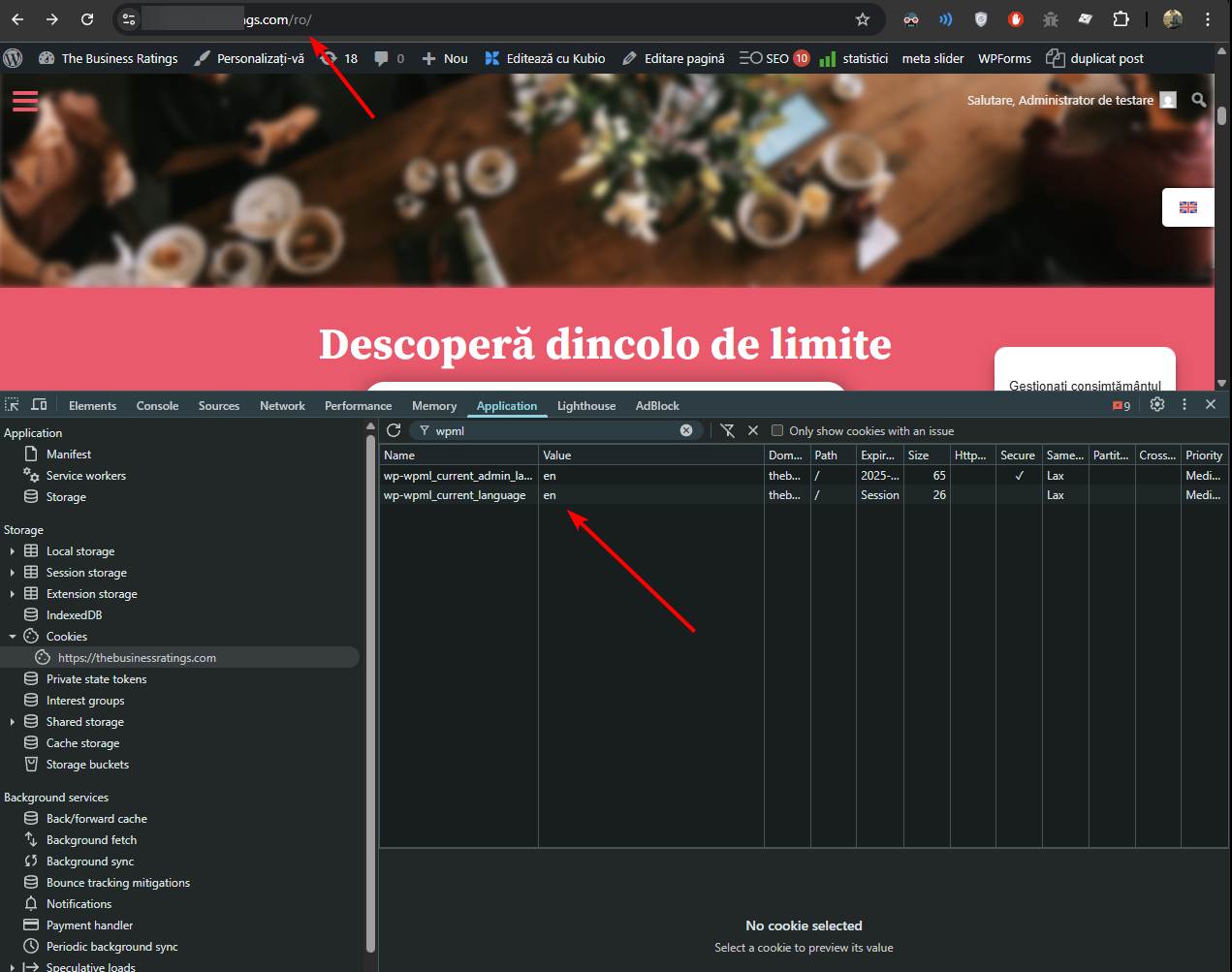
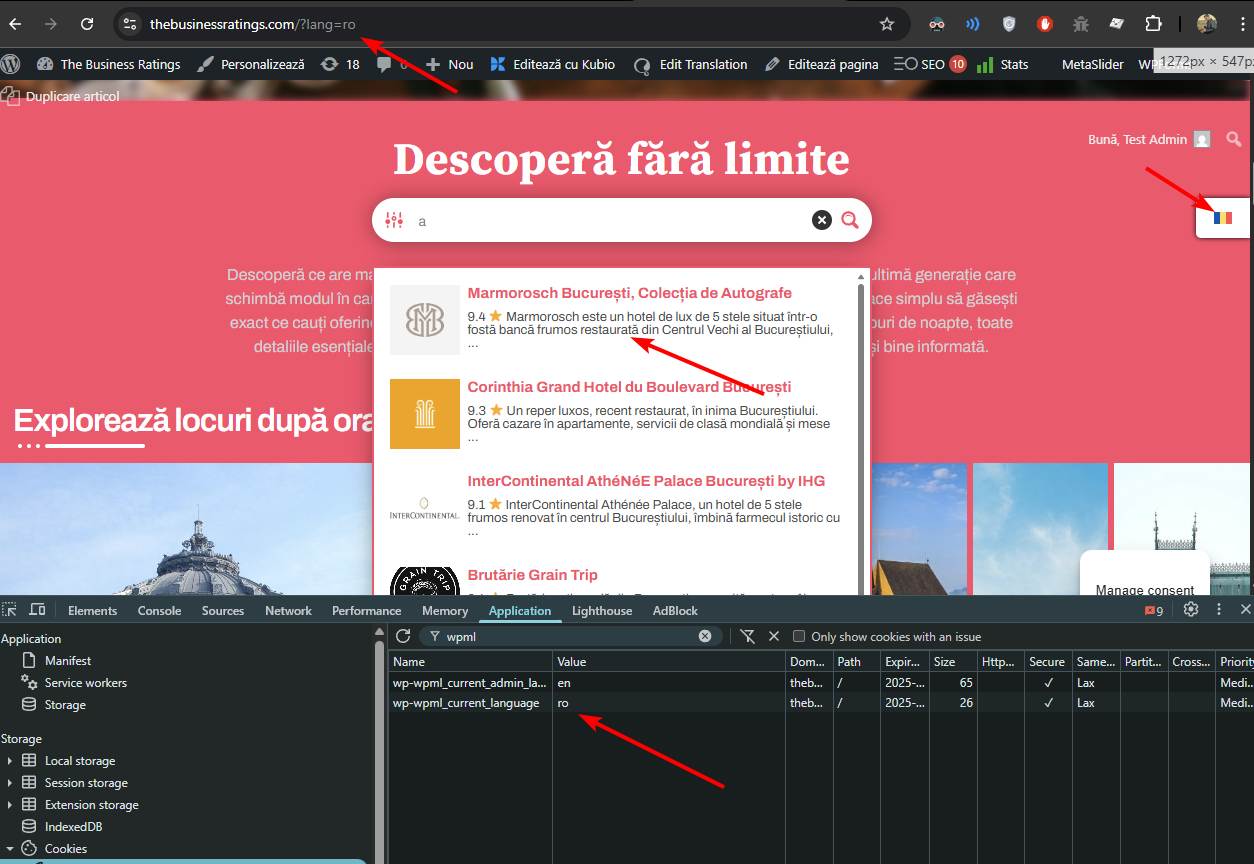
There seems to be some sort of an issue with WPML and your permalink setup here. The front-end language is always reported as english on the /ro/ page. I can confirm that by looking at the cookies, as well as ICL_LANGUAGE_CODE constant and the
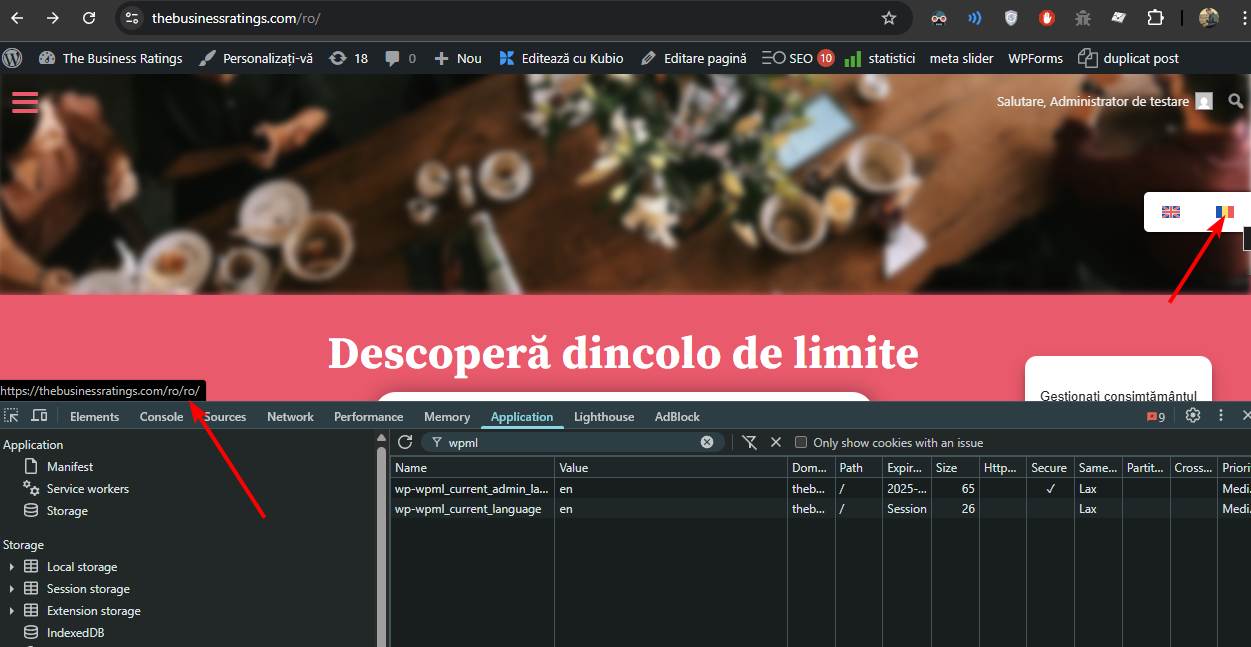
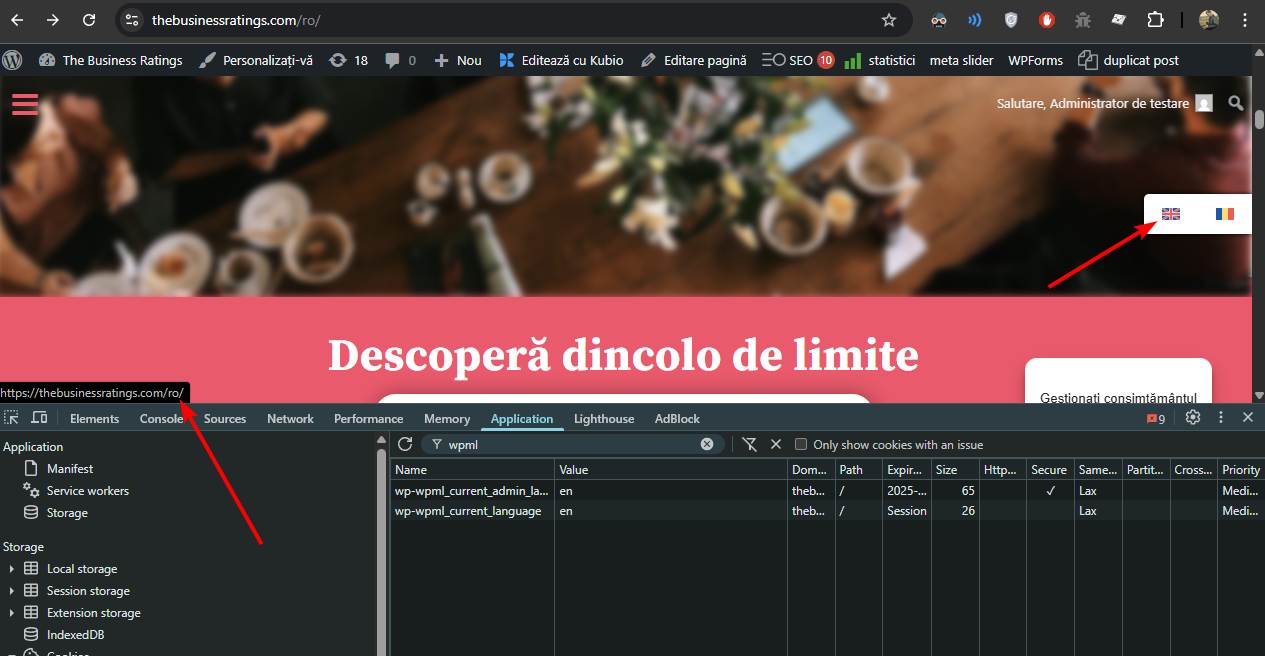
apply_filters( 'wpml_current_language', NULL )functions are both returning “en”.Moreover even the language switcher indicates english, and when you hover over the romanian, it tries to redirect to /ro/ro/, as it thinks it’s on an english version. If you hover the english flag, it will redirect to
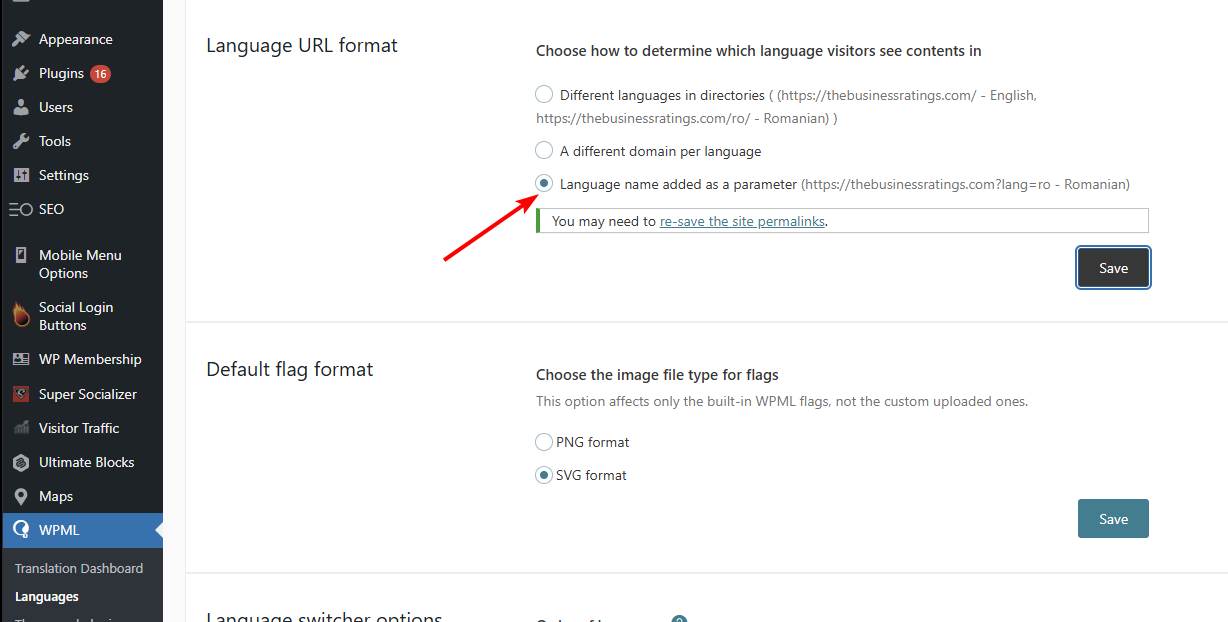
/ro/as it thinks it is the english version.I have tested by changing the URL format to parameter in WPML, then everything works just fine, including the language switcher, translations and everything. This indicates some sort of an issue with your permalink setup.
November 6, 2025 at 10:41 am in reply to: Custom URL link for results quit working for a Search Instance #55964KeymasterYou are welcome!
November 6, 2025 at 8:56 am in reply to: Custom URL link for results quit working for a Search Instance #55960KeymasterHi!
I assume you had a custom code in place to change the URLs, but I couldn’t find it anywhere.
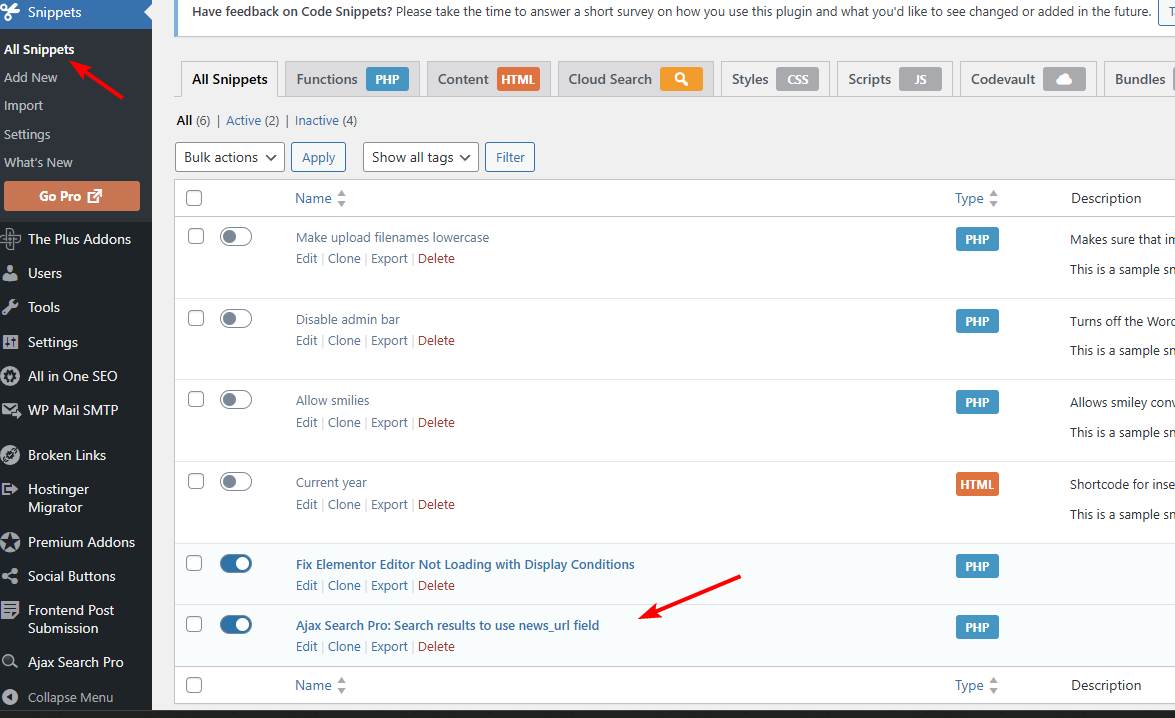
I have added the Code Snippets plugin and added the following custom code to fetch the news_url custom field:
add_filter( 'asp_results', function ( $results, $search_id, $is_ajax, $args ) { // Change this variable to whatever meta key you are using $meta_key = 'news_url'; // --- DO NOT CHANGE ANYTHING BELOW --- foreach ($results as $k=>$r) { if ( function_exists('get_field') ) { $new_url = get_field( $meta_key, $r->id, true ); // ACF support } else { $new_url = get_post_meta( $r->id, $meta_key, true ); } // Change only, if the meta is specified if ( !empty($new_url) ) { // Ajax results link if ( isset($r->link) ) { $r->link = $new_url; } } } return $results; }, 10, 4 );KeymasterI’ve already contacted the theme support and haven’t received any solution.
That is really disappointing, it should be a super simple code or widget replacement, not sure why they don’t care. I have seen at least a 1000 other search bars like that in theme headers replaced without any particular issues.Can you share like a copy of the theme or temporary sftp and back-end details to a test server where I can check out and debug the issue directly? Even if that search is hard-coded to the theme, it should be a 30 second replacement within the header file through a child theme.
November 6, 2025 at 8:34 am in reply to: Search results in search bar are not showing the translated content #55957KeymasterOkay. Can you please check the back-end detail permissions and also add temporary SFTP details if possible?
I tried to log-in but it does not let me view the administrator dashboard. I would like to do a full code debug to see why exactly is the wrong language code reported.KeymasterYou cannot access this content.
KeymasterHi!
While there is no option for that, but it is possible via a small custom coded snippet:
add_action(
	'wp_footer',
	function () {
		?>
		<script>
			jQuery(function($){
				$('.asp_m input.orig').on('blur', function(){
					$(this).closest('.asp_m').find('input').val('');
				});
			});
		</script>
		<?php
	}
);
Add this code via the Code Snippets plugin (or similar) or to the functions.php file in your theme/child theme directory – make sure to have a full server back-up first for safety. For more details you can check the safe coding guidelines.
November 4, 2025 at 8:39 pm in reply to: Search results in search bar are not showing the translated content #55950KeymasterHi,
Thank you very much for the details, it helps a lot!
From the request body it seems like the search sees as if the language is still english, as for some reason the “en” language code is printed to the search bar.
I suspect this might be something to do with the block cache – as if the cached “english” version of the plugin block is printed to the page with the original “en” langauage code.
Can you please try to replace the search block with a shortcode block and use this shortcode with it:
[wd_asp id=1]
Also, please make sure to clear the page cache as well. If all goes well, that should re-render the output correctly for each language with the correct language code string in the search bar.KeymasterYou cannot access this content.
KeymasterYou cannot access this content.
November 2, 2025 at 8:15 am in reply to: One character searches using a custom filter with index table. #55940KeymasterYou cannot access this content.
-
AuthorPosts