Forum Replies Created
-
AuthorPosts
-
Ernest Marcinko
KeymasterHi!
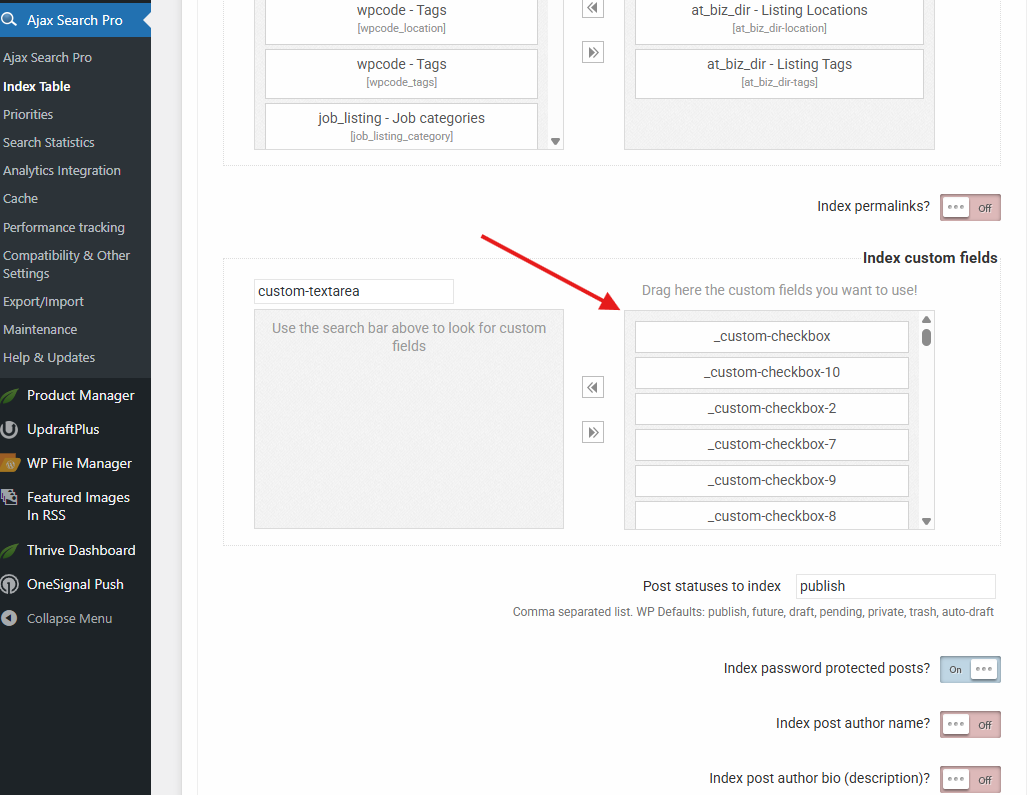
I am back. After some looking around and examining the source code I have found the custom fields. They have a very generic title scheme, basically all custom made text, checkbox and other fields are stored as “_custom-checkbox-1”, “_custom-text-1” etc.. so it was not trivial to find them. It is impossible to tell which one is which, but it does not matter much, I selected everything I could find for indexing.
The keyword count went up greatly, the values are nicely stored in the fields, so they are searchable.Now in case you create more search engines, then make sure to select the index table engine, and you are good to go.
KeymasterSure!
I am very sorry for no response, it almost never happens with me. Unfortunately I was only able to respond to some minor issue tickets as there was a family medical emergency, I will be back on friday though. I should have let you know, sorry about that.
I am not sure about the custom fields, if they don’t pop-up in the custom fields search list, then there is a chance that they are not wordpress custom fields, but data that might be stored in a different table or something similar to that. Often times the field names are just very hard to find, but sometimes they are indeed stored outside the metadata table. Generally that is not searchable by any plugin, as the data has to be accessible through code fields. If that is the case, then the only chance is to fetch them through an API to the index, however that needs some investigation, which I can’t do at the moment. In case you are aware of a programmatical API for the plugin, please let me know where I can find it and I will look into it as soon as I get back to the office.
The URL issue is much simpler in my opinion. The search requests all URLs to post types through wordpress to always get the correct link. Sometimes some plugins however doesn’t hook into that filter and a generic URL is returned – or there is a different reason in relation to that one. URL redirect is a very acceptable solution. If they have an API, then this can be also resolved via a small custom code snippet to fetch the correct URLs.
I will get back to you on friday if that is okay, if not then I will initiate a refund, whichever fits you better. Just let me know.
KeymasterYou cannot access this content.
KeymasterYou cannot access this content.
KeymasterYou cannot access this content.
KeymasterYou cannot access this content.
KeymasterYou cannot access this content.
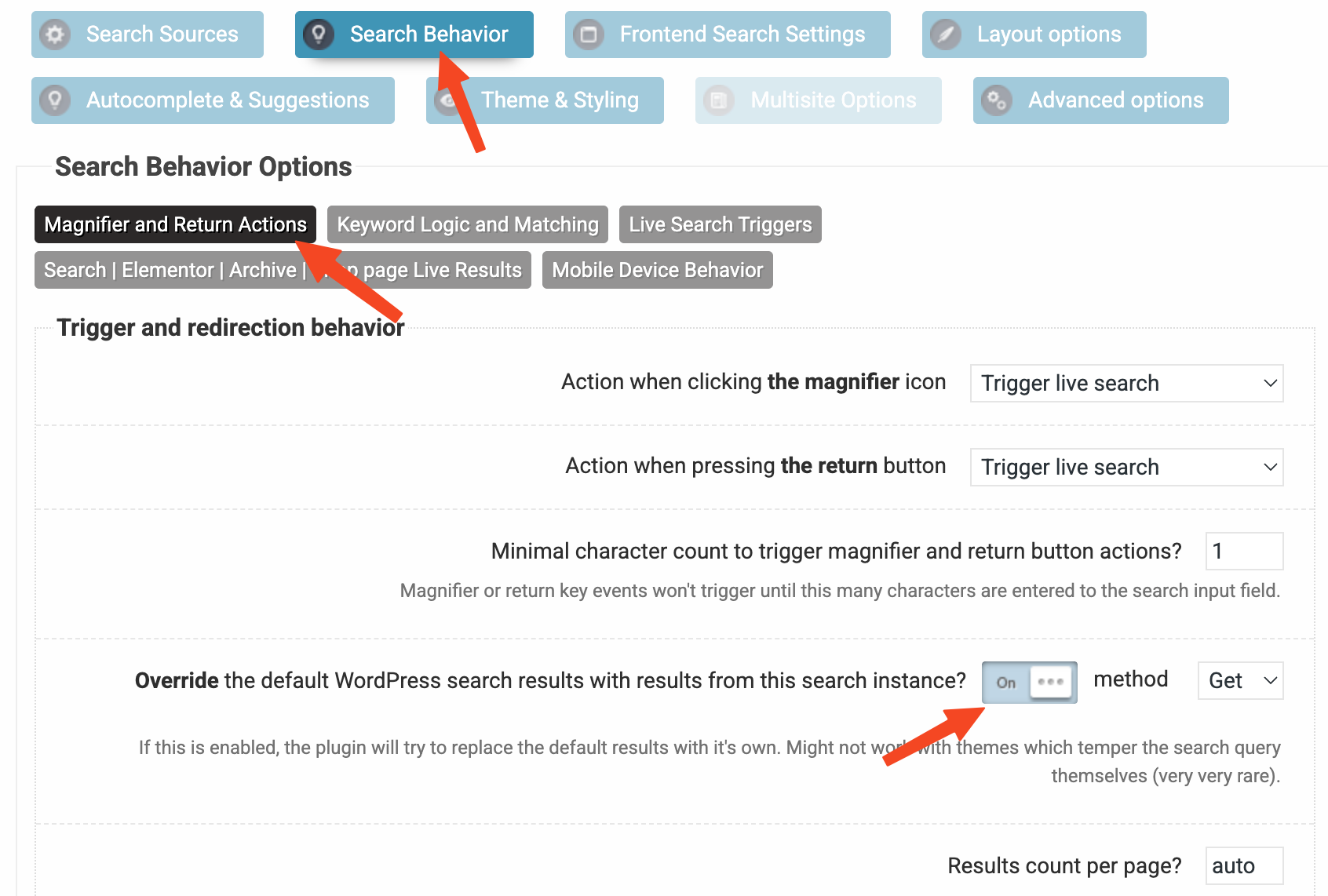
KeymasterIf the search override is active, then it will apply on the results page too by sending the updated results list to the query. If it is disabled, then only the ajax results in the drop-down are affected.
KeymasterYou are very welcome David 🙂
KeymasterHi David,
Sure! I have made the best possible setup for your requirements, just follow the steps below. If you need help with setting these up directly, then just add temporary access details and I will do it for you.
Search instance setup
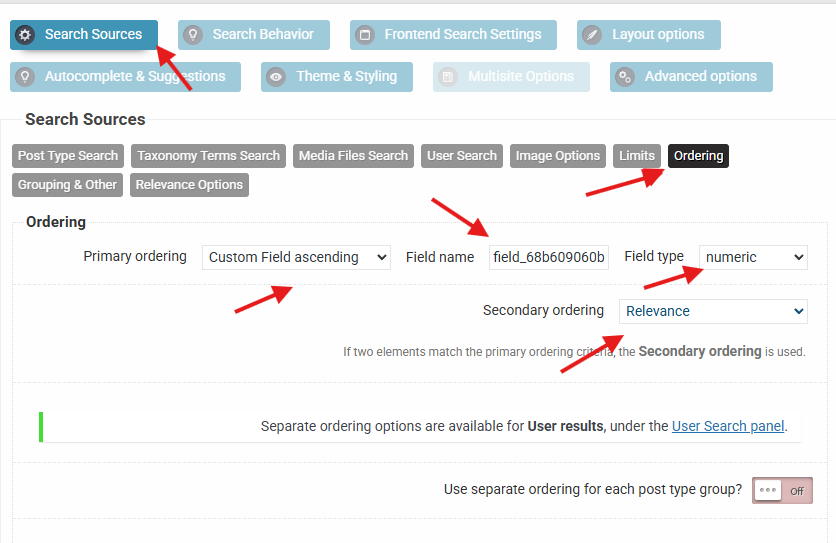
First off, you need the set the ordering as follows (screenshot here):
– Pirmary: Custom Field Ascending -> Your Field Name -> Numeric
– Secondary: RelevanceThen I think the best approach will be to use the index table engine, because it extracts all the keywords from the selected fields, and that includes the removal of all special characters including all types of quotes and many many more.
Index Table Setup
To set up the index table engine, follow these steps:
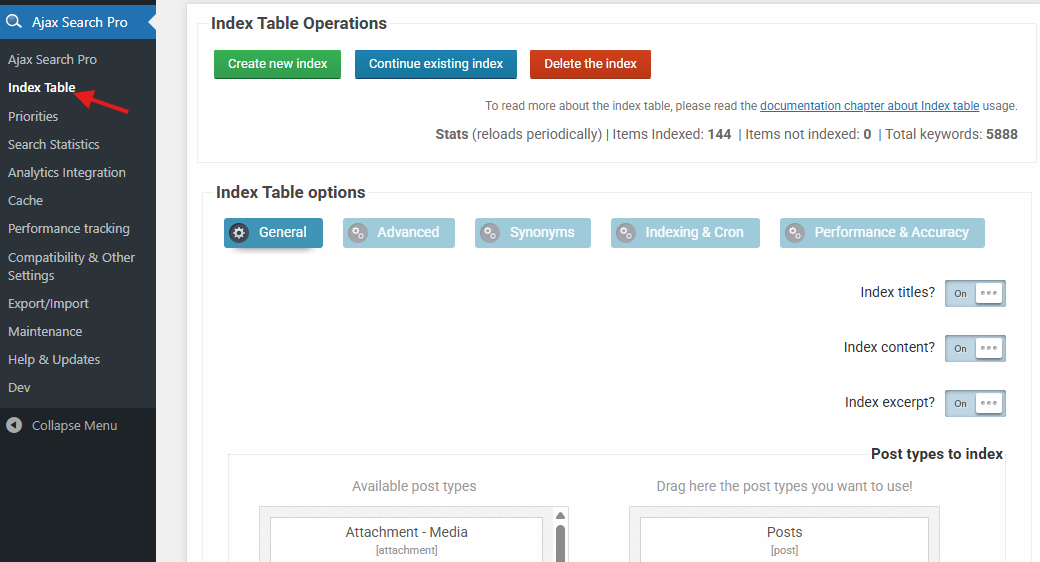
– Open the Index Table submenu in the sidebar under Ajax Search Pro menu
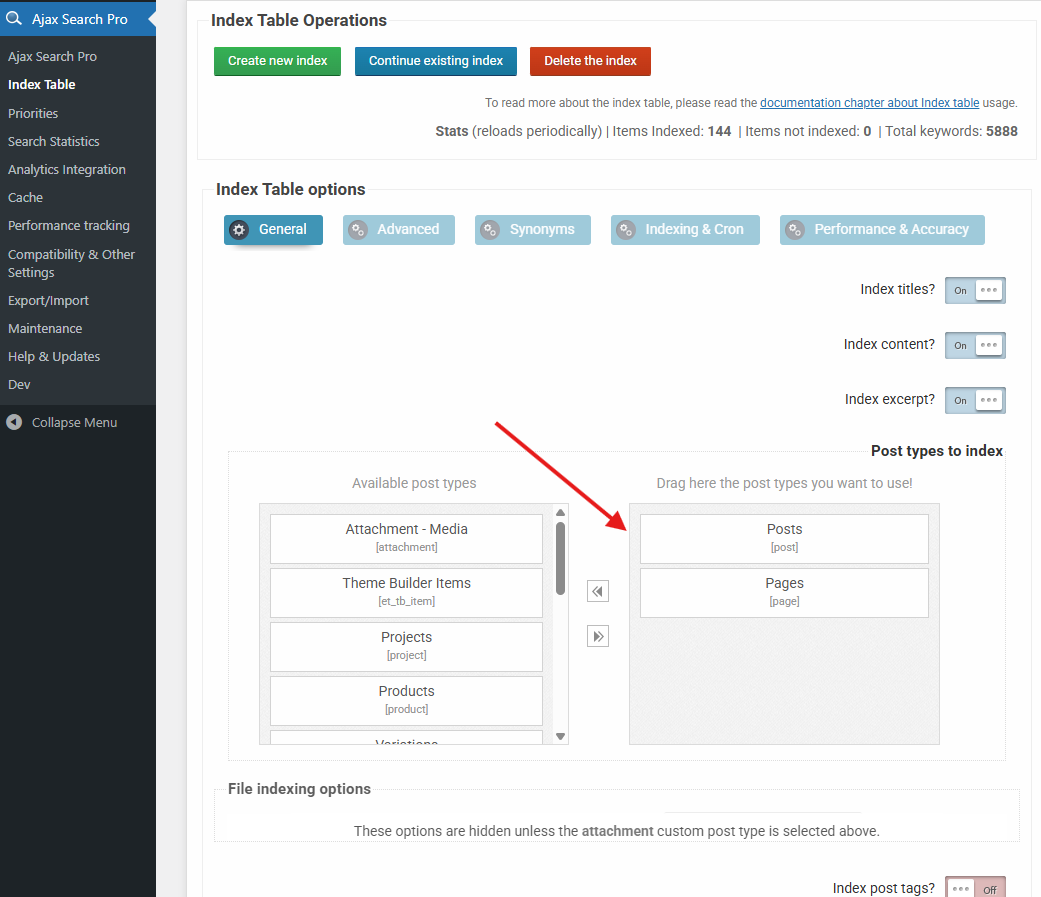
– Select the desired post types on the General tab
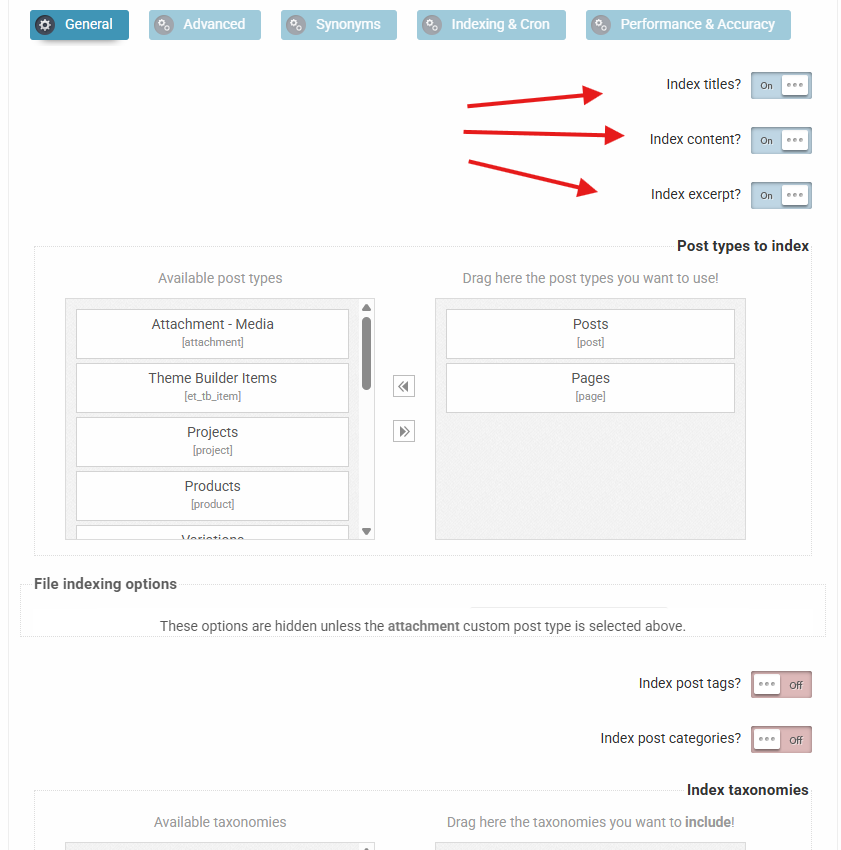
– Select the Title, Excerpt and Content fields (seleced by default)
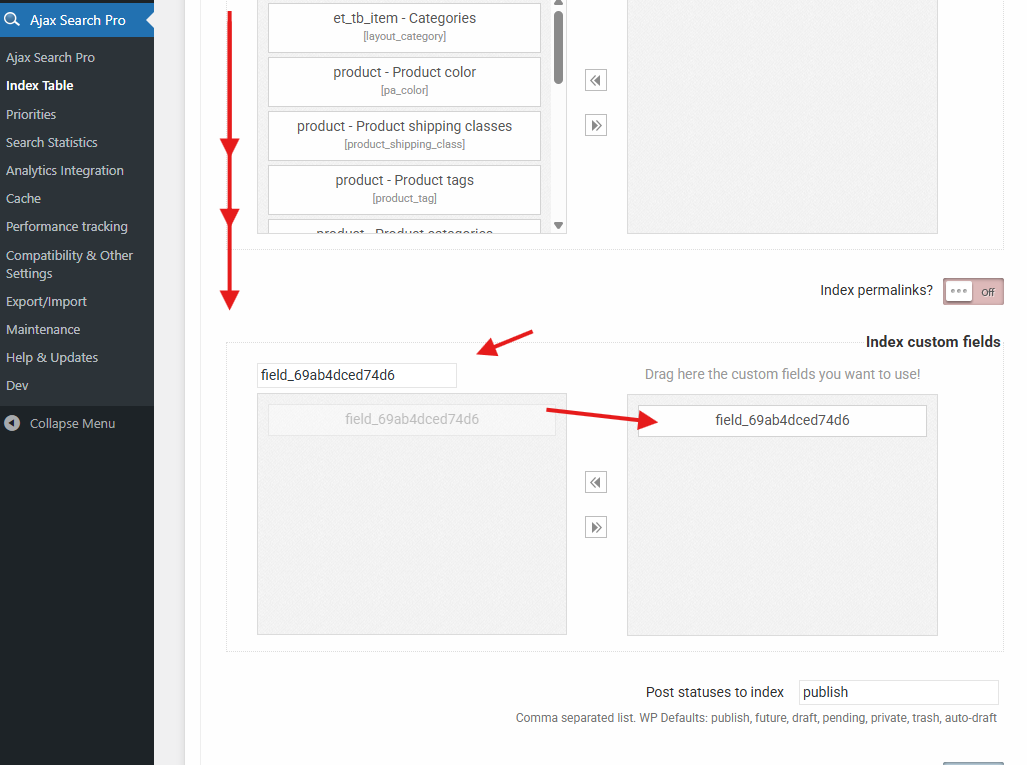
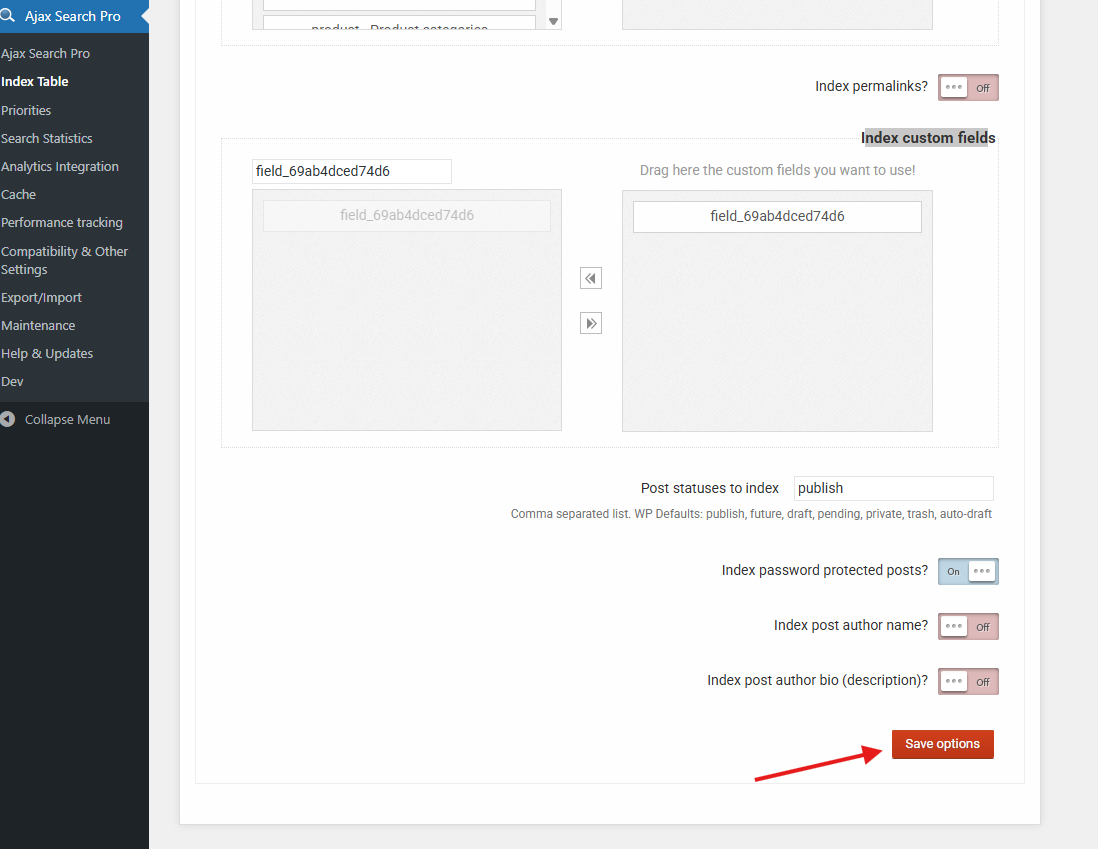
– Select the field_69ab4dced74d6 on the Index Custom Fields option
– Select anything else that you think is relevant for searches
– Scroll down and Save the settings
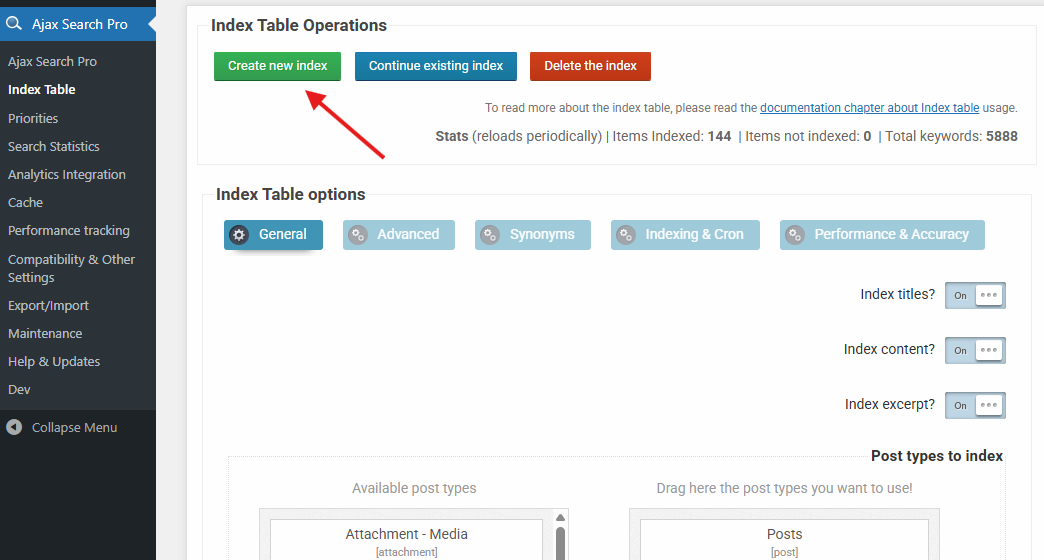
– After saving Hit the Create New Index button and keep the window open until it finishes (this only needs to be done once, new items are indexed automatically)Rest of Search instance setup
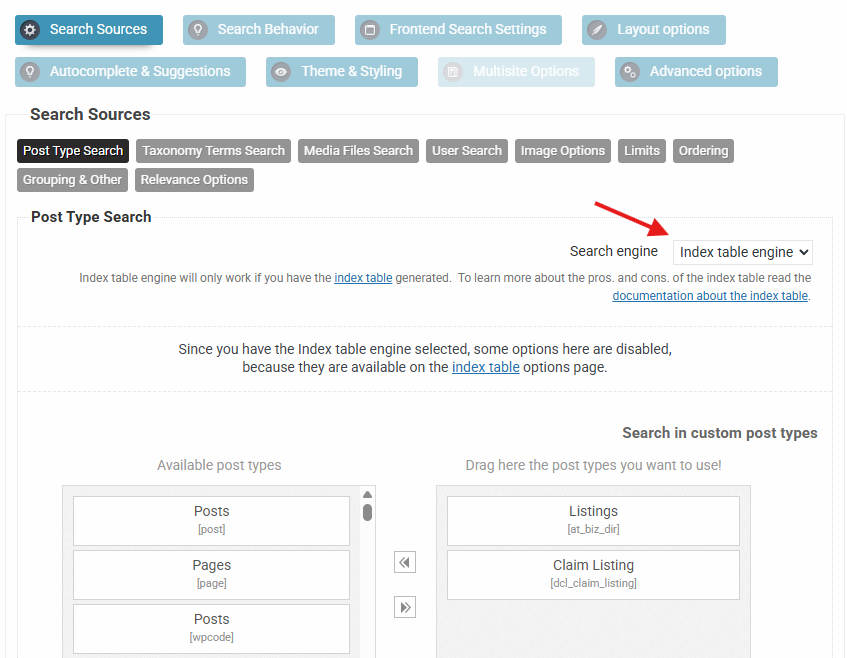
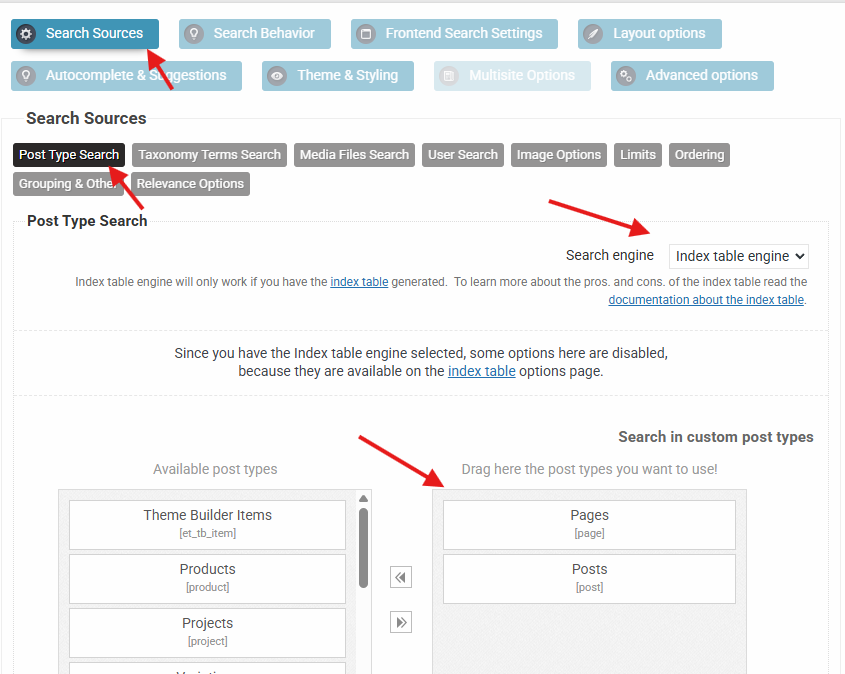
Now that you have a all the fields indexed lets go back to the search instance settings and enable the index table engine and select the same post types as on the index table settings.
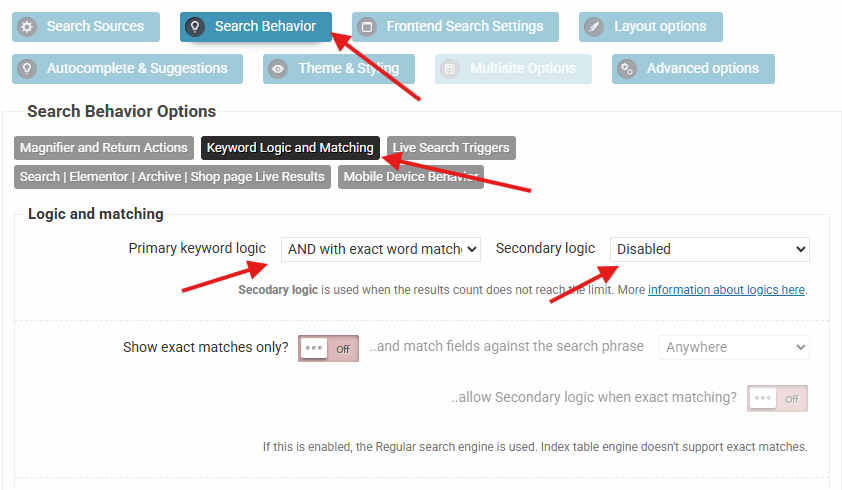
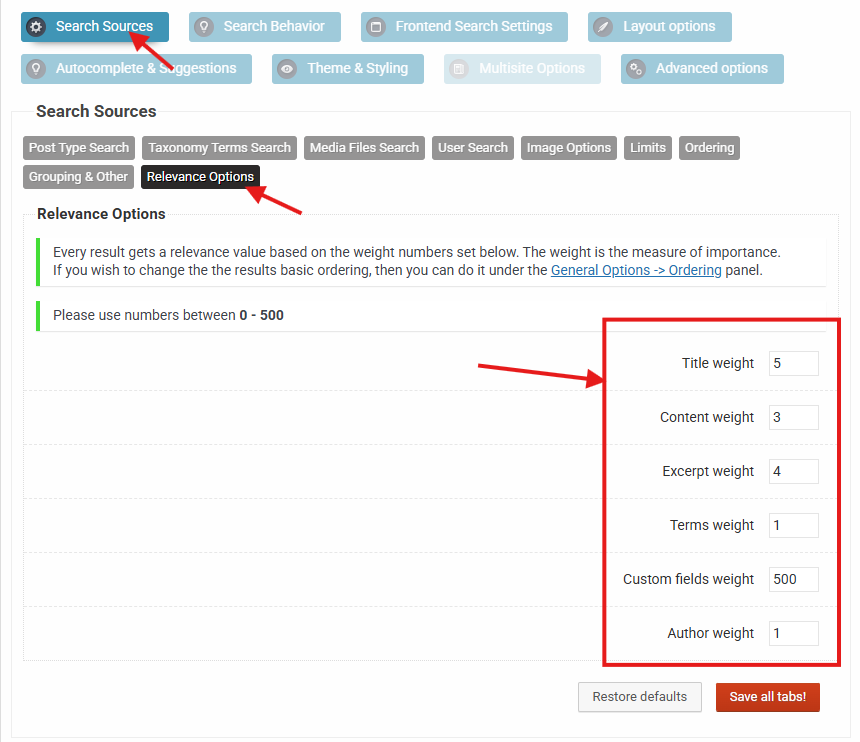
After that set up the keyword matching as AND with exact keyword matches underSearch Behavior -> Keyword Logic & Matching– so all keywords must match in phrase.Then go to the Relevance settings panel and try this setup.
The numbers here may need tweaking to get it right, as the relevance calculation is complex. You can absolutely use values above 500 (even though not recommended) if you want a specific area to be highly prioritized.Quick Explanation
This setup will ensure that above all the primary ordering is used from field_68b609060bdc9 as numeric ascending, then it is passed to the relevance calculator which then uses the title -> except -> content match order. The date and ID order is applied automatically if matches are still having the same relevance, but that is very unlikely.I hope this helps!
All the best,
ErnestKeymasterHi,
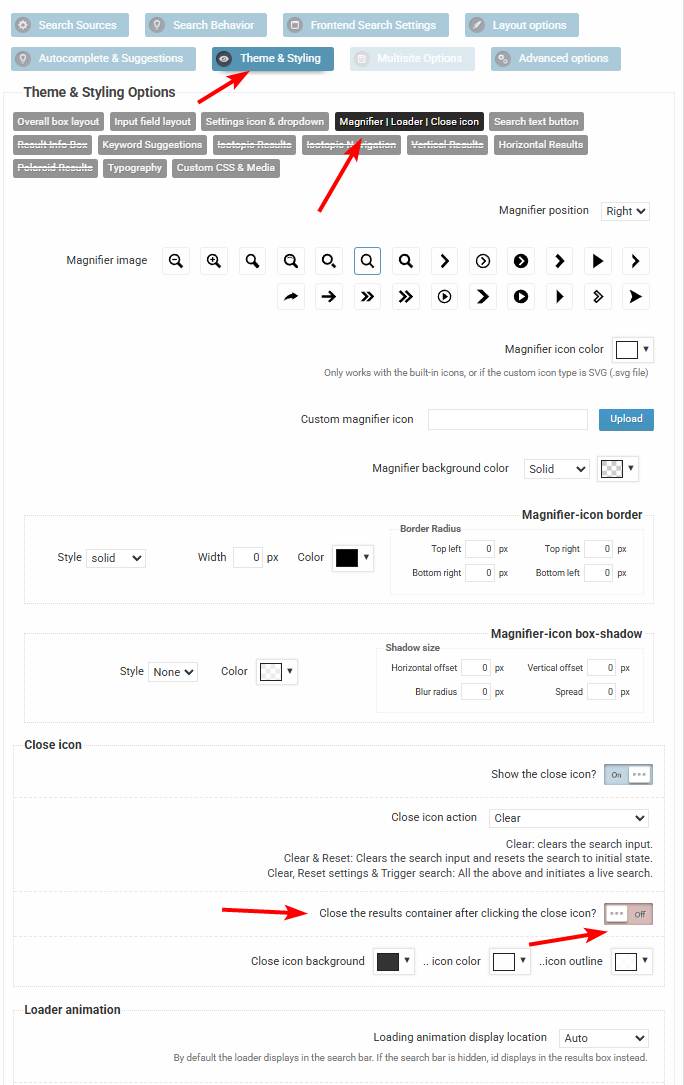
While there is no option to go back to the initial view, you can turn off closing the search results when the icon is clicked.
It’s not exactly going back to initial, but at least the results container stays open.KeymasterYou cannot access this content.
KeymasterHi,
Thanks for the details, it helps a lot!
It looks like these criteria are taxonomy temrs, so you can limit them via taxonomy based inclusions.
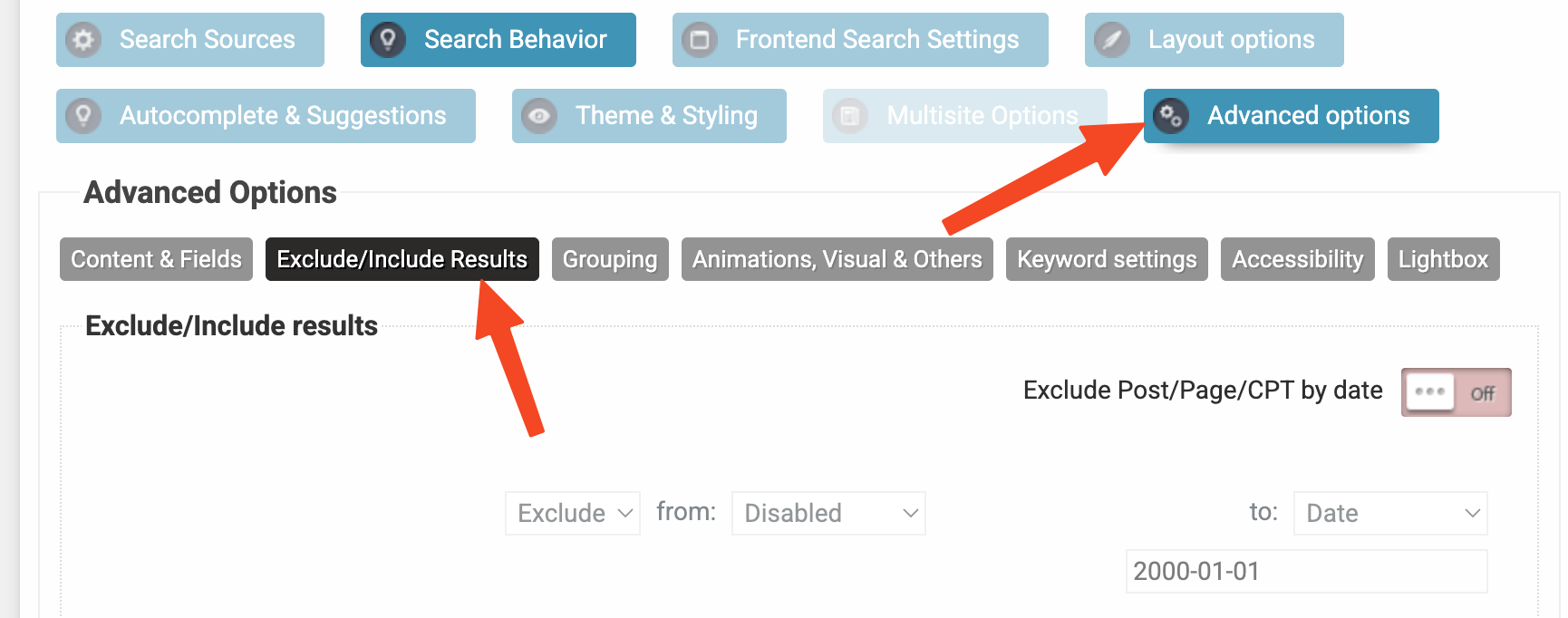
1. Go to the Advanced -> Exclude Include results option on the search instance settings
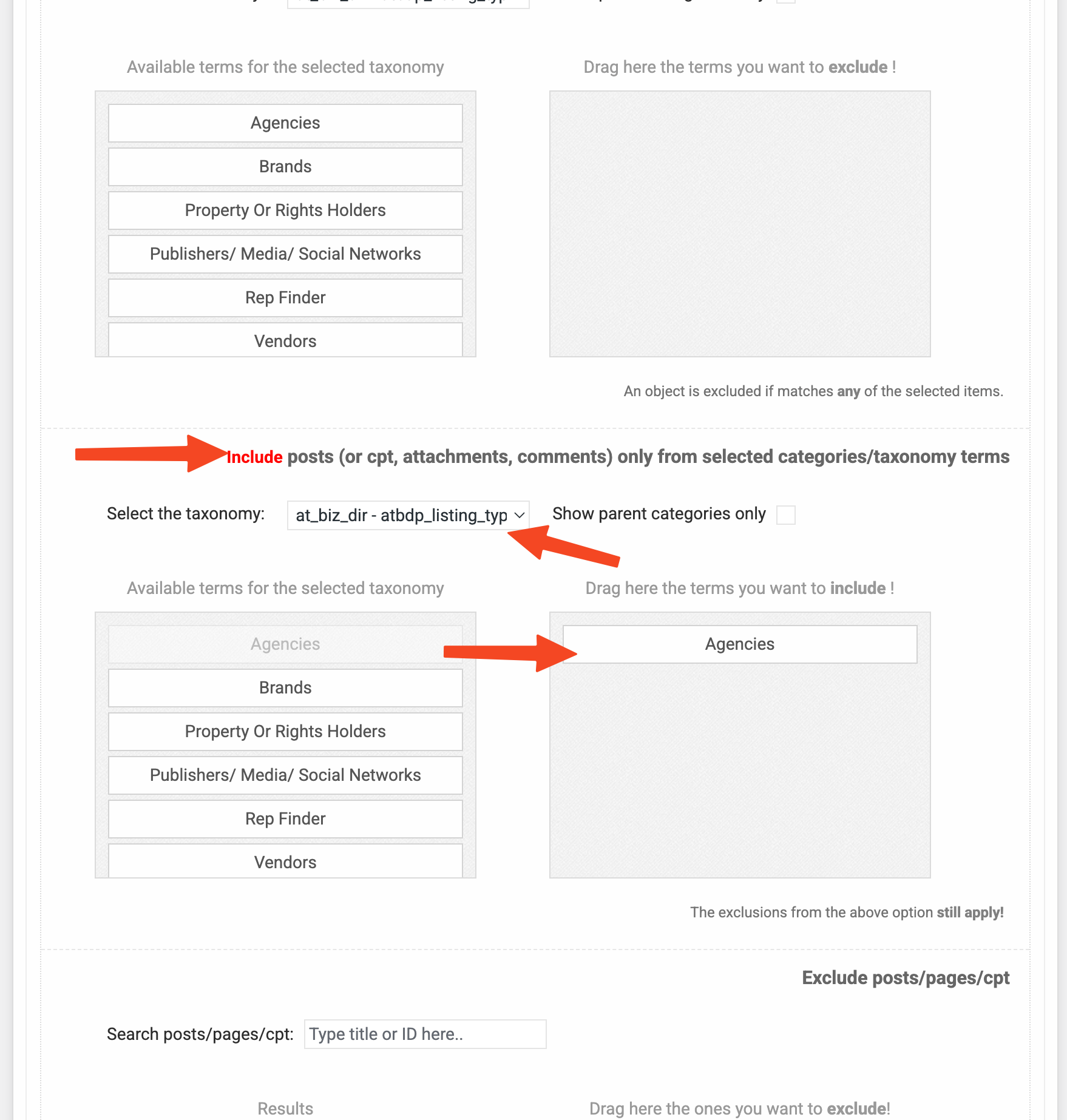
2. Then scroll down to Include posts (or cpt, attachments, comments) only from selected categories/taxonomy terms option to include items from specific taxonomy term only
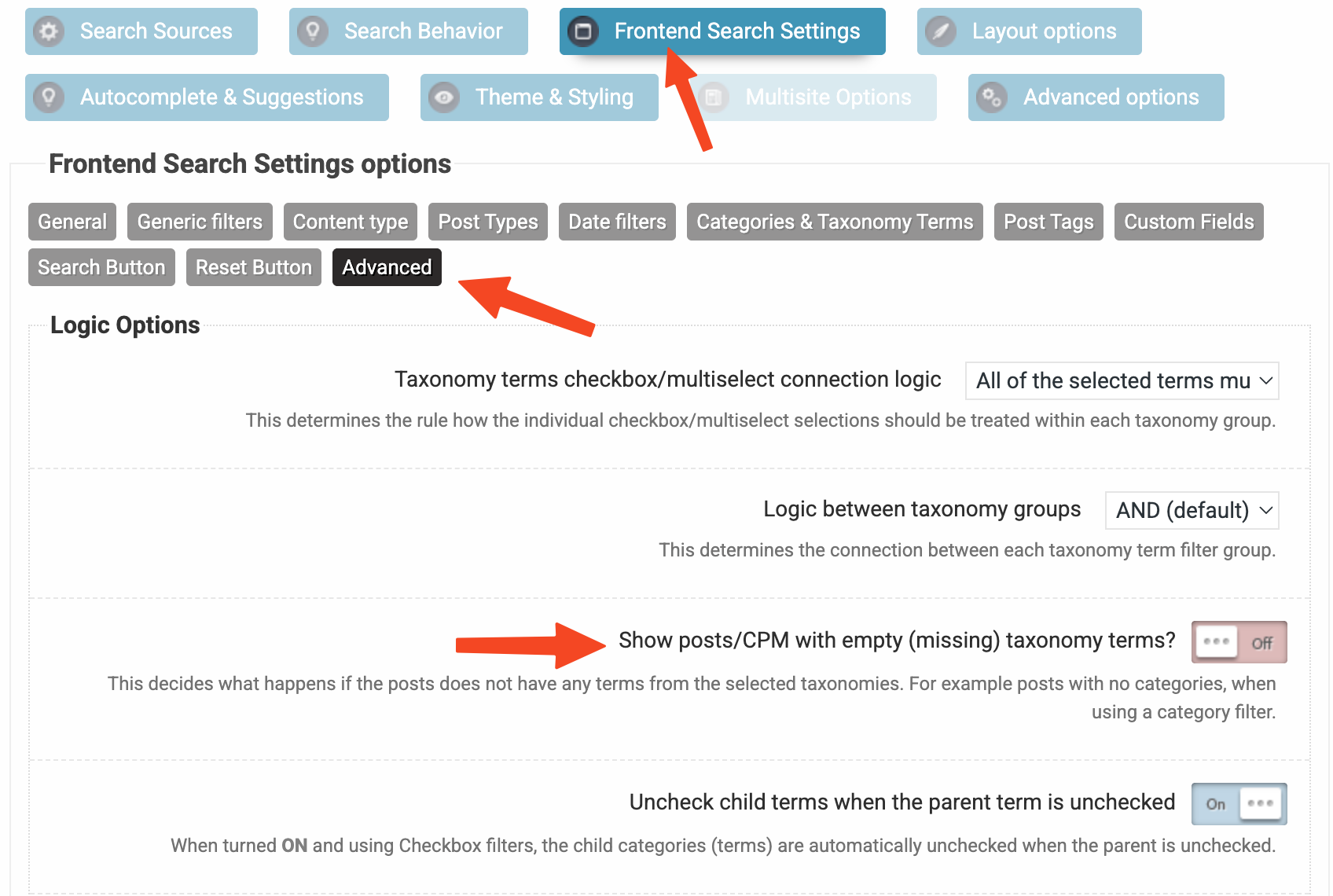
3. If you want to also exclude anything that is not associated with any terms from that same taxonomy then make sure this is turned offKeymasterHi Peter,
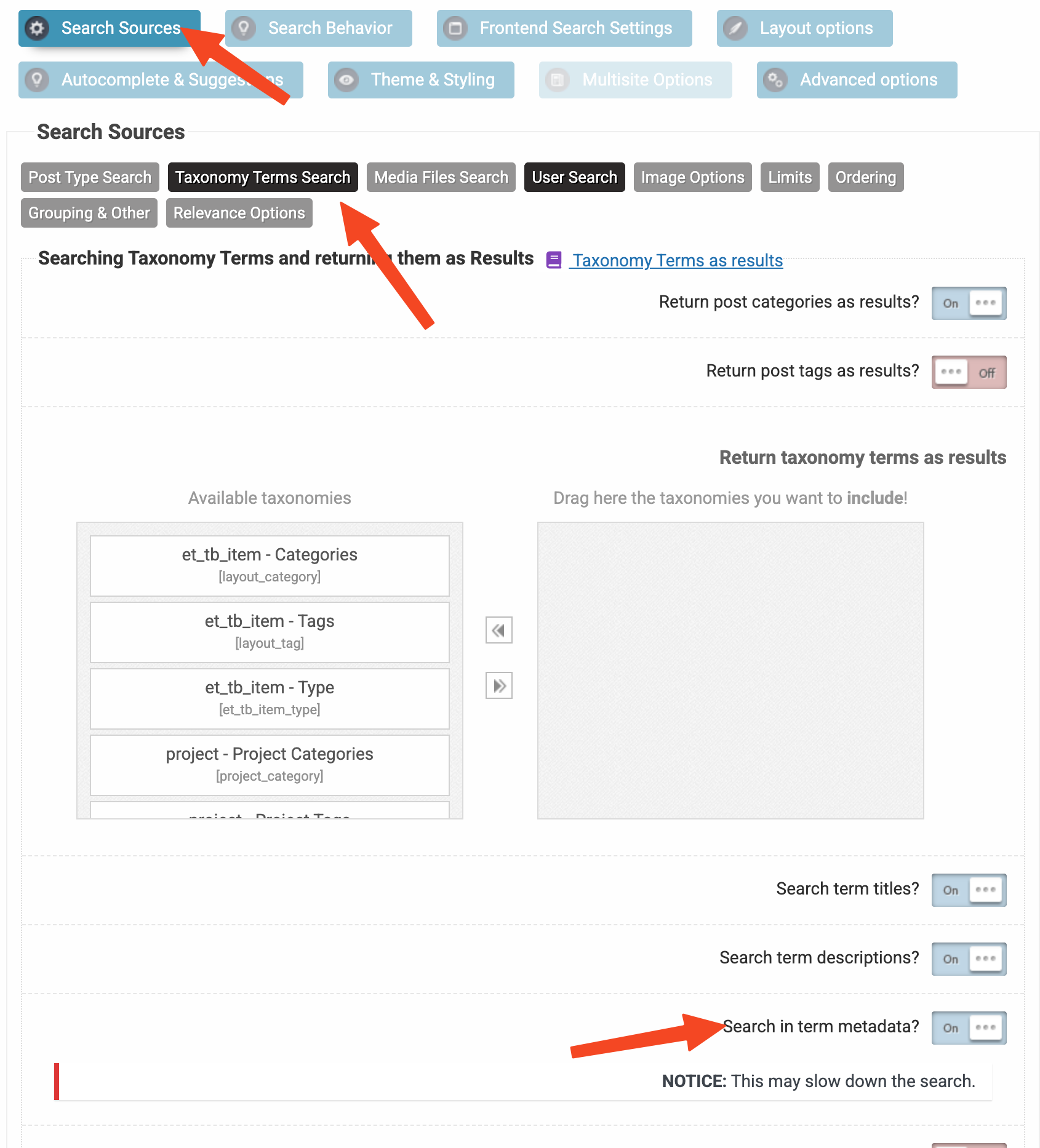
It sounds doable via the ACF field, by enabling the search in term metadata.
The built in synonyms feature only applies to post type results, unfortunately that can’t be extended in any way for taxnomy terms at the moment.
KeymasterNo worries, it is easy to forget, there are lots of settings. Asking for help is completely fine, I usually notice these things quicker as I know where and what to look for 🙂
-
AuthorPosts