Forum Replies Created
-
AuthorPosts
-
Ernest Marcinko
KeymasterYou cannot access this content.
KeymasterHi Boris,
Thank you very much for the details, it helps a lot.
There seems to be a general issue somewhere on the website. When I try to load the products page, it takes ~8 seconds to load, if I enter a search term on the products page on the back-end, then it’s over 30 seconds, so it looks like something might be adding a lot of workload to the server. I suspect that there might be a little too many plugins active and one or more is causing a massive workload for certain tasks. I strongly recommend removing some plugins which you may not use, it can significantly improve the overall site health. If you are using cloudflare enterprise, then I would disable all cache, query monitor and profiler plugins, those are already mitigated by Cloudflare itself.
The index is small, it’s only 10000 keywords, it should execute almost instantly. I did a debugging and found one issue, and that was the primary ordering using the stock status, but that shouldn’t be an issue at all. I changed it to relevance, now some bottleneck is gone and the search is a lot faster. I recommend checking the wp_postmeta table, perhaps do a degfragmentation on it, it seems like something might be wrong there, as all queries on the metadata table seem to be slowed down for some reason, maybe there is a table lock or a paging issue that could be solved via an optimize table commad. I also strongly recommend trying this plugin after you did a table optimize command on the postmeta table.
KeymasterHi Matt,
It was always a pain to handle custom javascript modules in live search containers as swapping out elements will automatically detach those actions. Usually these javascript events are initialized through a window readystate event, which is triggered after the search to re-attach the event handlers, but sometimes that just doesn’t work.
Can I check the issue somewhere? I can try to check what is triggering the events and perhaps suggest a custom code snippet to resolve it.
KeymasterYou cannot access this content.
KeymasterYou cannot access this content.
KeymasterHi,
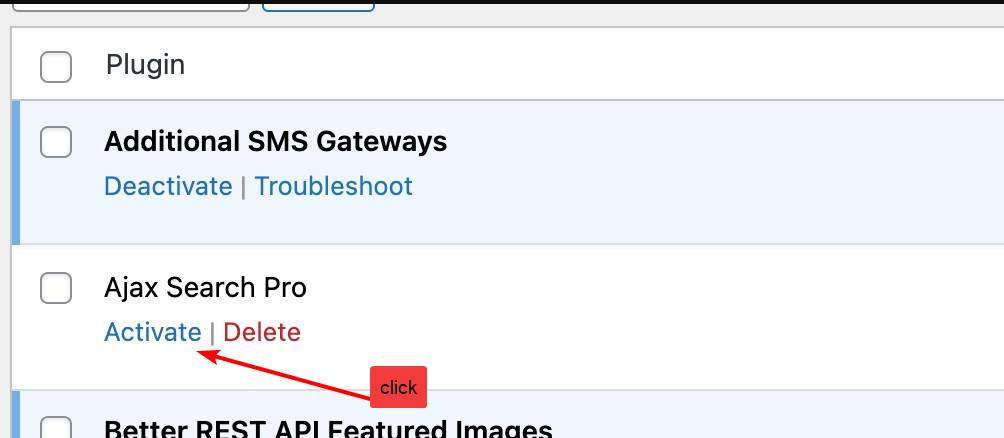
Make sure to activate the plugin, then go to the Help & Updates submenu for license activation to add your new license key.
If you need help with it, you can add temporary back-end access details and I will do it for you.
KeymasterYou cannot access this content.
KeymasterExactly, it was only a reference to an old file location as it’s shown in the error message. In case it would pop-up again, then let me know and I will investicate closer, but it should be all okay from now on.
KeymasterHi,
You can safely ignore this error, it popped up during the automated update process during the replacement and will not replicate again.
In the new version some files were moved to a different namespace and momentarily when the WordPress updater replaced them an existing hook was still running referencing the old locations.
KeymasterGreat, thank you for letting me know!
I will mark this topic as resolved.
KeymasterHi Johnny,
If the error does not reappear, then you can safely ignore it.
The file it refers to was moved to a different namespace in 4.28.5 due to AI integration preparations. During the update process WordPress may tried to access it through the old location via a running process and that’s why it popped up.
KeymasterYou cannot access this content.
KeymasterYou cannot access this content.
KeymasterHi!
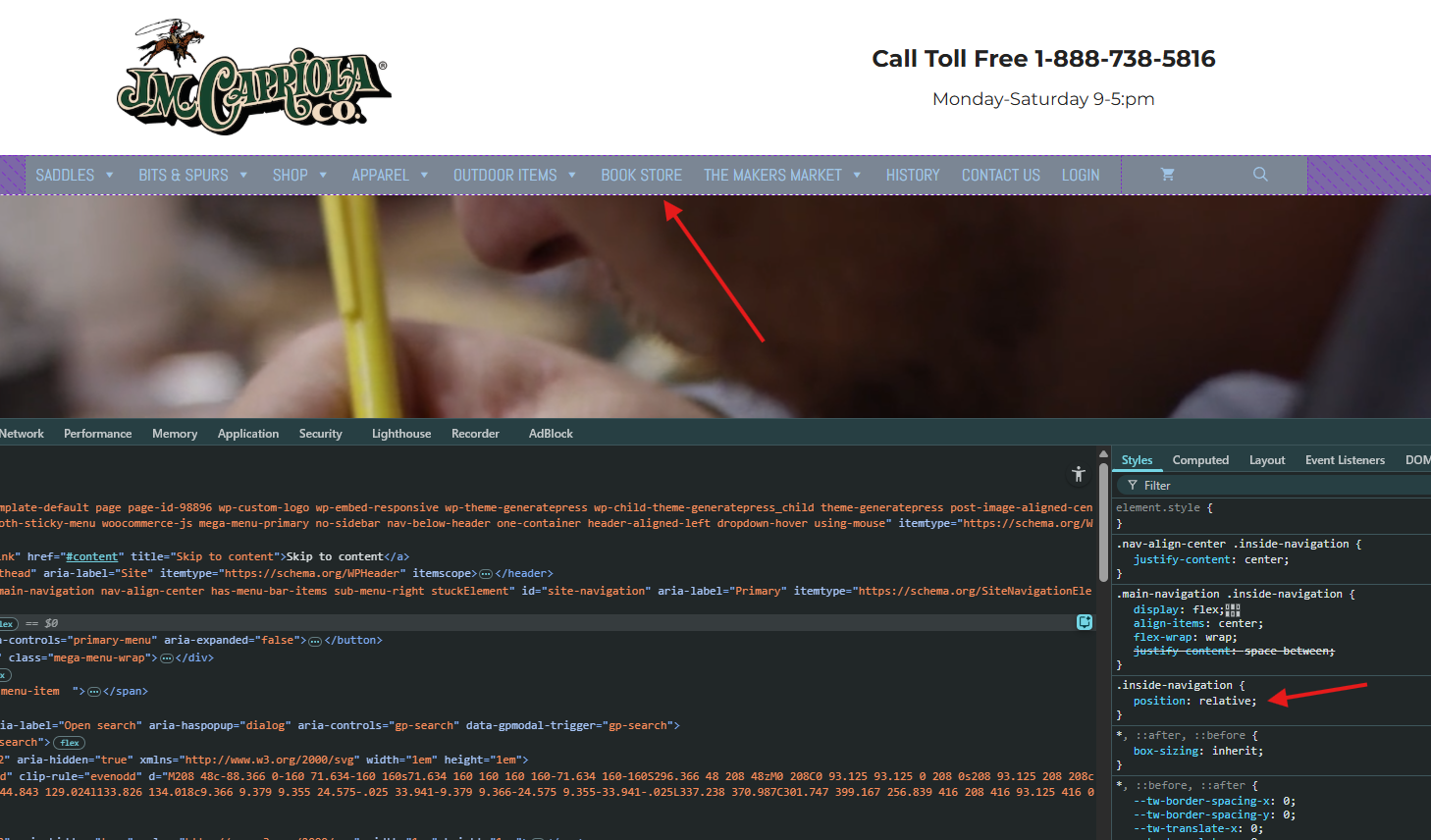
1. Positioning it relative is likely what you want. However your manu container is already in a relative position, I just checked, so that is already covered.
If you place the search icon to that container (ex. as a menu item), then set an absolute position of 0 to the right and auto to the left, then it should be positioned relative to that.2. Those are the actual search filters. If they are set as visible by default, then using the shortcode generator or the setting module or shortcode you can poisition then anywhere away from the search bar on the same page. This setup is very similar to that and here is a step-by-step tutorial for it.
KeymasterHi Jovan,
Thank you for the details, it helps a lot!
This is a known issue which has been already patched. If you are using a version before 4.27, then make sure to manually update to the latest version, that will resolve the issue.
All the best,
Ernest -
AuthorPosts