Forum Replies Created
-
AuthorPosts
-
Ernest Marcinko
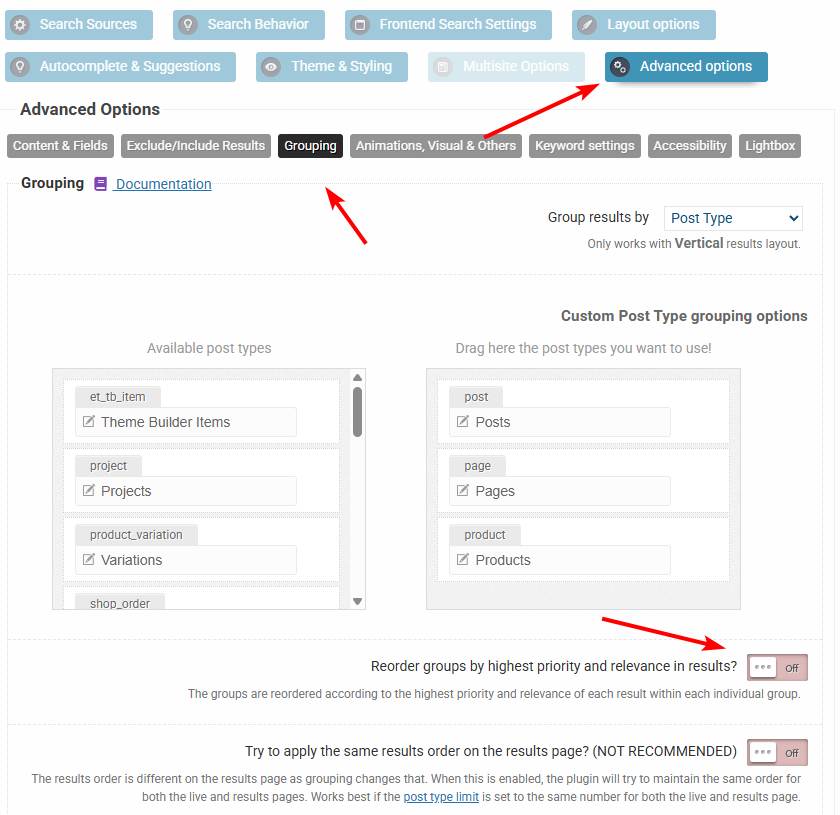
KeymasterOkay. Can you check if this option is disabled? That will affect the ordering by rearranging the groups by relevance, so make sure it is turned off.
KeymasterHi Ross,
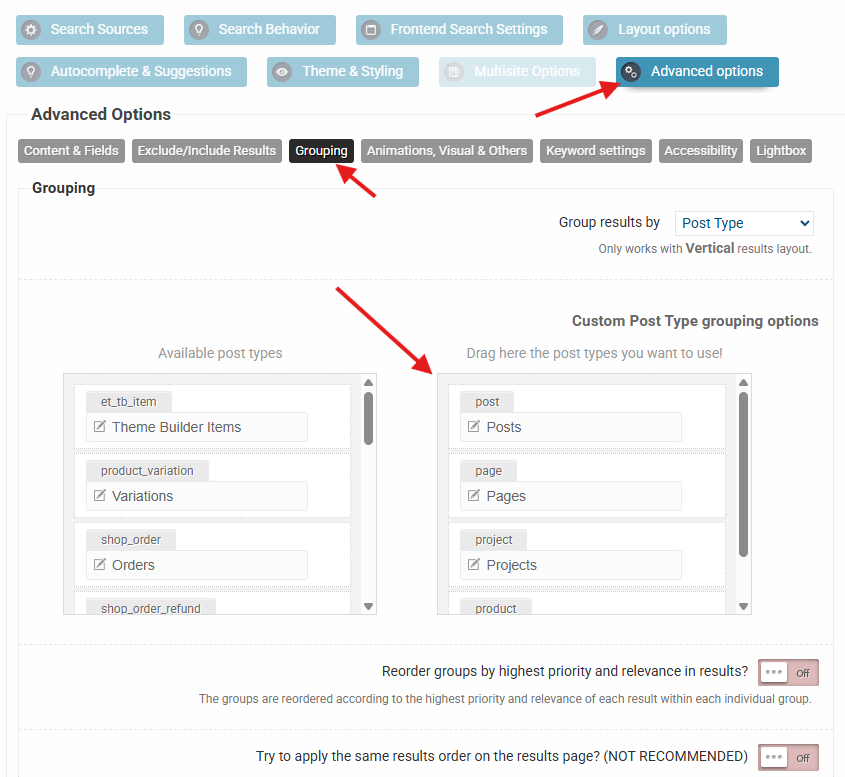
Sure! When grouping is enabled, then the order is determined by the order of items here. If you change that to the desired order, then it should resolve the issue 🙂
March 11, 2026 at 9:53 am in reply to: Layout regression and duplicate results after upgrading to Pro #57106KeymasterYou cannot access this content.
KeymasterYou cannot access this content.
KeymasterHi,
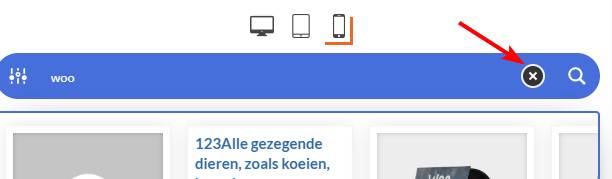
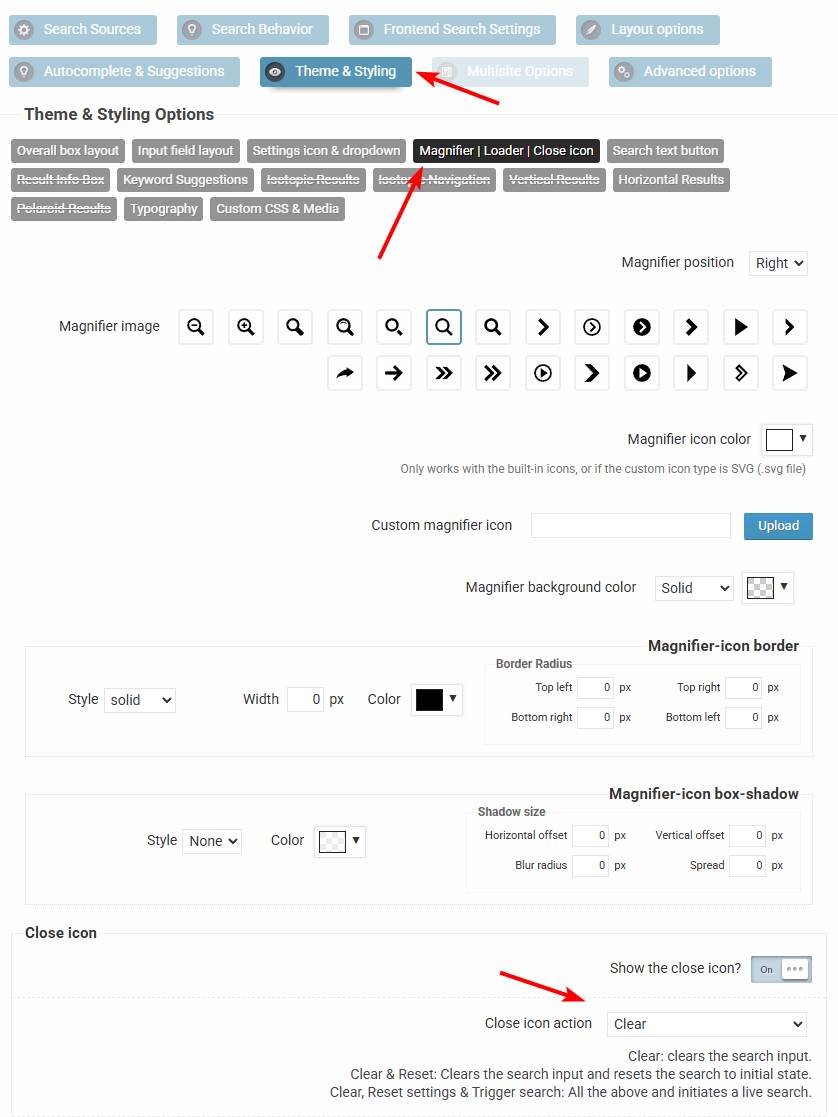
Yes – for the “X” icon in the search bar it can be adjusted. It can be set here.
KeymasterHi!
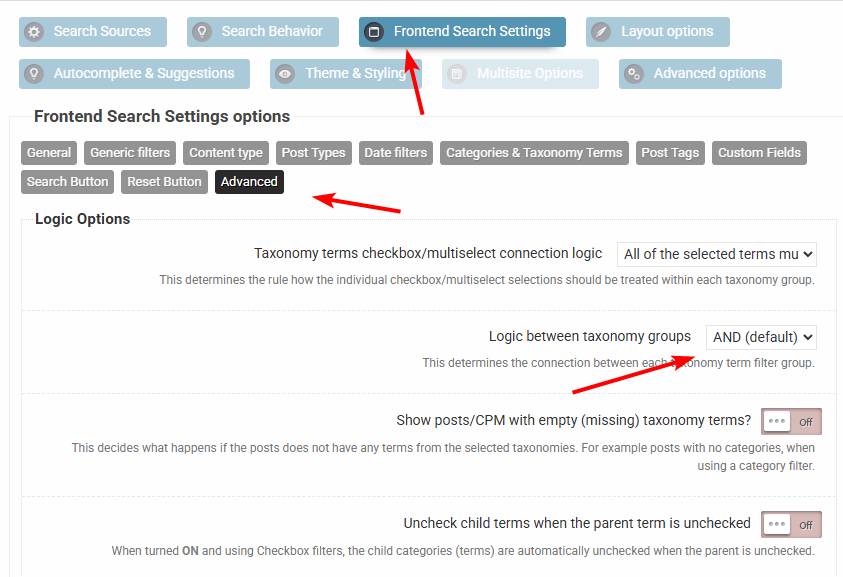
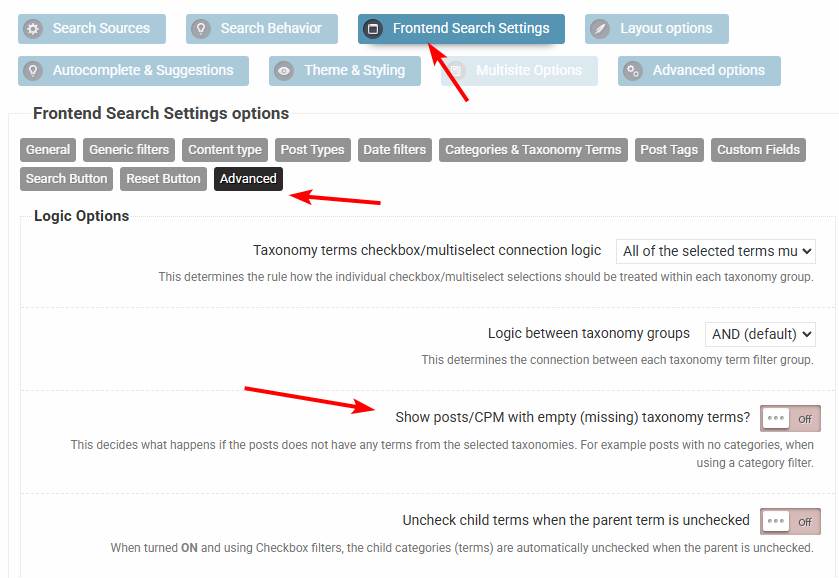
The default condition is AND, but you can double check it here, it is likely it’s going to be set to AND. I believe these might be results which are not assigned to one or more of the taxonomies. To exclude those, make sure to turn this option off.
KeymasterHi,
So sorry, I mixed up some emails again and a few tickets were left behind (including yours).
I don’t see an obvious issue with the first code. However that only applies whenever the indexing is done via cron/cli or via the back-end with the “Continue/New index” buttons, as applies to the piece of code that gathers the posts to index.
Your second solution looks clean too, it should work – I would still keep the first code active as well, so the 3 snippets to gether should cover all the cases.
Very soon there will be a new upgrade 4.28.3, which will have a brand new cache interface with a new caching method: “super file cache” (very fast, almost instant direct file access cache).
After that I think we are moving towards 4.29.0, where I want to rework the index table interface (including the indexing methods) and also add an option for custom field exclusions – or at least a unified hook for rules if the options turn out to be too complex. That will hopefully replace these snippets, as right now it is just way too much pain in my opinion. I really want to improve the whole indexing thing in general, right now it is way to cluttered for new features.KeymasterYou cannot access this content.
KeymasterHi,
I am very sorry, I have accidentally marked the notification email as “resolved” by mistake.
The date filter on the screenshot is for post (or custom post type) publish dates. I assume you are using an event calendar plugin of some sort? If so can you please let me know?
Can you please also add a URL where the plugin search is visible and temporary back-end access details, so I can check and verify the configuration?
Thank you!
KeymasterYou cannot access this content.
March 5, 2026 at 12:09 pm in reply to: Layout regression and duplicate results after upgrading to Pro #57085KeymasterYou cannot access this content.
March 5, 2026 at 10:44 am in reply to: Layout regression and duplicate results after upgrading to Pro #57083KeymasterYou cannot access this content.
March 3, 2026 at 8:53 pm in reply to: Filter using custom fields returning non relevant results #57074KeymasterHi,
This is unfortunately intended behavior. However you can restrict the values either by entering them manually, or by using the “exclude” parameter on the {get_values}.
If you only need to remove a couple of items, then I recommend using the “exclude” argument, otherwise it is just better to list the items manually insted of using the
{get_values}KeymasterHi,
I understand your frustration, let me try to help you.
I assume, that you are reffering to the results archive page. The problem is, that the result page layout is not related to the plugin – in fact search plugins have no effect on it’s design. It is fully controlled by the theme (or page builder) that you have installed. Search plugins only “send” the results to be displayed, the rest is handled by the theme.
It is a technical thing, search plugins can’t change that as WordPress passes the handle to the theme controller to display the results. If you are using a moder theme with a customizer or a theme with a block editor, then there is a good chance you can customize it through that. It is usually worth asking the theme support as well.
KeymasterHi,
Unfortunately I don’t have builds from that far back. I would have to revert the whole branch and make a new build script. If the plugin was already updated to the latest version, then it would likely not help, it just creates more problems, as the data is already converted for the new release and it would just error out. The only safe way is to roll back to server backup where the version was the previous one.
What seem to be the issue though? I can likely help you with it.
On the registered URL I see an Elementor Loop Grid connected to the search, which seemingly doesn’t load the results, but it happens because of a fade animation, that is not re-triggered. If you remove the fade-in effect from the loop grid container, then it will resolve it. The results are there, but faded out.
-
AuthorPosts