Forum Replies Created
-
AuthorPosts
-
February 10, 2026 at 12:14 pm in reply to: Search by SKU setup when full SKU being searched is partial match of another SKU #56959
Ernest Marcinko
KeymasterYou cannot access this content.
KeymasterYou cannot access this content.
KeymasterYou cannot access this content.
KeymasterThe problem is an iOS default since 2017 and is mobile-specific due to rich text on mobile keypads. On the iphone and iPad, the ASP search text input field is supoporting rich text with emojis et al. The issue appears to be as a result of a new feature in iOS 11, Smart Punctuation, that automatically turns straight into double quotes. This has been the default since 2017!
That could be it actually. I am also using Mac and an Iphone, but I suspect that it’s either not enabled on my end, or it is different by region. No matter what I do, I always get the “normal” double quotes.
Either way, I will look into this in more detail and update the knowledge base soon with this addition.
KeymasterOh I see the issue there. It’s because the quotation marks are the curly double version. It’s super rare, but I suspect that specific keyboard layout is using that instead of the non-curly version.
Luckily this can be resolved very easily with a code snippet, so that it’s replaced to the non-curly version during processing.
Try adding this code via the Code Snippets plugin or to the functions.php file in your theme/child theme directory – make sure to have a full server back-up first for safety. For more details you can check the safe coding guidelines.
/**
 * Replace all different curly double quotation marks with the unified '"' double quote
 */
add_filter(
	'asp_query_args',
	function ( $args ) {
		$characters = '“”';
		$replace_with = '"';

		$args['s'] = str_replace(str_split($characters), $replace_with, $args['s']);
		return $args;
	}
);
It is intentionally not replace in the plugin code, as we had a couple of requests a few years back, where people needed to be able to search these quotation marks within text, so the standard non-curly version is used for the exact matching purpose. The code snippet above should resolve that.
KeymasterHi Steve!
May I test this somewhere? The search results should be the same on all devices – unless something is either conflicting or there is an unknown bug. If I can test it, I might see something in the network debug tool.
Thank you!
KeymasterYou cannot access this content.
KeymasterYou cannot access this content.
KeymasterFebruary 6, 2026 at 8:45 am in reply to: How to create multiple searches, each returning only CPTs in a custom taxonomy? #56940KeymasterYou cannot access this content.
KeymasterHi Steve!
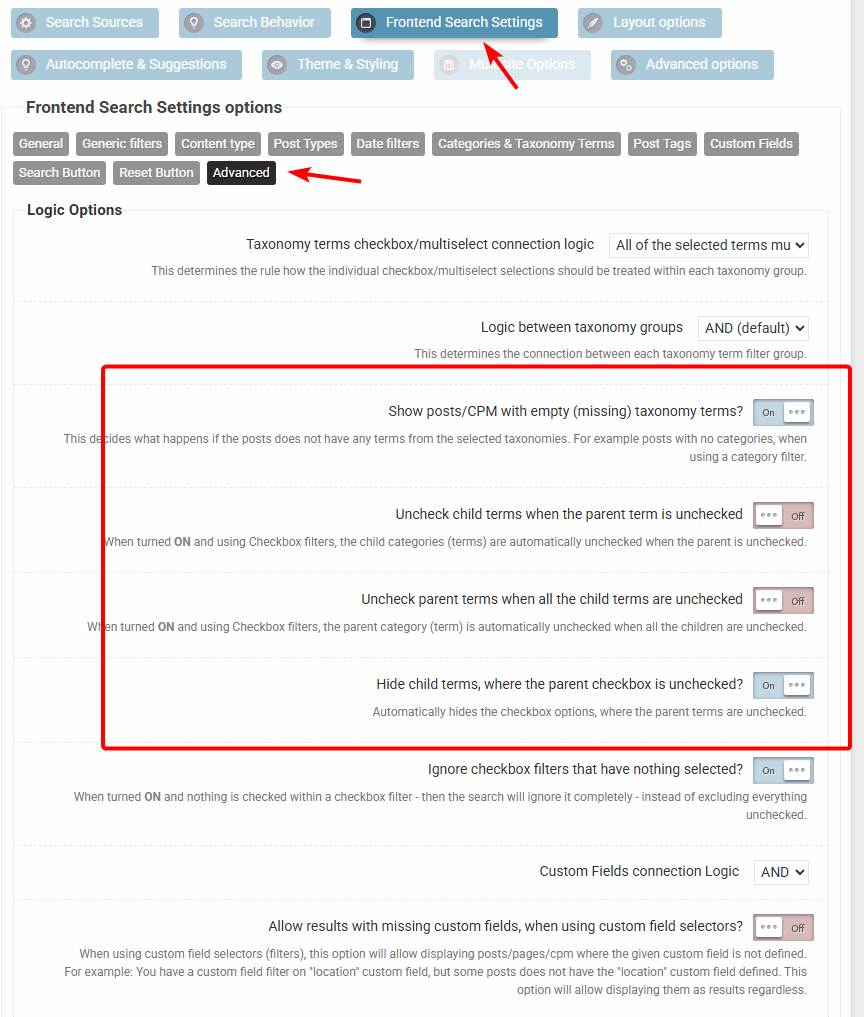
Can you please try this exact setup: https://wp-dreams.com/assets/support/2026-02-04_mPiYj8I7ag.jpg
If I understand correctly, then the checkbox initial states are “unchecked”, but checking any of them will check all the sub-categories, which is something you don’t want.
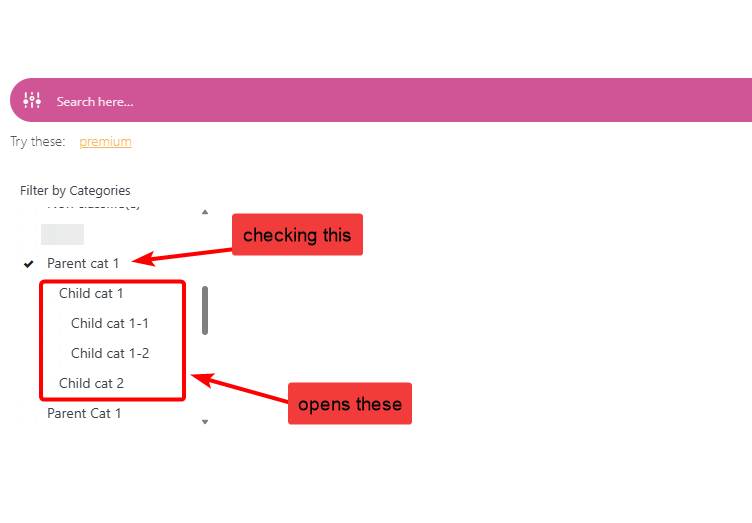
The configuration above should do exactly that (if all checkboxes are unchecked by default). Checking a parent category will open all the descendants, including sub-sub.. etc. descendant to display the whole tree – without checking them, like so: https://wp-dreams.com/assets/support/2026-02-04_qMxBwiBrGa.jpg
However this is still not the best UI for sure. I’m hoping to rework this whole section to a much better general output, with more possibilities of customization. I’m already working on implementing a new options interface based on the new search statistics UI. It is likely that the current search instances stay as “legacy” and a completely new UI for new search instances will be used instead. That means no possibility to migrate the old ones (but still use them) for a clear separation of the re-design.
-
This reply was modified 5 months, 2 weeks ago by
KeymasterYou cannot access this content.
February 4, 2026 at 12:59 pm in reply to: How to create multiple searches, each returning only CPTs in a custom taxonomy? #56916KeymasterYou cannot access this content.
KeymasterYou cannot access this content.
KeymasterYou cannot access this content.
-
This reply was modified 5 months, 2 weeks ago by
-
AuthorPosts