Forum Replies Created
-
AuthorPosts
-
Ernest Marcinko
KeymasterAll right!
KeymasterHi James,
I have no previous experience with this, but I would suggest doing something similar.
Instead of going directly to the server, you can likely do it via a .htaccess rule in the file root directory. A very similar solution is described in this article.
The solution is basically:
– The user has the link to the file, tries to open it
– Server recieves the request, checks the .htaccess for access rule
– If it matches, then checks for the login cookie, if it exists, then allows file access.While this is not the most secure way, as the cookie can be created manually – but a generic visitor would not be able to figure that out. If you need a more robust solution, then this should be fine tuned further. Ex.: instead of checking a cookie, a request is made to a script that checks if the user is actually logged in via wordpress etc..
These are only my 2 cents 🙂 I would definitely go with the linked solution, it is likely the simplest to implement. It is out of the scope of the plugin though.
KeymasterMay I take a look at it somewhere?
KeymasterHi,
Yes! It needs a bit of custom CSS, but it is possible to do:
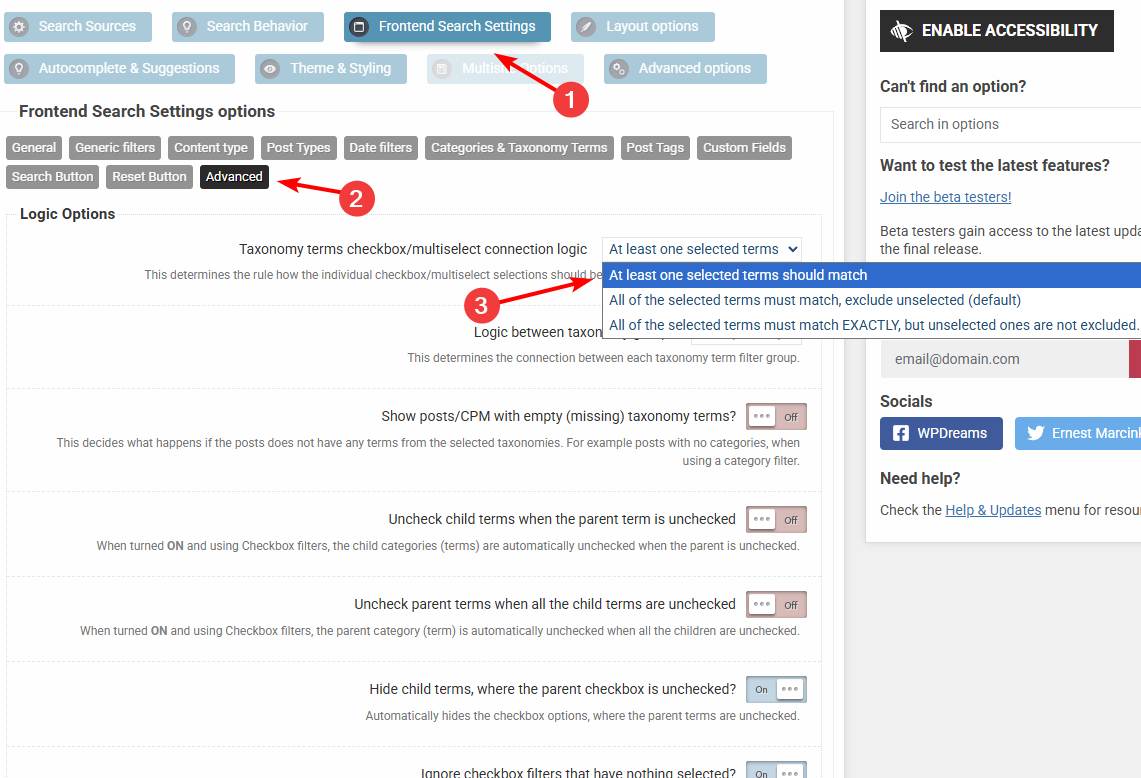
.asp_content { display: flex; flex-wrap: wrap; >* { flex-grow: 0; flex-shrink: 0; flex-basis: 100%; order: 1; } .etc { order: 2; } }KeymasterOkay, in that case I suspect the incorrect logic is used. By default when a checkbox is unchecked, then it is treated as exclusion – so anything belonging to that category (even if belonging to other categories) is excluded.
Try this logic instead.KeymasterHi,
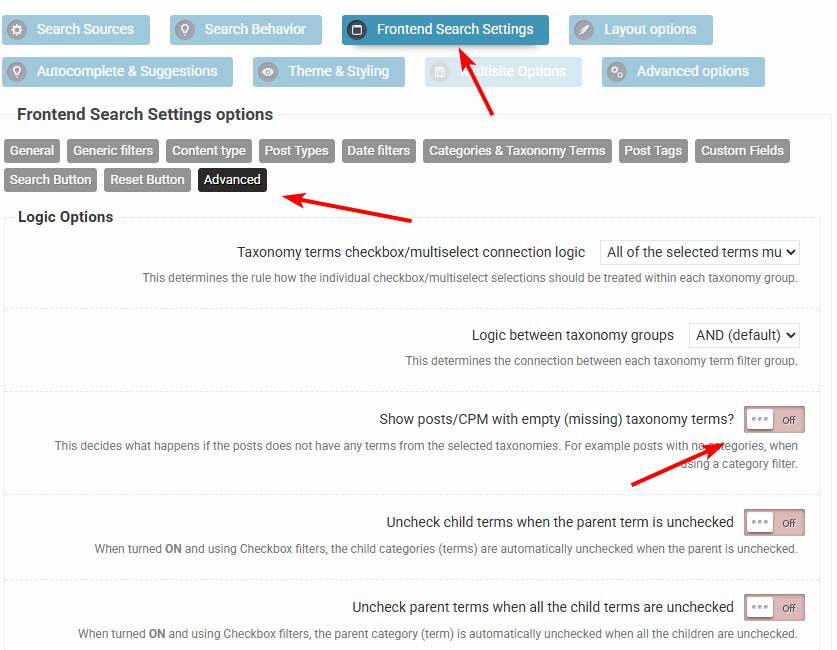
The most likely cause might be showing items which doesn’t belong to any of the categories. You can turn that off here.
KeymasterYou cannot access this content.
KeymasterYou cannot access this content.
KeymasterSure, no problem!
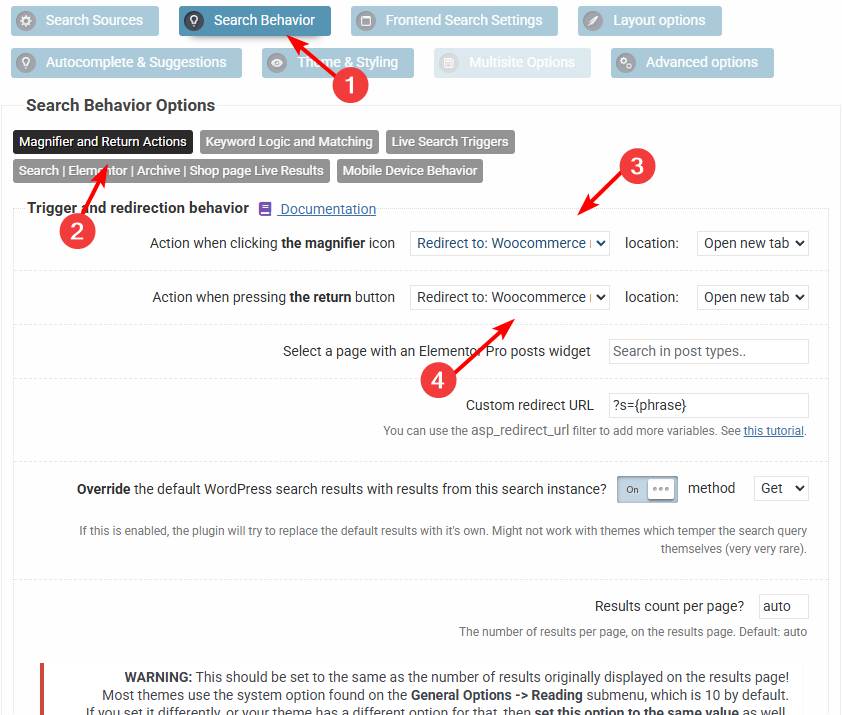
All you need to change is this to redirect to the WooCommerce results page. After that the plugin will redirect to the correct destination.
KeymasterYou cannot access this content.
KeymasterYou cannot access this content.
KeymasterYou cannot access this content.
KeymasterThanks! That worked, the search works okay on my end.
Can you please check the admin credentials? I tried to log-in and check the configuration but either the username or password seems to be incorrect. Thanks!
KeymasterI’m afraid that’s not possible that way.
You can however turn off the horizontal scrollbar for the horizontal results, that way there is a line break after the width of an item surpasses the container width.
January 22, 2026 at 1:13 pm in reply to: Index Table yields empty results after Import of posts #56821KeymasterYou cannot access this content.
-
AuthorPosts